WaveboxBookry
|
||||||
Related Products
|
||||||
About
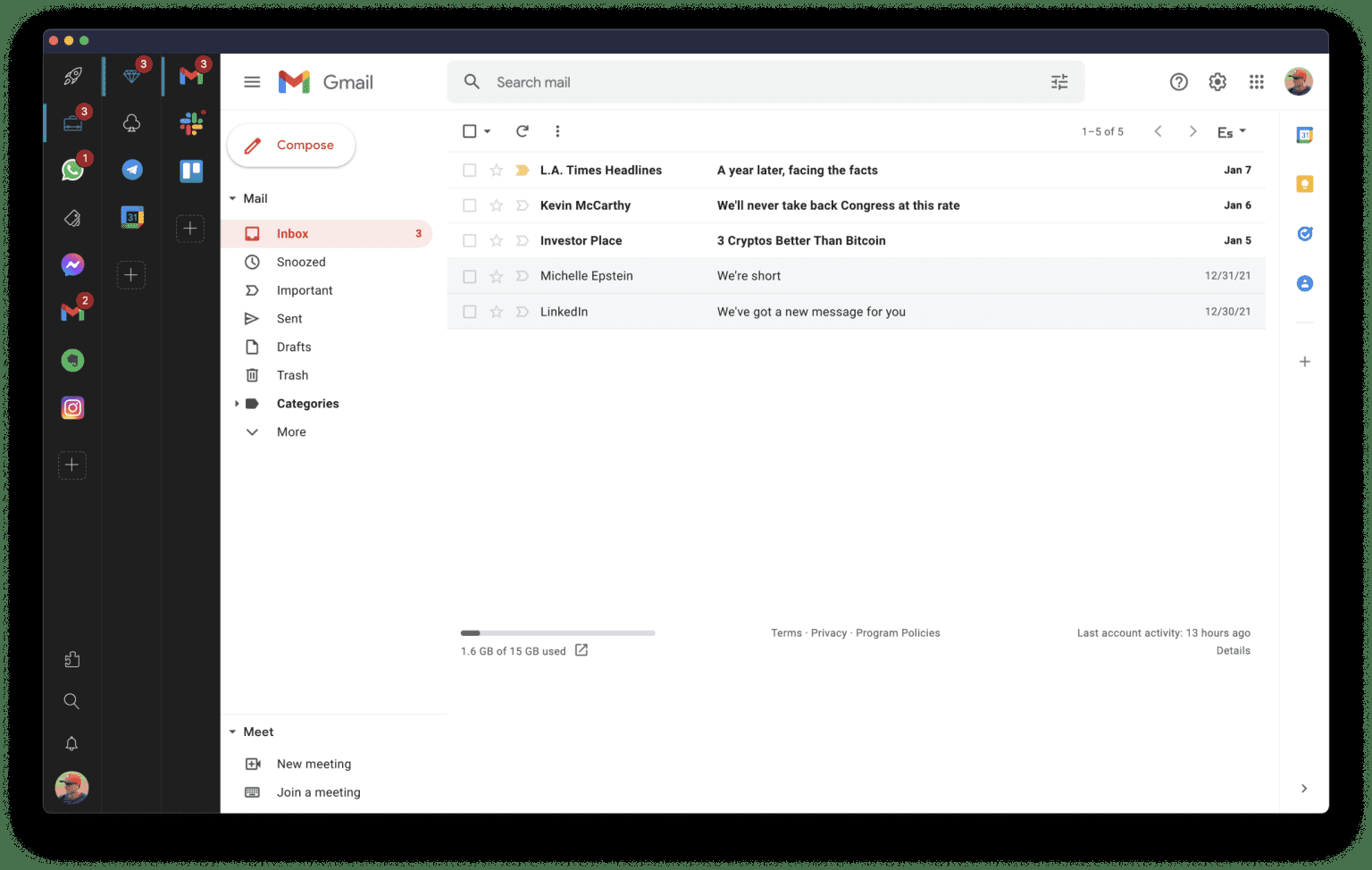
Rambox is a digital workspace organizer that boosts productivity for professionals who use web apps frequently. It centralizes all your apps, making it easy to organize and access frequently used applications in one place.
With over 700 pre-configured apps, including Gmail, WhatsApp, Facebook, iCloud, and more, you can instantly add them to your workspace. And if your app isn't listed, no problem - you can add any custom app in a few easy steps.
Rambox synchronizes app configurations and can disable notifications across all devices in the user dashboard, automatically hibernating inactive apps to free up memory. Plus, users can apply CSS styling and JS code to improve each app's design and performance.
Other features include: dark mode, do not disturb mode, spell checking, ad blocking, password management, notification management, and keyboard shortcuts.
|
About
Wavebox is a distraction-free Chromium browser for fast and focused working across all your daily web SaaS apps and websites. Quickly replace browser tab chaos with a focused and organized workplace. Add your favorite SaaS tools to build fast workflows and stay signed-in to all your accounts. Log in to multiple accounts of the same type e.g. Gmail, Office365, Slack, Trello using cookie containers. Built on Chromium Wavebox is secure, robust, and supports any SaaS, cloud app or website.
|
|||||
Platforms Supported
Windows
Supported
Mac
Supported
Linux
Supported
Cloud
Not Supported
On-Premises
Supported
iPhone
Not Supported
iPad
Not Supported
Android
Not Supported
Chromebook
Not Supported
|
Platforms Supported
Windows
Supported
Mac
Supported
Linux
Not Supported
Cloud
Not Supported
On-Premises
Not Supported
iPhone
Not Supported
iPad
Not Supported
Android
Not Supported
Chromebook
Not Supported
|
|||||
Audience
Professionals that work many hours online using multiple apps across different projects. Examples are freelancers, developers, designers, or marketers looking to streamline their app usage.
|
Audience
Companies of all sizes
|
|||||
Support
Phone Support
Not Supported
24/7 Live Support
Not Supported
Online
Supported
|
Support
Phone Support
Supported
24/7 Live Support
Not Supported
Online
Not Supported
|
|||||
API
Offers API
Not Supported
|
API
Offers API
Not Supported
|
|||||
Screenshots and Videos |
Screenshots and Videos |
|||||
Pricing
$7 per user per month
Or $5.83 per user per month if billed annually
Free Version
Supported
Free Trial
Supported
|
Pricing
$98 per user per year
Free Version
Supported
Free Trial
Supported
|
|||||
Reviews/
|
Reviews/
|
|||||
Pros & Cons from Real UsersPros
Cons
|
Pros & Cons from Real UsersPros
Cons
|
|||||
Training
Documentation
Supported
Webinars
Not Supported
Live Online
Not Supported
In Person
Not Supported
|
Training
Documentation
Supported
Webinars
Not Supported
Live Online
Not Supported
In Person
Not Supported
|
|||||
Company InformationRambox
Founded: 2016
United States
rambox.app/
|
Company InformationBookry
Founded: 2012
United Kingdom
wavebox.io
|
|||||
Alternatives |
Alternatives |
|||||
|
|
|
|||||
|
|
||||||
Categories |
Categories |
|||||
Productivity Features
Collaboration
Supported
Database Creation
Not Supported
Document Creation
Not Supported
File Sharing
Supported
Notes Management
Not Supported
Office Suite
Supported
Presentation Tools
Supported
Project Management
Supported
Task Management
Not Supported
Team Chat
Not Supported
Digital Workplace Features
Activity / News Feed
Not Supported
Calendar Management
Supported
Chat / Messaging
Supported
Content Management
Not Supported
Document Management
Supported
Employee Directory
Not Supported
File Sharing
Supported
Knowledge Management
Not Supported
Surveys & Feedback
Not Supported
Task Management
Supported
Messaging Features
End-to-End Encryption (E2EE)
Not Supported
File Sharing
Supported
Groups / Channels
Not Supported
Payments
Not Supported
Search / Filter
Supported
Self-Destructing Messages
Not Supported
Stickers / GIFs
Not Supported
Threaded Discussion
Not Supported
Video Conferencing
Supported
Voice Calling
Not Supported
Team Chat Features
End-to-End Encryption (E2EE)
Not Supported
File Sharing
Supported
Groups / Channels
Not Supported
Payments
Not Supported
Search / Filter
Supported
Self-Destructing Messages
Not Supported
Stickers / GIFs
Not Supported
Threaded Discussion
Not Supported
Video Conferencing
Supported
Voice Calling
Not Supported
|
||||||
Integrations
Aircall
Supported
Awario
Supported
Backlog
Supported
Buffer
Supported
Canva
Supported
Canvas
Supported
Constant Contact
Supported
Dribbble
Supported
Element
Supported
GetEmail.io
Supported
|
Integrations
Aircall
Not Supported
Awario
Not Supported
Backlog
Not Supported
Buffer
Not Supported
Canva
Not Supported
Canvas
Not Supported
Constant Contact
Not Supported
Dribbble
Not Supported
Element
Not Supported
GetEmail.io
Not Supported
|
|||||
|
|
|