PyramixMerging
|
WaveformTracktion Corporation
|
|||||
Related Products
|
||||||
About
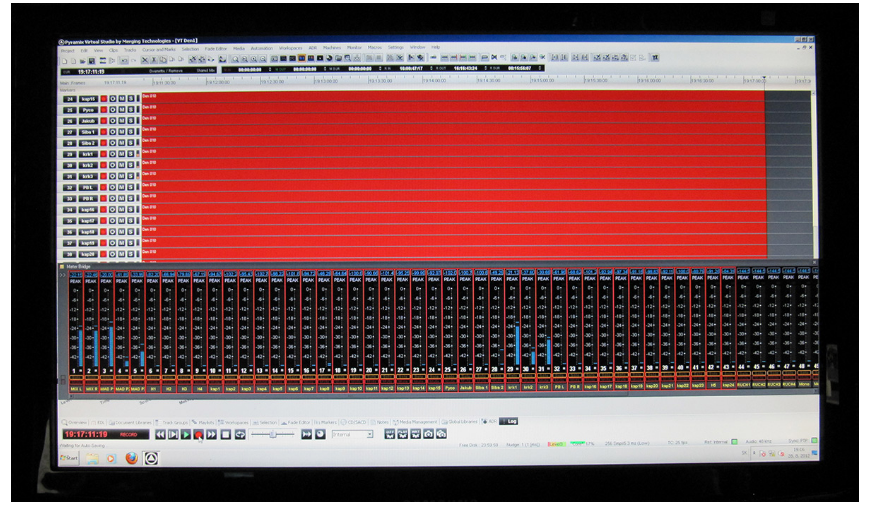
Pyramix is a digital audio workstation used by professional studios and engineers the world over for music production, mastering, TV and film post-production. Pyramix, in combination with its networked audio interfaces offers the only end to end solution on the market to produce music digitally with an audio format that sounds like analog to humans. We enable music producers to give no compromise to their music throughout the whole production chain, and give them all the tools needed for a broad outreach including latest “Next Generation Audio" streaming formats such as Dolby Atmos ®. Merging Technologies has worked with companies such as Flux Audio to bring into Pyramix astounding plugins available in any resolution and at near zero latencies. Pyramix not only provides the most transparent analog-like DAW, it also provides you with cutting edge editing tools, such as the very unique source/destination mode which allows editing of huge multi track recordings at the speed of light.
|
About
Waveform is a rapidly evolving application specifically designed for the needs of modern music producers. Specializing in creative and inspirational workflows and avoiding features not explicitly needed to allow the app to remain surprisingly fun and intuitive. While other apps try to appeal to broad user groups, for example film score, live sound, performance – we are laser focused on music production. Waveform Pro introduces the Arranger Track, a remarkably simple yet powerful tool for manipulating regions of your arrangement. Simply create an arrange clip in the arranger track to control the entire region of your arrangement. The arranger track has contemporary features such as magnetic movement, commonly found in video editors, that automatically open and close regions of the arrangement based on your selections. Experimenting with your arrangement and song structure has never been easier.
|
|||||
Platforms Supported
Windows
Supported
Mac
Supported
Linux
Supported
Cloud
Supported
On-Premises
Not Supported
iPhone
Not Supported
iPad
Not Supported
Android
Not Supported
Chromebook
Not Supported
|
Platforms Supported
Windows
Supported
Mac
Supported
Linux
Supported
Cloud
Not Supported
On-Premises
Not Supported
iPhone
Not Supported
iPad
Not Supported
Android
Not Supported
Chromebook
Not Supported
|
|||||
Audience
Professional studios and musicians in search of a digital audio workstation to produce and master music
|
Audience
Anyone seeking a digital audio workstation solution
|
|||||
Support
Phone Support
Supported
24/7 Live Support
Not Supported
Online
Supported
|
Support
Phone Support
Not Supported
24/7 Live Support
Not Supported
Online
Supported
|
|||||
API
Offers API
Not Supported
|
API
Offers API
Not Supported
|
|||||
Screenshots and Videos |
Screenshots and Videos |
|||||
Pricing
No information available.
Free Version
Not Supported
Free Trial
Supported
|
Pricing
No information available.
Free Version
Supported
Free Trial
Supported
|
|||||
Reviews/
|
Reviews/
|
|||||
Pros & Cons from Real UsersPros
Cons
|
Pros & Cons from Real UsersPros
Cons
|
|||||
Training
Documentation
Supported
Webinars
Supported
Live Online
Not Supported
In Person
Supported
|
Training
Documentation
Supported
Webinars
Not Supported
Live Online
Not Supported
In Person
Not Supported
|
|||||
Company InformationMerging
Switzerland
www.merging.com/products/pyramix
|
Company InformationTracktion Corporation
Founded: 2012
United States
www.tracktion.com/products/waveform-pro
|
|||||
Alternatives |
Alternatives |
|||||
|
|
|
|||||
|
|
|
|||||
|
|
|
|||||
|
|
|
|||||
Categories |
Categories |
|||||
Integrations
No info available.
|
Integrations
No info available.
|
|||||
|
|
|