PimNotePimtel
|
TeraCopyCode Sector
|
|||||
Related Products
|
||||||
About
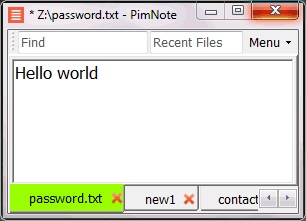
PimNote is a simple text editor for faster document access. It also combines the useful and lacking features of all other text editors.
Designed for knowledge management. One-click access to the recent file list helps you write a new idea to the related file quickly before forgetting it. The unlimited and searchable recent file list helps you easily reach an old file that was opened a long time ago. The one-click find history list and search help you type less.
Designed for remote working. No freezing from a remote file monitoring/opening/writing when disconnected. Files are cached for offline use by just closing the application without closing the tabs. Auto reconnect the network drive while opening the file. Repeated file notifications are informed politely on the top bar instead of a pop-up dialog box that requires frequent actions and tends to be mispressed.
|
About
In case of a copy error TeraCopy will try to recover. If unable to recover in the worst case scenario it will simply skip the problematic file, not terminating the entire transfer. It can also wait for network or device reconnection. Unnecessary files can be skipped to reduce the transfer time. During the process, TeraCopy shows detected errors, and allows you to fix the problem by recopying only the problematic files. TeraCopy can verify files after they have been copied to ensure that they are identical. This is done by comparing hashes of source and target files. TeraCopy can optionally show a confirmation dialog on every drag and drop operation. It can prevent you from moving folders accidentally from one location to another. TeraCopy can keep history of recently used directories, as well as show folders which are open in Explorer and other file managers.
|
|||||
Platforms Supported
Windows
Mac
Linux
Cloud
On-Premises
iPhone
iPad
Android
Chromebook
|
Platforms Supported
Windows
Mac
Linux
Cloud
On-Premises
iPhone
iPad
Android
Chromebook
|
|||||
Audience
Everyone who write text without coding especially remote workers
|
Audience
File copy solution that helps businesses verify that they have an exact copy of their file
|
|||||
Support
Phone Support
24/7 Live Support
Online
|
Support
Phone Support
24/7 Live Support
Online
|
|||||
API
Offers API
|
API
Offers API
|
|||||
Screenshots and Videos |
Screenshots and Videos |
|||||
Pricing
No information available.
Free Version
Free Trial
|
Pricing
$29.95 one-time payment
Free Version
Free Trial
|
|||||
Reviews/
|
Reviews/
|
|||||
Training
Documentation
Webinars
Live Online
In Person
|
Training
Documentation
Webinars
Live Online
In Person
|
|||||
Company InformationPimtel
Founded: 2018
www.pimtel.com/pimnote/
|
Company InformationCode Sector
Founded: 1999
Australia
codesector.com/teracopy
|
|||||
Alternatives |
Alternatives |
|||||
|
|
|
|||||
|
|
||||||
|
|
||||||
|
|
||||||
Categories |
Categories |
|||||
|
|
|