Related Products
|
||||||
About
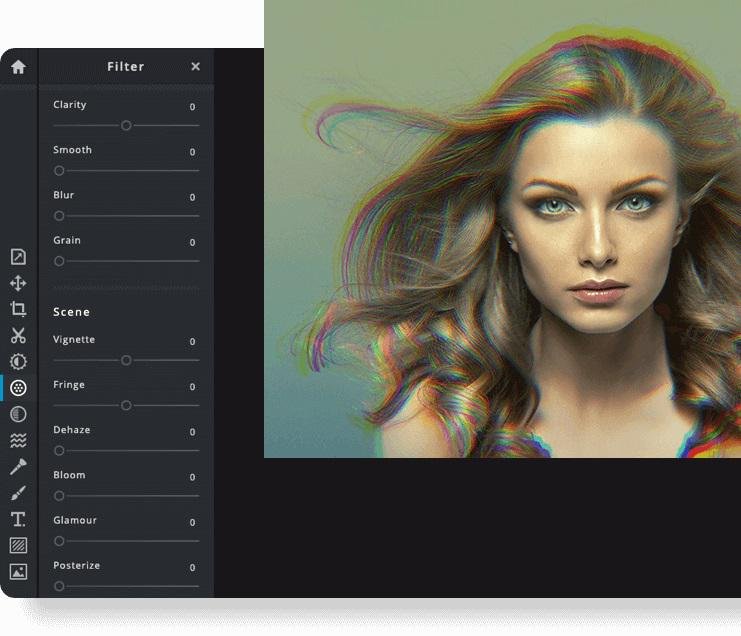
PicMonkey’s online photo editor tools are everything you need to make wow-worthy images. Take your photos, designs, and social media posts to the next level with filters and editing tools. Use the free mobile app or start a free trial on desktop! Start a free trial subscription now to give the photo editing tools a try. Open your photos in PicMonkey and crop, resize, add filters or effects, and adjust color or exposure. Take your image edits further by adding text to your photo or using graphics for a perfect finishing touch. When you are done editing a photo, share directly to social media or download as a JPG, PNG, PDF, GIF, or MP4. Boost engagement and followership with stylish posts, ads, cover images, and more. See our fab templates and hot tips for workin' it on Facebook, Pinterest, YouTube, and Instagram. Create a logo and business card. Watermark your images. Stash your logo, fonts, and colors in a brand kit for easy access. Your one-stop shop for branding has it all.
|
About
Pixlr the Online Photo Editor that lets you edit photos and create great designs right in your browser for Free. Experience next level, intuitive photo editing and graphical design with AI-powered tools for quick yet professional edits. Our editor opens almost any image format such as PSD (Photoshop), PXD, JPEG, PNG (transparent), WebP, SVG and more. Start from an empty canvas or select one of our professionally crafted templates. Say goodbye to boring and repetitive editing tasks with AI design tools. One click is all it takes to remove backgrounds perfectly from your photos, cut out every strand of hair and more! Let AI and Machine Learning take your photo editing and background removal to a new level! Simpler steps, equally stunning results. Just toggle on and off, or drag sliders from left to right to edit your photos. Achieving unique aesthetic photo effects becomes so much simpler with Pixlr.
|
|||||
Platforms Supported
Windows
Mac
Linux
Cloud
On-Premises
iPhone
iPad
Android
Chromebook
|
Platforms Supported
Windows
Mac
Linux
Cloud
On-Premises
iPhone
iPad
Android
Chromebook
|
|||||
Audience
Anyone looking for an online photo editor
|
Audience
Anyone interested in intuitive online photo editing platform with AI-powered tools
|
|||||
Support
Phone Support
24/7 Live Support
Online
|
Support
Phone Support
24/7 Live Support
Online
|
|||||
API
Offers API
|
API
Offers API
|
|||||
Screenshots and Videos |
Screenshots and Videos |
|||||
Pricing
$7.99 per month
$72 per year if billed annually
Free Version
Free Trial
|
Pricing
$2.49 per month
$1.49/month if billed annually
Free Version
Free Trial
|
|||||
Reviews/
|
Reviews/
|
|||||
Pros & Cons from Real UsersPros
Cons
|
Pros & Cons from Real UsersPros
Cons
|
|||||
Training
Documentation
Webinars
Live Online
In Person
|
Training
Documentation
Webinars
Live Online
In Person
|
|||||
Company InformationPicMonkey
Founded: 2012
United States
www.picmonkey.com
|
Company InformationPixlr
Founded: 2008
Sweden
pixlr.com
|
|||||
Alternatives |
Alternatives |
|||||
|
|
||||||
|
|
|
|||||
Categories |
Categories |
|||||
Graphic Design Features
Collaboration
Data Visualization
Filtering
Image Database
Image Editor
Templates
|
||||||
|
|
|