|
|
||||||
| Notezilla | QuickNote | |||||
|---|---|---|---|---|---|---|
Related Products
|
||||||
Notezilla:
About
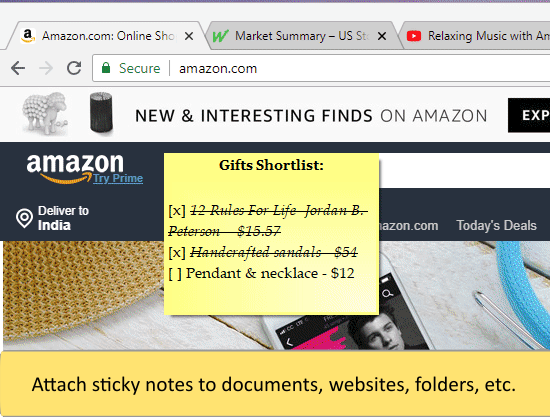
Notezilla is a sticky notes app for Windows & Phones designed to keep you well-equipped & well-organized. It lets you take quick notes on sticky notes (that look like 3M Post-It® Notes), right on your Windows desktop & gives you the best sticky notes experience.
With the optional cloud synchronization feature, you can sync sticky notes between computers, access them from any smartphone using our free apps for iPhone/iPad, Android, etc or send sticky notes to any contact across the globe.
Notezilla is a professionally designed, simple & elegant sticky notes software. Over the last 15 years, it has gained an excellent reputation (read customer reviews) from all over the world.
|
QuickNote:
About
With QuickNote you can create notes on the fly, that can contain links, images, lists or snippets of code, and share them with your colleagues or friends in seconds. You can use it for whatever you want, but here are some ideas. Share notes with friends during Skype calls. Answer simple customer support questions. Share snippets of code with other programmers in your team. Share recipes with your partner. Draft blog posts and create a grocery list. QuickNote is free, minimalist and completely anonymous. No signup, no credit card, no sharing settings to configure. Sync notes with another device and import notes. Add note from any tab by clicking on the QuickNote icon. One-click to access your notes. Share your notes via Twitter, Facebook, Email and even WhatsApp in one click. You don't need an account. Install the extension and start taking notes. Add lists, links and images to your notes.
|
|||||
Notezilla:
Platforms Supported
Windows
Supported
Mac
Not Supported
Linux
Not Supported
Cloud
Supported
On-Premises
Not Supported
iPhone
Supported
iPad
Supported
Android
Supported
Chromebook
Not Supported
|
QuickNote:
Platforms Supported
Windows
Not Supported
Mac
Not Supported
Linux
Not Supported
Cloud
Supported
On-Premises
Not Supported
iPhone
Not Supported
iPad
Not Supported
Android
Not Supported
Chromebook
Not Supported
|
|||||
Notezilla:
Audience
Anyone who wants to use sticky notes
|
QuickNote:
Audience
Users in need of a solution to create notes with links, images, lists or snippets of code and share them with others
|
|||||
Notezilla:
Support
Phone Support
Not Supported
24/7 Live Support
Not Supported
Online
Supported
|
QuickNote:
Support
Phone Support
Not Supported
24/7 Live Support
Supported
Online
Supported
|
|||||
Notezilla:
API
Offers API
Not Supported
|
QuickNote:
API
Offers API
Not Supported
|
|||||
Notezilla:
Screenshots and Videos |
QuickNote:
Screenshots and Videos |
|||||
Notezilla:
Pricing
$29.95/year/user
Free Version
Not Supported
Free Trial
Supported
|
QuickNote:
Pricing
No information available.
Free Version
Not Supported
Free Trial
Not Supported
|
|||||
Notezilla:
Reviews/
|
QuickNote:
Reviews/
|
|||||
Notezilla:
Pros & Cons from Real UsersPros
Cons
|
||||||
Notezilla:
Training
Documentation
Supported
Webinars
Not Supported
Live Online
Not Supported
In Person
Not Supported
|
QuickNote:
Training
Documentation
Not Supported
Webinars
Not Supported
Live Online
Not Supported
In Person
Not Supported
|
|||||
Notezilla:
Company InformationConceptworld Corporation
Founded: 2000
India
www.conceptworld.com
|
QuickNote:
Company InformationQuickNote
Founded: 2018
quicknote.io/940cad20-0b87-11e9-a33b-93687ca9130d
|
|||||
Notezilla:
Alternatives |
QuickNote:
Alternatives |
|||||
|
Notezilla:
|
QuickNote: | |||||
|
Notezilla:
|
QuickNote: | |||||
|
Notezilla:
|
QuickNote:
|
|||||
| Notezilla: |
QuickNote:
|
|||||
Notezilla:
Categories |
QuickNote:
Categories |
|||||
Notezilla:
Integrations
Facebook
Not Supported
Google Chrome
Not Supported
WhatsApp
Not Supported
X (Twitter)
Not Supported
YouTube
Not Supported
|
QuickNote:
Integrations
Facebook
Supported
Google Chrome
Supported
WhatsApp
Supported
X (Twitter)
Supported
YouTube
Supported
|
|||||
|
Notezilla:
|
QuickNote:
|