MisterSignageMogaCode
|
||||||
Related Products
|
||||||
About
MisterSignage is a cloud-based digital signage platform for managing and displaying content across screens from a browser. Users can create photo and video slideshows, use ready-made templates, display web pages or YouTube content, and add news feeds, weather, clocks, QR codes and scrolling banners. The platform supports portrait and landscape layouts, screen groups, scheduling, split-screen zones and offline playback of cached content. It also provides proof-of-play reporting and specialized displays for meeting rooms, lobby directories, queue management and real-estate listings synced with Apimo. Businesses can manage screens remotely on compatible TVs, tablets, Android devices and PCs without dedicated signage hardware. A free plan supports one screen; paid plans add screens and features for retail, restaurants, hotels, offices, events and other venues.
|
About
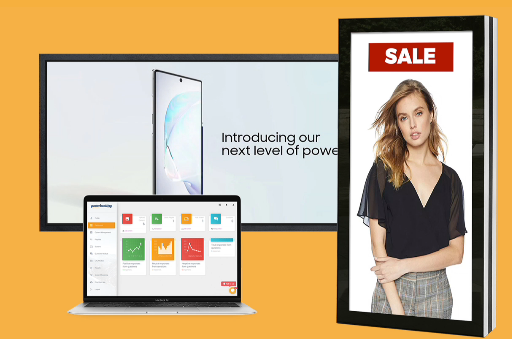
PosterBooking allows you to turn any TV/Monitor into digital signage, using an Amazon Firestick or Android Device, making it easy to remotely upload and manage images and videos from the dashboard. Best of all PosterBooking is FREE to use for your first ten screens. With unlimited content uploads and unlimited playlists, you can even schedule content to play at your desired times. Supports images, videos, web URLs, Google Slides and includes weather and news apps, all available for free. White-label options available allowing to to scale. You need a TV or any digital screen, no need for it to be a smart TV. For the Amazon Firestick, connect it to your screen, then search for “PosterBooking” on the top left and install. Login into PosterBooking dashboard, click “Add Screen” and enter your screen code. For other devices install the required player under “Download App” in the dashboard.
|
|||||
Platforms Supported
Windows
Not Supported
Mac
Not Supported
Linux
Not Supported
Cloud
Supported
On-Premises
Not Supported
iPhone
Not Supported
iPad
Not Supported
Android
Supported
Chromebook
Not Supported
|
Platforms Supported
Windows
Supported
Mac
Not Supported
Linux
Supported
Cloud
Supported
On-Premises
Not Supported
iPhone
Not Supported
iPad
Not Supported
Android
Supported
Chromebook
Not Supported
|
|||||
Audience
Retail & storefronts, restaurants & cafés, hotels, estate agencies, offices & lobbies, gyms, clinics, schools and events — any business that needs to show content on one or many screens.
|
Audience
Anyone needing simple, fast and easy to use digital signage solution
|
|||||
Support
Phone Support
Not Supported
24/7 Live Support
Not Supported
Online
Supported
|
Support
Phone Support
Supported
24/7 Live Support
Supported
Online
Supported
|
|||||
API
Offers API
Not Supported
|
API
Offers API
Not Supported
|
|||||
Screenshots and Videos |
Screenshots and Videos |
|||||
Pricing
€6/screen/month
The Essential plan is €6 per screen per month: it removes the MisterSignage watermark and allows unlimited screens, billed monthly with no commitment (VAT excluded). Prepaid quarterly, six-month and annual terms offer discounts. The Pro and Business plans add unlimited slideshows and advanced modules (multi-zone, premium apps, public transport, meeting rooms, lobby directory, queue management and real-estate window). The free plan includes one screen and up to three slideshows.
Free Version
Supported
Free Trial
Not Supported
|
Pricing
$0/Month
Free Version
Supported
Free Trial
Supported
|
|||||
Reviews/
|
Reviews/
|
|||||
Pros & Cons from Real UsersPros
Cons
|
||||||
Training
Documentation
Supported
Webinars
Not Supported
Live Online
Not Supported
In Person
Not Supported
|
Training
Documentation
Supported
Webinars
Supported
Live Online
Supported
In Person
Supported
|
|||||
Company InformationMogaCode
Morocco
mistersignage.com
|
Company InformationPosterBooking
Founded: 2019
posterbooking.com
|
|||||
Alternatives |
Alternatives |
|||||
|
|
||||||
Categories |
Categories |
|||||
Digital Signage Features
Automatic Player Updates
Supported
Content Scheduling
Supported
Media Library
Supported
Multi-Screen Support
Supported
Remote Deployment
Supported
Remote Display Management
Supported
Visual Editor
Supported
|
Digital Signage Features
Automatic Player Updates
Supported
Content Scheduling
Supported
Media Library
Supported
Multi-Screen Support
Supported
Remote Deployment
Supported
Remote Display Management
Supported
Visual Editor
Not Supported
|
|||||
Integrations
Apimo
Supported
Google Slides
Not Supported
PosterMyWall
Not Supported
YouTube
Supported
|
Integrations
Apimo
Not Supported
Google Slides
Supported
PosterMyWall
Supported
YouTube
Not Supported
|
|||||
|
|
|