Microsoft PaintMicrosoft
|
||||||
Related Products
|
||||||
About
Classic Microsoft Paint should already be on your Windows PC. In the search box next to Start on the taskbar, type paint and then select Paint from the list of results. If you have the latest version of Windows 10 and want to try something new, open Paint 3D featuring new 2D and 3D tools. It's free and ready to go. Paint is still part of Windows. To open Paint, type paint in the search box on the taskbar, and then select Paint from the list of results. With the Windows 10 Creators Update, try creating in three dimensions with Paint 3D. In addition to the new 3D capabilities, many of the classic 2D features from Microsoft Paint are available to use. Paint 3D is the latest evolution of classic Paint, with a ton of new art tools to try on your 2D canvas or 3D objects. Explore the brushes and tools in Paint 3D from the Art tools menu. First, choose a color from the color palette, or use the eyedropper to pick up a color already in your workspace.
|
About
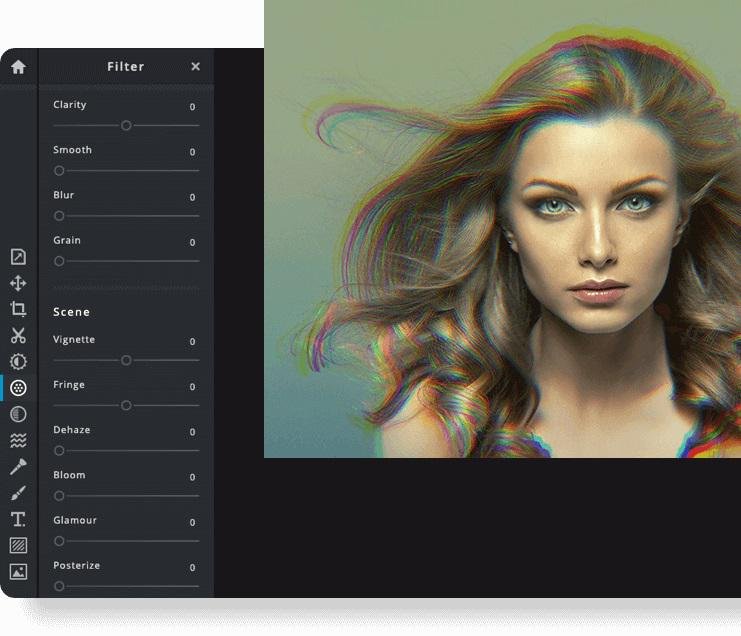
Pixlr the Online Photo Editor that lets you edit photos and create great designs right in your browser for Free. Experience next level, intuitive photo editing and graphical design with AI-powered tools for quick yet professional edits. Our editor opens almost any image format such as PSD (Photoshop), PXD, JPEG, PNG (transparent), WebP, SVG and more. Start from an empty canvas or select one of our professionally crafted templates. Say goodbye to boring and repetitive editing tasks with AI design tools. One click is all it takes to remove backgrounds perfectly from your photos, cut out every strand of hair and more! Let AI and Machine Learning take your photo editing and background removal to a new level! Simpler steps, equally stunning results. Just toggle on and off, or drag sliders from left to right to edit your photos. Achieving unique aesthetic photo effects becomes so much simpler with Pixlr.
|
|||||
Platforms Supported
Windows
Mac
Linux
Cloud
On-Premises
iPhone
iPad
Android
Chromebook
|
Platforms Supported
Windows
Mac
Linux
Cloud
On-Premises
iPhone
iPad
Android
Chromebook
|
|||||
Audience
Windows users who need a free drawing solution to create and edit images
|
Audience
Anyone interested in intuitive online photo editing platform with AI-powered tools
|
|||||
Support
Phone Support
24/7 Live Support
Online
|
Support
Phone Support
24/7 Live Support
Online
|
|||||
API
Offers API
|
API
Offers API
|
|||||
Screenshots and Videos |
Screenshots and Videos |
|||||
Pricing
No information available.
Free Version
Free Trial
|
Pricing
$2.49 per month
Free Version
Free Trial
|
|||||
Reviews/
|
Reviews/
|
|||||
Training
Documentation
Webinars
Live Online
In Person
|
Training
Documentation
Webinars
Live Online
In Person
|
|||||
Company InformationMicrosoft
Founded: 1975
United States
support.microsoft.com/en-us/windows/get-microsoft-paint-a6b9578c-ed1c-5b09-0699-4ed8115f9aa9
|
Company InformationPixlr
Founded: 2008
Sweden
pixlr.com
|
|||||
Alternatives |
Alternatives |
|||||
|
|
||||||
|
|
||||||
|
|
||||||
Categories |
Categories |
|||||
Integrations
Accops HySecure
Accops HyWorks
EventDraw
Gmail
Google Drive
Picture Doctor
Prodia
YouTube
|
Integrations
Accops HySecure
Accops HyWorks
EventDraw
Gmail
Google Drive
Picture Doctor
Prodia
YouTube
|
|||||
|
|
|