TestimTricentis
|
||||||
Related Products
|
||||||
About
All-In-One cloud testing platform for load testing and performance testing, website speed testing, website UI testing, mobile applications and API endpoints.
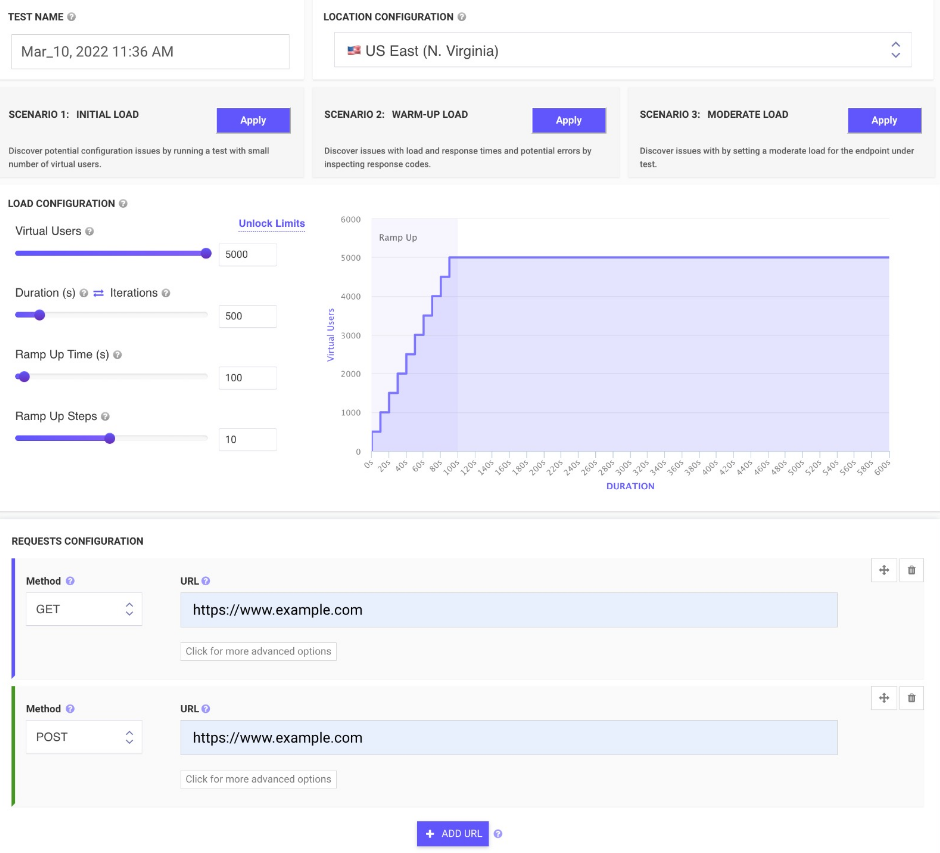
Easy upload and run JMeter tests from multiple cloud locations with thousands of users. Inspect real-time performance metrics for your Website and APIs with Apache JMeter from the cloud.
Monitor changes over time and get advice on how to reduce page load times. We run your tests from cloud instances at scheduled times and notify you if something goes wrong.
Load your websites and web pages in mobile emulators and inspect screenshots to find potential rendering issues, invalid HTML, missing images, wrong CSS. Schedule runs and inspect rendered images on all devices in just seconds. Emulate your site across different screen sizes and resolutions.
Generate screenshots of two websites in just seconds and compare the generated screenshots by a threshold to check differences.
|
About
Testim is the fastest path to resilient end-to-end tests—codeless, coded or both. Testim lets you create amazingly stable codeless tests that leverage our AI, but also the flexibility to export tests as code. You can leverage Testim’s modern JavaScript API and your IDE to debug, customize or refactor tests. Store them in your version control system to keep them in sync with branches and run tests on every commit. Run parallel, cross-browser tests on our test cloud or Selenium-compatible grids while integrating with your CI and dev tools to run smoke tests on pull requests, end-to-end tests on release candidates, or full regression suites on a schedule. Customers like Microsoft, Salesforce, NetApp, Wix, and JFrog run millions of tests on Testim each month. Learn more on our website and sign up for your free account!
|
|||||
Platforms Supported
Windows
Not Supported
Mac
Not Supported
Linux
Not Supported
Cloud
Supported
On-Premises
Not Supported
iPhone
Not Supported
iPad
Not Supported
Android
Not Supported
Chromebook
Not Supported
|
Platforms Supported
Windows
Not Supported
Mac
Not Supported
Linux
Not Supported
Cloud
Supported
On-Premises
Not Supported
iPhone
Not Supported
iPad
Not Supported
Android
Not Supported
Chromebook
Not Supported
|
|||||
Audience
Web and mobile application developers/development teams
|
Audience
Agile development and test automation teams at midsized to large organizations with a focus on frequent releases of web applications.
|
|||||
Support
Phone Support
Not Supported
24/7 Live Support
Not Supported
Online
Supported
|
Support
Phone Support
Supported
24/7 Live Support
Supported
Online
Supported
|
|||||
API
Offers API
Supported
|
API
Offers API
Supported
|
|||||
Screenshots and Videos |
Screenshots and Videos |
|||||
Pricing
$24 per month
Free Version
Supported
Free Trial
Not Supported
|
Pricing
$20,000 a year
Pricing starts at $20,000 a year.
Free Version
Supported
Free Trial
Supported
|
|||||
Reviews/
|
Reviews/
|
|||||
Pros & Cons from Real UsersPros
Cons
|
||||||
Training
Documentation
Supported
Webinars
Supported
Live Online
Not Supported
In Person
Not Supported
|
Training
Documentation
Supported
Webinars
Supported
Live Online
Supported
In Person
Not Supported
|
|||||
Company InformationLoadFocus
Founded: 2014
United Kingdom
loadfocus.com
|
Company InformationTricentis
Founded: 2007
United States
www.testim.io
|
|||||
Alternatives |
Alternatives |
|||||
|
|
||||||
|
|
||||||
Categories |
Categories |
|||||
Automated Testing Features
Hierarchical View
Supported
Move & Copy
Not Supported
Parameterized Testing
Supported
Requirements-Based Testing
Supported
Security Testing
Not Supported
Supports Parallel Execution
Supported
Test Script Reviews
Supported
Unicode Compliance
Not Supported
Load Testing Features
API Load Testing
Supported
Database Load Testing
Supported
Load Test Performance Reporting
Supported
Mail Load Testing
Not Supported
Multilocation Load Testing
Supported
Multiple Protocol Support
Not Supported
Test Script Customization
Supported
Web Application Testing
Not Supported
Performance Testing Features
API Testing
Supported
Benchmarking
Supported
Cross Browser Testing
Not Supported
Debugging
Supported
Historical Reporting
Supported
Load Testing
Supported
Mobile Testing
Supported
Parallel Testing
Not Supported
Regression Testing
Supported
UI Testing
Not Supported
Web Testing
Supported
Website Monitoring Features
Availability Testing
Not Supported
Event Logs
Not Supported
Event-Based Notifications
Not Supported
FTP Monitoring
Not Supported
Mail Server Monitoring
Not Supported
Maintenance Scheduling
Supported
Performance Metrics
Supported
Real Time Monitoring
Supported
Transaction Monitoring
Not Supported
Uptime Reporting
Supported
|
Automated Testing Features
Hierarchical View
Supported
Move & Copy
Supported
Parameterized Testing
Supported
Requirements-Based Testing
Supported
Security Testing
Not Supported
Supports Parallel Execution
Supported
Test Script Reviews
Supported
Unicode Compliance
Supported
API Testing Features
Functional Testing
Supported
Fuzz Testing
Supported
Load Testing
Supported
Penetration Testing
Supported
Runtime and Error Detection
Supported
Security Testing
Supported
UI Testing
Supported
Validation Testing
Supported
Functional Testing Features
Automated Testing
Supported
Interface Testing
Not Supported
Regression Testing
Not Supported
Reporting / Analytics
Not Supported
Sanity Testing
Not Supported
Smoke Testing
Not Supported
System Testing
Not Supported
Unit Testing
Not Supported
Mobile App Testing Features
Functional Testing
Supported
Installation Testing
Not Supported
Interruption Testing
Not Supported
Memory Testing
Not Supported
Performance Testing
Not Supported
Usability Testing
Not Supported
Software Testing Features
Automated Testing
Supported
Black-Box Testing
Not Supported
Dynamic Testing
Not Supported
Issue Tracking
Supported
Manual Testing
Not Supported
Quality Assurance Planning
Not Supported
Reporting / Analytics
Supported
Static Testing
Not Supported
Test Case Management
Supported
Variable Testing Methods
Not Supported
White-Box Testing
Not Supported
Test Management Features
Automation Integration
Supported
Collaboration Tools
Supported
Pass/Fail Results Tabulation
Supported
Reporting / Analytics
Supported
Requirements Management
Supported
Test Scheduling
Supported
Test Tracking
Supported
Time/Budget Tracking
Not Supported
|
|||||
Integrations
Jenkins
Supported
Azure Pipelines
Not Supported
Bamboo
Not Supported
Bitbucket
Not Supported
BrowserStack
Not Supported
Chrome DevTools
Supported
CodeShip
Not Supported
GitHub
Not Supported
GitLab
Not Supported
JMeter
Supported
|
Integrations
Jenkins
Supported
Azure Pipelines
Supported
Bamboo
Supported
Bitbucket
Supported
BrowserStack
Supported
Chrome DevTools
Not Supported
CodeShip
Supported
GitHub
Supported
GitLab
Supported
JMeter
Not Supported
|
|||||
|
|
|