SeleniumSoftware Freedom Conservancy
|
||||||
Related Products
|
||||||
About
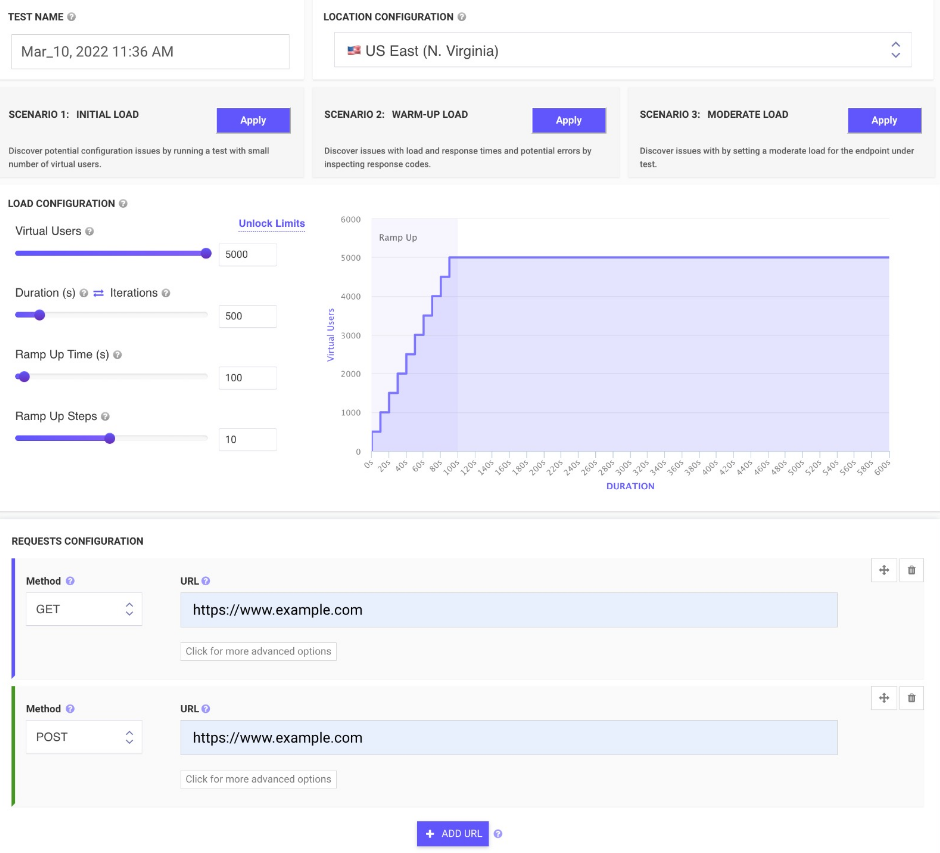
All-In-One cloud testing platform for load testing and performance testing, website speed testing, website UI testing, mobile applications and API endpoints.
Easy upload and run JMeter tests from multiple cloud locations with thousands of users. Inspect real-time performance metrics for your Website and APIs with Apache JMeter from the cloud.
Monitor changes over time and get advice on how to reduce page load times. We run your tests from cloud instances at scheduled times and notify you if something goes wrong.
Load your websites and web pages in mobile emulators and inspect screenshots to find potential rendering issues, invalid HTML, missing images, wrong CSS. Schedule runs and inspect rendered images on all devices in just seconds. Emulate your site across different screen sizes and resolutions.
Generate screenshots of two websites in just seconds and compare the generated screenshots by a threshold to check differences.
|
About
Selenium automates browsers. That's it! What you do with that power is entirely up to you. Primarily it is for automating web applications for testing purposes, but is certainly not limited to just that. Boring web-based administration tasks can (and should) also be automated as well. If you want to create robust, browser-based regression automation suites and tests, scale and distribute scripts across many environments, then you want to use Selenium WebDriver, a collection of language specific bindings to drive a browser - the way it is meant to be driven. If you want to create quick bug reproduction scripts, create scripts to aid in automation-aided exploratory testing, then you want to use Selenium IDE; a Chrome and Firefox add-on that will do simple record-and-playback of interactions with the browser. If you want to scale by distributing and running tests on several machines and manage multiple environments from a central point.
|
|||||
Platforms Supported
Windows
Not Supported
Mac
Not Supported
Linux
Not Supported
Cloud
Supported
On-Premises
Not Supported
iPhone
Not Supported
iPad
Not Supported
Android
Not Supported
Chromebook
Not Supported
|
Platforms Supported
Windows
Not Supported
Mac
Not Supported
Linux
Not Supported
Cloud
Supported
On-Premises
Not Supported
iPhone
Not Supported
iPad
Not Supported
Android
Not Supported
Chromebook
Not Supported
|
|||||
Audience
Web and mobile application developers/development teams
|
Audience
Web app developers requiring a solution to automate their tasks
|
|||||
Support
Phone Support
Not Supported
24/7 Live Support
Not Supported
Online
Supported
|
Support
Phone Support
Not Supported
24/7 Live Support
Not Supported
Online
Not Supported
|
|||||
API
Offers API
Supported
|
API
Offers API
Not Supported
|
|||||
Screenshots and Videos |
Screenshots and Videos |
|||||
Pricing
$24 per month
Free Version
Supported
Free Trial
Not Supported
|
Pricing
No information available.
Free Version
Not Supported
Free Trial
Not Supported
|
|||||
Reviews/
|
Reviews/
|
|||||
Pros & Cons from Real UsersPros
Cons
|
||||||
Training
Documentation
Supported
Webinars
Supported
Live Online
Not Supported
In Person
Not Supported
|
Training
Documentation
Supported
Webinars
Not Supported
Live Online
Not Supported
In Person
Not Supported
|
|||||
Company InformationLoadFocus
Founded: 2014
United Kingdom
loadfocus.com
|
Company InformationSoftware Freedom Conservancy
Founded: 2006
United States
www.selenium.dev/
|
|||||
Alternatives |
Alternatives |
|||||
|
|
||||||
|
|
||||||
|
|
||||||
Categories |
Categories |
|||||
Automated Testing Features
Hierarchical View
Supported
Move & Copy
Not Supported
Parameterized Testing
Supported
Requirements-Based Testing
Supported
Security Testing
Not Supported
Supports Parallel Execution
Supported
Test Script Reviews
Supported
Unicode Compliance
Not Supported
Load Testing Features
API Load Testing
Supported
Database Load Testing
Supported
Load Test Performance Reporting
Supported
Mail Load Testing
Not Supported
Multilocation Load Testing
Supported
Multiple Protocol Support
Not Supported
Test Script Customization
Supported
Web Application Testing
Not Supported
Performance Testing Features
API Testing
Supported
Benchmarking
Supported
Cross Browser Testing
Not Supported
Debugging
Supported
Historical Reporting
Supported
Load Testing
Supported
Mobile Testing
Supported
Parallel Testing
Not Supported
Regression Testing
Supported
UI Testing
Not Supported
Web Testing
Supported
Website Monitoring Features
Availability Testing
Not Supported
Event Logs
Not Supported
Event-Based Notifications
Not Supported
FTP Monitoring
Not Supported
Mail Server Monitoring
Not Supported
Maintenance Scheduling
Supported
Performance Metrics
Supported
Real Time Monitoring
Supported
Transaction Monitoring
Not Supported
Uptime Reporting
Supported
|
Load Testing Features
API Load Testing
Supported
Database Load Testing
Supported
Load Test Performance Reporting
Supported
Mail Load Testing
Supported
Multilocation Load Testing
Not Supported
Multiple Protocol Support
Not Supported
Test Script Customization
Not Supported
Web Application Testing
Supported
Functional Testing Features
Automated Testing
Not Supported
Interface Testing
Supported
Regression Testing
Supported
Reporting / Analytics
Supported
Sanity Testing
Not Supported
Smoke Testing
Not Supported
System Testing
Not Supported
Unit Testing
Not Supported
|
|||||
Integrations
Alithya GoTest
Not Supported
AutomatePro
Not Supported
Centreon
Not Supported
Enov8
Not Supported
Healenium
Not Supported
IpnProxy
Not Supported
JMeter
Supported
Katalon Recorder
Not Supported
LaVague
Not Supported
Minosphere
Not Supported
|
Integrations
Alithya GoTest
Supported
AutomatePro
Supported
Centreon
Supported
Enov8
Supported
Healenium
Supported
IpnProxy
Supported
JMeter
Not Supported
Katalon Recorder
Supported
LaVague
Supported
Minosphere
Supported
|
|||||
|
|
|