Shotcut

Shotcut

Meltytech
+
+

Related Products

  • Switcher Studio
    21 Ratings
    Visit Website
  • LALAL.AI
    5,230 Ratings
    Visit Website
  • 4K Video Downloader
    12,439 Ratings
    Visit Website
  • LTX
    182 Ratings
    Visit Website
  • Adobe Firefly
    25,029 Ratings
    Visit Website
  • 3Q
    14 Ratings
    Visit Website
  • pCloud Business
    188 Ratings
    Visit Website
  • AI Video Cut
    1 Rating
    Visit Website
  • CoachIQ
    41 Ratings
    Visit Website
  • Service Center
    122 Ratings
    Visit Website

About

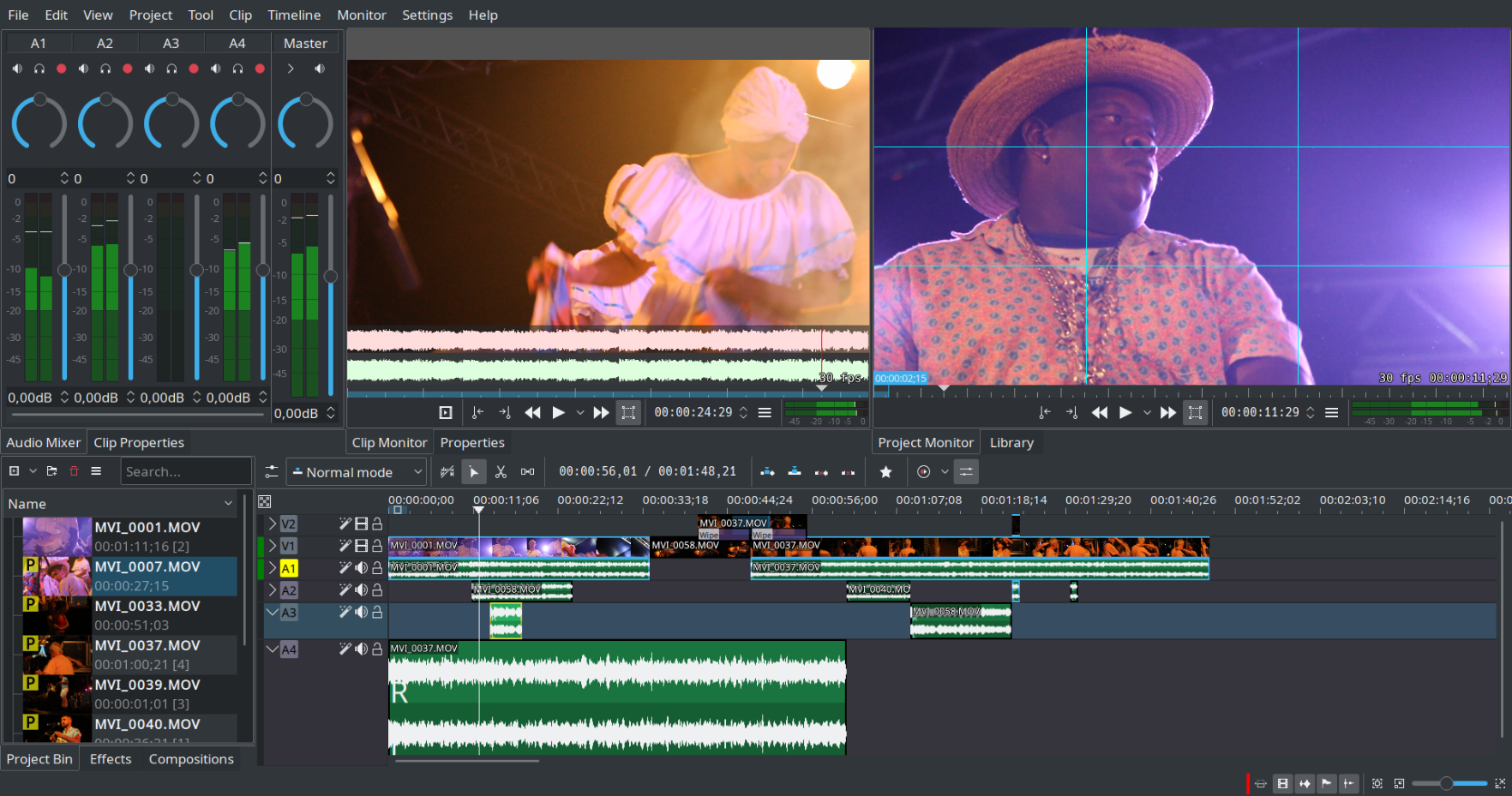
Kdenlive is a non linear video editor. It is based on the MLT framework and accepts many audio and video formats, allows you to add effects, transitions and render into the format of your choice.

About

Shotcut is a free, open source, cross-platform video editor. Supports hundreds of audio and video formats and codecs thanks to FFmpeg. No import required which means native editing, plus multi-format timelines, resolutions and frame-rates within a project. Frame accurate seeking supported for many video formats. Blackmagic Design SDI and HDMI for input and preview monitoring. Screen, webcam and audio capture. Network stream playback. Supports resolutions up to 4k and capture from SDI, HDMI, webcam, JACK & Pulse audio, IP stream, X11 screen and Windows DirectShow devices. Multiple dockable and undockable panels, including detailed media properties, recent files with search, playlist with thumbnail view, filter panel, history view, encoding panel, jobs queue, and melted server and playlist. Also supports drag-n-drop of assets from file manager.

Platforms Supported

Windows
Mac
Linux
Cloud
On-Premises
iPhone
iPad
Android
Chromebook

Platforms Supported

Windows
Mac
Linux
Cloud
On-Premises
iPhone
iPad
Android
Chromebook

Audience

Video editing solution for individuals or designers

Audience

Anyone who needs an open source video editing solution

Support

Phone Support
24/7 Live Support
Online

Support

Phone Support
24/7 Live Support
Online

API

Offers API

API

Offers API

Screenshots and Videos

Screenshots and Videos

Pricing

No information available.
Free Version
Free Trial

Pricing

No information available.
Free Version
Free Trial

Reviews/Ratings

Overall 5.0 / 5
ease 4.0 / 5
features 5.0 / 5
design 5.0 / 5

Reviews/Ratings

Overall 4.7 / 5
ease 4.0 / 5
features 4.5 / 5
design 4.2 / 5
support 4.0 / 5

Pros & Cons from Real Users

Pros

  • Features: Kdenlive includes lots of features in a simple interface, allows you to export directly to YouTube and more!

Cons

  • For the time i've used Kdenlive, I haven't found any issues.

Pros & Cons from Real Users

Pros

  • Lots of excellent YouTube Shotcut tutorials (thank you to all who share). Packed with great audio and video features. Easy to use but I can't really compare as Shotcut is the only video editor I use. Constantly upgraded (and not just superficial upgrades) And of course, it is free!
  • -Shotcut is completely free to download and it doesn't have annoying paywalls or pop-ups to upgrade -Lots of different filters -Very easy to work with timelines -Different formats to export your videos in
  • Free and open source. Simple and easy even for beginners. Screen, webcam and audio capture. Cross platform - Windows, Linux and mac. Has a portable version as well.
  • Multiplatform: It runs on Windows, Mac and Linux (Snap, Flatpak and AppImage), so you can edit on any computer. Large number of export formats.
  • Shotcut is capable of handling most aspects of video-editing: video segments editing, various effects, keyframes applied to effects, text overlays, video overlays, etc. Very impressive for a freeware program.

Cons

  • As I said earlier, I can't really compare. The only thing I have noticed over time is that there's the occasional crash so best to save your work regularly. I've never lost any work and recovery is fast.
  • -Time to export a video is quite long -Not always easy or intuitive to use, there is a learning curve
  • Bugs and occasional glitches while rendering - rare crashes as well. Less encoding presets. Misses on advanced features like lossless editing.
  • The interface and video editor can take some time to accustom to. Sometimes it crashes on Linux - so you need to save the project regularly.
  • - Interface is not the best - GPU acceleration is very limited - Sluggish when the project becomes too big

Training

Documentation
Webinars
Live Online
In Person

Training

Documentation
Webinars
Live Online
In Person

Company Information

KDE
Founded: 1996
Germany
apps.kde.org/kdenlive/

Company Information

Meltytech
Founded: 2004
United States
shotcut.org

Alternatives

DaVinci Resolve

DaVinci Resolve

Blackmagic Design

Alternatives

DaVinci Resolve

DaVinci Resolve

Blackmagic Design
Filmora

Filmora

Wondershare
HitFilm

HitFilm

FXHome
Ecamm Live

Ecamm Live

Ecamm Network

Categories

Categories

Video Editing Features

3D Video Editing
Audio Tools
Brand Overlay
Collaboration
Media Library
Social Sharing
Speed Adjustment
Split / Merge
Supports HD Resolution
Text Overlay
Video Capture
Video Stabilization

Integrations

KDE Plasma

Integrations

KDE Plasma
Claim Kdenlive and update features and information
Claim Shotcut and update features and information