HyperSnapHyperionics
|
PhotoDirector 365CyberLink
|
|||||
Related Products
|
||||||
About
HyperSnap is the fastest and easiest way to take screen captures from Windows screen and full screen games, and text capture (TextSnap™) from places where normal text copy is not possible. HyperSnap combines the power of a first-class screen capture application with an advanced image editing utility - wrapped into one easy-to-use tool! It's perfect for capturing images that you want to include in your Help system, online tutorials, manuals, training handouts, presentations, marketing materials, Web pages, emails and more. Use HyperSnap to quickly share a picture-perfect representation of anything on your screen. HyperSnap is versatile and extremely easy-to-use. You can switch between modern "ribbon" interface shown on the image above, or tranditional menu and toolbars. HyperSnap v.8 is compatible with 32 bit and 64 bit releases of Windows 10, 8 (destkop mode), 7, Vista, and their corresponding Windows Server editions. On Windows XP use HyperSnap 7.
|
About
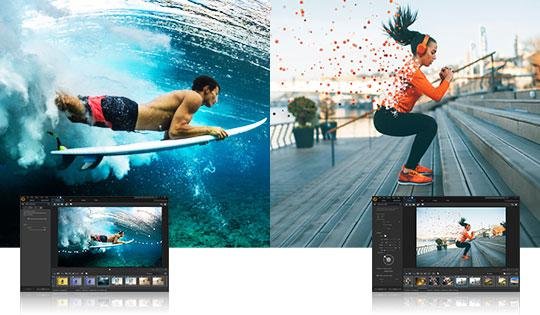
Get to the heart of creative photo editing, fast. With powerful AI tools, eye-catching visual effects, advanced color controls and intuitive layer editing, you can create breathtaking compositions and artistic masterpieces in a snap. Immersing yourself into fine-art has never been so easy. PhotoDirector 365 gives you exclusive AI tools, new features & format support, plus access to a massive collection of plug-ins. Let AI mask the outline of objects in your images to quickly achieve flawless selections. Our powerful AI engine applies brushstrokes intelligently to instantly transform pictures into masterworks. Instantly add drama to your snaps by animating, altering, blending, and repositioning the sky. Built by the creators of the PowerDirector video editing suite, a photo editor that closes the gap between the still image and video. Capture the action of video into a single mind-blowing image.
|
|||||
Platforms Supported
Windows
Supported
Mac
Not Supported
Linux
Not Supported
Cloud
Not Supported
On-Premises
Not Supported
iPhone
Not Supported
iPad
Not Supported
Android
Not Supported
Chromebook
Not Supported
|
Platforms Supported
Windows
Supported
Mac
Supported
Linux
Not Supported
Cloud
Not Supported
On-Premises
Not Supported
iPhone
Not Supported
iPad
Not Supported
Android
Not Supported
Chromebook
Not Supported
|
|||||
Audience
Any user requiring a text capture solution to take captures from Windows screen and full screen games
|
Audience
Everyone looking for photo editing software to instantly transform images with AI tools
|
|||||
Support
Phone Support
Not Supported
24/7 Live Support
Not Supported
Online
Supported
|
Support
Phone Support
Supported
24/7 Live Support
Not Supported
Online
Supported
|
|||||
API
Offers API
Not Supported
|
API
Offers API
Not Supported
|
|||||
Screenshots and Videos |
Screenshots and Videos |
|||||
Pricing
$39.95 one-time payment
Free Version
Not Supported
Free Trial
Not Supported
|
Pricing
$3.17 per month
Billed annually
Free Version
Not Supported
Free Trial
Not Supported
|
|||||
Reviews/
|
Reviews/
|
|||||
Pros & Cons from Real UsersPros
Cons
|
||||||
Training
Documentation
Supported
Webinars
Not Supported
Live Online
Not Supported
In Person
Not Supported
|
Training
Documentation
Supported
Webinars
Supported
Live Online
Supported
In Person
Not Supported
|
|||||
Company InformationHyperionics
Founded: 1995
www.hyperionics.com/hsdx/index.asp
|
Company InformationCyberLink
Founded: 1996
Taiwan
www.cyberlink.com/products/photodirector-photo-editing-software-365/overview_en_US.html
|
|||||
Alternatives |
Alternatives |
|||||
|
|
|
|||||
|
|
|
|||||
|
|
|
|||||
Categories |
Categories |
|||||
Integrations
Director Suite 365
Not Supported
YouTube
Not Supported
|
||||||
|
|
|