Related Products
|
||||||
About
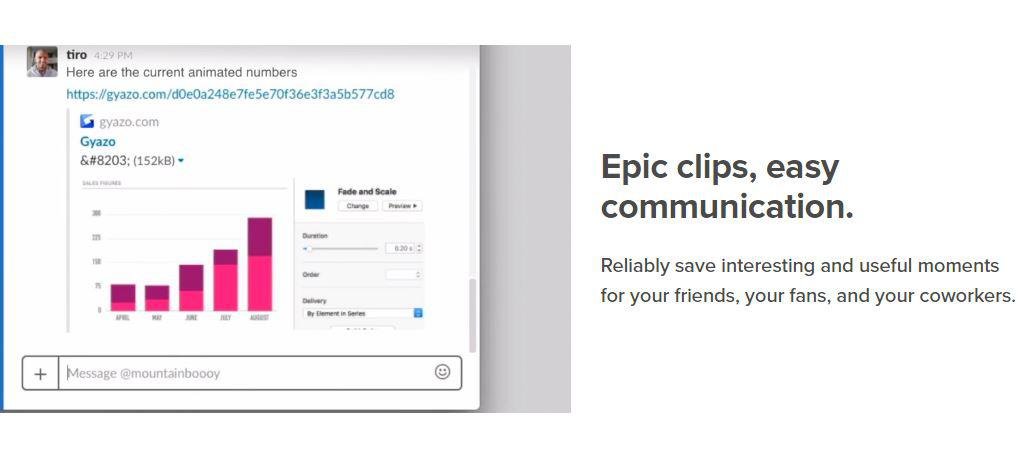
Take screenshots, GIFS, and replays that are ready to share. Save what's on your screen without missing a moment. After you capture we upload and copy a unique link that's private but ready to paste & share instantly. Reliably save interesting and useful moments for your friends, your fans, and your coworkers. Every capture is saved to your account together with its details. Get Gyazo Pro to search and organize all your captures fast. A screenshot or GIF is the perfect way to grab what you see. New screenshot links are copied and ready to paste so you can instantly share anywhere. Sometimes text can miss the point or just take too long to explain something. Send a screenshot or screen GIF and your message is crystal clear. Everyone wants more content for their blog, social media, and website. Capture and edit in seconds to create powerful visual content you can post instantly. Everything you capture is privately tagged for you so it can easily be found.
|
About
Take a snapshot to copy words or images from all or part of your PC screen. Use Snipping Tool to make changes or notes, then save, and share. Windows 10 has another screenshot app you might also like to try. When you open Snipping Tool, you’ll see an invitation and keyboard shortcut to Snip & Sketch. For more info on this app, see How to take and annotate screenshots on Windows 10. Draw a free-form shape around an object. Drag the cursor around an object to form a rectangle. Select a window, such as a dialog box, that you want to capture. Select a window, such as a dialog box, that you want to capture. Capture the entire screen. When you capture a snip, it's automatically copied to the Snipping Tool window where you make changes, save, and share. Select the Start button, type snipping tool in the search box on the taskbar, and then select Snipping Tool from the list of results, or swipe in from the right edge of the screen, typing snipping tool in the search box.
|
About
Zight is an all-in-one screen recording and sharing tool designed to enhance communication and productivity across various platforms, including Mac, Windows, Chrome, and iOS. It enables users to capture full or partial screenshots, record screens with audio and optional webcam overlay, and create GIFs, all of which can be instantly shared via a generated link. Zight offers annotation features for both images and videos, allowing users to add text, arrows, highlights, and shapes to emphasize key points. The platform integrates with popular applications such as Slack, Microsoft Teams, Zendesk, and Jira, facilitating seamless collaboration within existing workflows. Additionally, Zight provides AI-powered capabilities, including automatic transcriptions, smart titles, and summaries, to streamline content creation and sharing. With enterprise-grade security, customizable branding options, and advanced analytics,
|
||||
Platforms Supported
Windows
Mac
Linux
Cloud
On-Premises
iPhone
iPad
Android
Chromebook
|
Platforms Supported
Windows
Mac
Linux
Cloud
On-Premises
iPhone
iPad
Android
Chromebook
|
Platforms Supported
Windows
Mac
Linux
Cloud
On-Premises
iPhone
iPad
Android
Chromebook
|
||||
Audience
Companies, teams and any user looking for a software solution to take and share screenshots, GIFS, and replays
|
Audience
Windows users looking for a software tool to capture screenshots, copy words or images
|
Audience
Business professionals
|
||||
Support
Phone Support
24/7 Live Support
Online
|
Support
Phone Support
24/7 Live Support
Online
|
Support
Phone Support
24/7 Live Support
Online
|
||||
API
Offers API
|
API
Offers API
|
API
Offers API
|
||||
Screenshots and Videos |
Screenshots and Videos |
Screenshots and Videos |
||||
Pricing
$3.99 per month
Free Version
Free Trial
|
Pricing
No information available.
Free Version
Free Trial
|
Pricing
$9.00/month/user
Free Version
Free Trial
|
||||
Reviews/
|
Reviews/
|
Reviews/
|
||||
Training
Documentation
Webinars
Live Online
In Person
|
Training
Documentation
Webinars
Live Online
In Person
|
Training
Documentation
Webinars
Live Online
In Person
|
||||
Company InformationGyazo
Founded: 2007
United States
gyazo.com/en
|
Company InformationMicrosoft
Founded: 1975
United States
support.microsoft.com/en-us/windows/use-snipping-tool-to-capture-screenshots-00246869-1843-655f-f220-97299b865f6b
|
Company InformationZight
Founded: 2015
United States
zight.com
|
||||
Alternatives |
Alternatives |
Alternatives |
||||
|
|
||||||
|
|
||||||
|
|
||||||
|
|
|
|||||
Categories |
Categories |
Categories |
||||
Productivity Features
Collaboration
Database Creation
Document Creation
File Sharing
Notes Management
Office Suite
Presentation Tools
Project Management
Task Management
Team Chat
Remote Support Features
Diagnostic Tools
File Transfer
Live Chat
Real-time Chat
Remote Control
Screen Sharing
Session Recording
Session Transfer
Surveys & Feedback
Screen Recording Features
Annotations / Drawing
Audio Capture
Backup
Collaboration Tools
File Sharing
Multi-Screen Recording
Screen Capture
Speech-to-Text
Video Editing
YouTube Uploading
|
||||||
Integrations
Asana
Centercode
Drift
Enplug DisplayOS
Freshdesk
GitHub
Google Docs
Help Scout
Integrately
Mailbutler
|
Integrations
Asana
Centercode
Drift
Enplug DisplayOS
Freshdesk
GitHub
Google Docs
Help Scout
Integrately
Mailbutler
|
Integrations
Asana
Centercode
Drift
Enplug DisplayOS
Freshdesk
GitHub
Google Docs
Help Scout
Integrately
Mailbutler
|
||||
|
|
|
|