ShadowPlayNVIDIA
|
||||||
| Gyazo | ShadowPlay | |||||
|---|---|---|---|---|---|---|
Related Products
|
||||||
Gyazo:
About
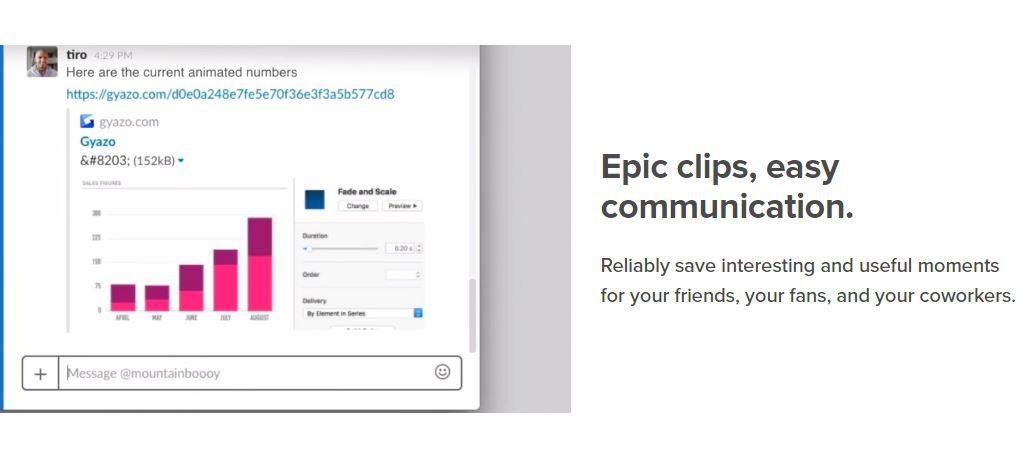
Take screenshots, GIFS, and replays that are ready to share. Save what's on your screen without missing a moment. After you capture we upload and copy a unique link that's private but ready to paste & share instantly. Reliably save interesting and useful moments for your friends, your fans, and your coworkers. Every capture is saved to your account together with its details. Get Gyazo Pro to search and organize all your captures fast. A screenshot or GIF is the perfect way to grab what you see. New screenshot links are copied and ready to paste so you can instantly share anywhere. Sometimes text can miss the point or just take too long to explain something. Send a screenshot or screen GIF and your message is crystal clear. Everyone wants more content for their blog, social media, and website. Capture and edit in seconds to create powerful visual content you can post instantly. Everything you capture is privately tagged for you so it can easily be found.
|
ShadowPlay:
About
With ShadowPlay’s DVR-style instant replay mode you just need to hit a hotkey to save the last 30 seconds of gameplay to your hard drive or share to YouTube or Facebook. ShadowPlay is the easiest way to record and share high-quality gameplay videos, screenshots, and live streams with your friends. NVIDIA Highlights automatically captures key moments, clutch kills, and match-winning plays, ensuring that your best gaming moments are automatically saved. Just select your favorite highlight and share to social media using GeForce Experience. GeForce Experience makes broadcasting your favorite games fast and easy. With just two clicks, you can start a high-quality broadcast to Facebook Live, Twitch, or YouTube Live. It even supports camera and custom graphic overlays to better personalize your live stream. Create up to a 15-second GIF from your favorite ShadowPlay video, add text, and upload it to Google, Facebook, or Weibo with a single click.
|
|||||
Gyazo:
Platforms Supported
Windows
Supported
Mac
Not Supported
Linux
Not Supported
Cloud
Supported
On-Premises
Not Supported
iPhone
Not Supported
iPad
Not Supported
Android
Not Supported
Chromebook
Not Supported
|
ShadowPlay:
Platforms Supported
Windows
Supported
Mac
Not Supported
Linux
Not Supported
Cloud
Not Supported
On-Premises
Not Supported
iPhone
Not Supported
iPad
Not Supported
Android
Not Supported
Chromebook
Not Supported
|
|||||
Gyazo:
Audience
Companies, teams and any user looking for a software solution to take and share screenshots, GIFS, and replays
|
ShadowPlay:
Audience
Streamers and content creators seeking a solution to capture and record their streams and gameplays
|
|||||
Gyazo:
Support
Phone Support
Not Supported
24/7 Live Support
Not Supported
Online
Supported
|
ShadowPlay:
Support
Phone Support
Supported
24/7 Live Support
Not Supported
Online
Supported
|
|||||
Gyazo:
API
Offers API
Not Supported
|
ShadowPlay:
API
Offers API
Not Supported
|
|||||
Gyazo:
Screenshots and Videos |
ShadowPlay:
Screenshots and Videos |
|||||
Gyazo:
Pricing
$3.99 per month
Free Version
Supported
Free Trial
Not Supported
|
ShadowPlay:
Pricing
No information available.
Free Version
Not Supported
Free Trial
Not Supported
|
|||||
Gyazo:
Reviews/
|
ShadowPlay:
Reviews/
|
|||||
Gyazo:
Training
Documentation
Supported
Webinars
Not Supported
Live Online
Not Supported
In Person
Not Supported
|
ShadowPlay:
Training
Documentation
Supported
Webinars
Not Supported
Live Online
Not Supported
In Person
Supported
|
|||||
Gyazo:
Company InformationGyazo
Founded: 2007
United States
gyazo.com/en
|
ShadowPlay:
Company InformationNVIDIA
Founded: 1993
United States
www.nvidia.com/en-us/geforce/geforce-experience/shadowplay/
|
|||||
Gyazo:
Alternatives |
ShadowPlay:
Alternatives |
|||||
| Gyazo: |
ShadowPlay:
|
|||||
|
Gyazo:
|
ShadowPlay:
|
|||||
|
Gyazo:
|
ShadowPlay:
|
|||||
|
Gyazo:
|
ShadowPlay:
|
|||||
Gyazo:
Categories |
ShadowPlay:
Categories |
|||||
Gyazo:
Integrations
Centercode
Supported
Facebook
Not Supported
Google
Not Supported
Google Cloud Platform
Supported
MCPTotal
Supported
Microsoft 365
Supported
Twitch
Not Supported
Unity
Supported
YouTube
Not Supported
|
ShadowPlay:
Integrations
Centercode
Not Supported
Facebook
Supported
Google
Supported
Google Cloud Platform
Not Supported
MCPTotal
Not Supported
Microsoft 365
Not Supported
Twitch
Supported
Unity
Not Supported
YouTube
Supported
|
|||||
|
Gyazo:
|
ShadowPlay:
|