Related Products
|
||||||
About
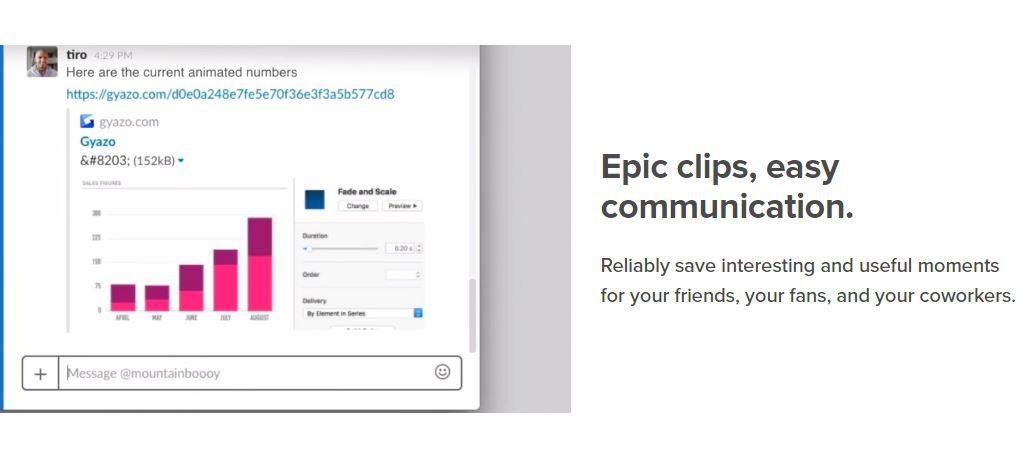
Take screenshots, GIFS, and replays that are ready to share. Save what's on your screen without missing a moment. After you capture we upload and copy a unique link that's private but ready to paste & share instantly. Reliably save interesting and useful moments for your friends, your fans, and your coworkers. Every capture is saved to your account together with its details. Get Gyazo Pro to search and organize all your captures fast. A screenshot or GIF is the perfect way to grab what you see. New screenshot links are copied and ready to paste so you can instantly share anywhere. Sometimes text can miss the point or just take too long to explain something. Send a screenshot or screen GIF and your message is crystal clear. Everyone wants more content for their blog, social media, and website. Capture and edit in seconds to create powerful visual content you can post instantly. Everything you capture is privately tagged for you so it can easily be found.
|
About
ScreenPal is the essential video creation and sharing solution for everyone. Our mission is to offer easy-to-use, accessible tools that empower creators to capture ideas, share knowledge, engage viewers, and assess understanding through video and images.
ScreenPal's product suite includes intuitive desktop and mobile apps for screen capture, video and image editing, and video messaging. Our secure, cloud-based hosting platform allows teams of any size to manage, brand, and share content, track performance with video analytics, and engage viewers with interactive video, including quizzes, ratings, and polls.
ScreenPal (formerly Screencast-O-Matic) is trusted by Fortune 100 companies and 98 of the top 100 universities in the United States, and has been empowering a global community to capture and share over 100 million videos since 2006. ScreenPal integrates with common learning management systems and business tools, and offers strong privacy and security controls.
|
|||||
Platforms Supported
Windows
Supported
Mac
Not Supported
Linux
Not Supported
Cloud
Supported
On-Premises
Not Supported
iPhone
Not Supported
iPad
Not Supported
Android
Not Supported
Chromebook
Not Supported
|
Platforms Supported
Windows
Supported
Mac
Supported
Linux
Not Supported
Cloud
Supported
On-Premises
Not Supported
iPhone
Supported
iPad
Supported
Android
Supported
Chromebook
Supported
|
|||||
Audience
Companies, teams and any user looking for a software solution to take and share screenshots, GIFS, and replays
|
Audience
Educators, schools, universities, businesses, and creators who need easy-to-use, affordable tools to communicate and educate through video and images.
|
|||||
Support
Phone Support
Not Supported
24/7 Live Support
Not Supported
Online
Supported
|
Support
Phone Support
Not Supported
24/7 Live Support
Not Supported
Online
Supported
|
|||||
API
Offers API
Not Supported
|
API
Offers API
Supported
|
|||||
Screenshots and Videos |
Screenshots and Videos |
|||||
Pricing
$3.99 per month
Free Version
Supported
Free Trial
Not Supported
|
Pricing
$3 per user per month
ScreenPal offers highly affordable monthly and annual subscriptions for individuals and teams. ScreenPal also offers discounted plans for educators, schools, colleges, and universities. Anyone can start creating and sharing with ScreenPal for free, and ScreenPal's free plan is free forever.
Free Version
Supported
Free Trial
Not Supported
|
|||||
Reviews/
|
Reviews/
|
|||||
Training
Documentation
Supported
Webinars
Not Supported
Live Online
Not Supported
In Person
Not Supported
|
Training
Documentation
Supported
Webinars
Supported
Live Online
Not Supported
In Person
Not Supported
|
|||||
Company InformationGyazo
Founded: 2007
United States
gyazo.com/en
|
Company InformationScreenPal
Founded: 2006
United States
screenpal.com
|
|||||
Alternatives |
Alternatives |
|||||
|
|
||||||
|
|
||||||
|
|
||||||
Categories |
Categories |
|||||
Screen Recording Features
Annotations / Drawing
Supported
Audio Capture
Supported
Backup
Supported
Collaboration Tools
Supported
File Sharing
Supported
Multi-Screen Recording
Supported
Screen Capture
Supported
Speech-to-Text
Supported
Video Editing
Supported
YouTube Uploading
Supported
|
||||||
Integrations
Asana
Not Supported
Bit.ai
Not Supported
Centercode
Supported
Dropbox
Not Supported
Freshdesk
Not Supported
Google Cloud Platform
Supported
Jira
Not Supported
Jira Work Management
Not Supported
MCPTotal
Supported
Microsoft 365
Supported
|
Integrations
Asana
Supported
Bit.ai
Supported
Centercode
Not Supported
Dropbox
Supported
Freshdesk
Supported
Google Cloud Platform
Not Supported
Jira
Supported
Jira Work Management
Supported
MCPTotal
Not Supported
Microsoft 365
Not Supported
|
|||||
|
|
|