Screen MasterBlossgraph
|
||||||
Related Products
|
||||||
About
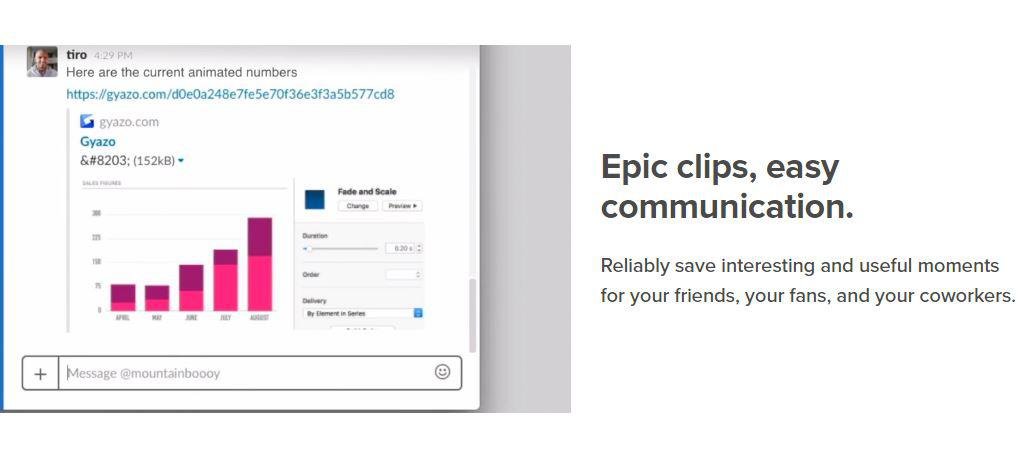
Take screenshots, GIFS, and replays that are ready to share. Save what's on your screen without missing a moment. After you capture we upload and copy a unique link that's private but ready to paste & share instantly. Reliably save interesting and useful moments for your friends, your fans, and your coworkers. Every capture is saved to your account together with its details. Get Gyazo Pro to search and organize all your captures fast. A screenshot or GIF is the perfect way to grab what you see. New screenshot links are copied and ready to paste so you can instantly share anywhere. Sometimes text can miss the point or just take too long to explain something. Send a screenshot or screen GIF and your message is crystal clear. Everyone wants more content for their blog, social media, and website. Capture and edit in seconds to create powerful visual content you can post instantly. Everything you capture is privately tagged for you so it can easily be found.
|
About
Screen Master is a free, easy-to-use, no rooting required screenshot & photo markup tool. With Screen Master, you can capture screen by touching the floating button or shaking device, lets you take screenshot on your tablet, phone or other Android device the easy way! Screen Master also provides a variety of annotation features such as crop, add text, pixelated image, draw arrow, rect, circle and more. Lets you easily edit and markup your screenshot and quickly share it with your friends! No rooting required, no restrictions on use. High-quality screenshot, saved without any loss, support PNG format. A variety of image annotation features. Web page whole capture, quickly save webpage as image. Support save screenshot to external SD card. Screen Master provides a variety of features to take a screenshot. Floating button: An simple button that is displayed on top of everything, just one-click to take a screenshot.
|
|||||
Platforms Supported
Windows
Supported
Mac
Not Supported
Linux
Not Supported
Cloud
Supported
On-Premises
Not Supported
iPhone
Not Supported
iPad
Not Supported
Android
Not Supported
Chromebook
Not Supported
|
Platforms Supported
Windows
Not Supported
Mac
Not Supported
Linux
Not Supported
Cloud
Not Supported
On-Premises
Not Supported
iPhone
Not Supported
iPad
Not Supported
Android
Supported
Chromebook
Not Supported
|
|||||
Audience
Companies, teams and any user looking for a software solution to take and share screenshots, GIFS, and replays
|
Audience
Anyone searching for a screenshot and photo markup tool
|
|||||
Support
Phone Support
Not Supported
24/7 Live Support
Not Supported
Online
Supported
|
Support
Phone Support
Not Supported
24/7 Live Support
Not Supported
Online
Supported
|
|||||
API
Offers API
Not Supported
|
API
Offers API
Not Supported
|
|||||
Screenshots and Videos |
Screenshots and Videos |
|||||
Pricing
$3.99 per month
Free Version
Supported
Free Trial
Not Supported
|
Pricing
No information available.
Free Version
Supported
Free Trial
Not Supported
|
|||||
Reviews/
|
Reviews/
|
|||||
Training
Documentation
Supported
Webinars
Not Supported
Live Online
Not Supported
In Person
Not Supported
|
Training
Documentation
Not Supported
Webinars
Not Supported
Live Online
Not Supported
In Person
Not Supported
|
|||||
Company InformationGyazo
Founded: 2007
United States
gyazo.com/en
|
Company InformationBlossgraph
China
play.google.com/store/apps
|
|||||
Alternatives |
Alternatives |
|||||
|
|
||||||
|
|
||||||
|
|
||||||
Categories |
Categories |
|||||
Integrations
Centercode
Supported
Google Cloud Platform
Supported
MCPTotal
Supported
Microsoft 365
Supported
Unity
Supported
|
Integrations
Centercode
Not Supported
Google Cloud Platform
Not Supported
MCPTotal
Not Supported
Microsoft 365
Not Supported
Unity
Not Supported
|
|||||
|
|
|