Remote CollabTeam Remote
|
||||||
Related Products
|
||||||
About
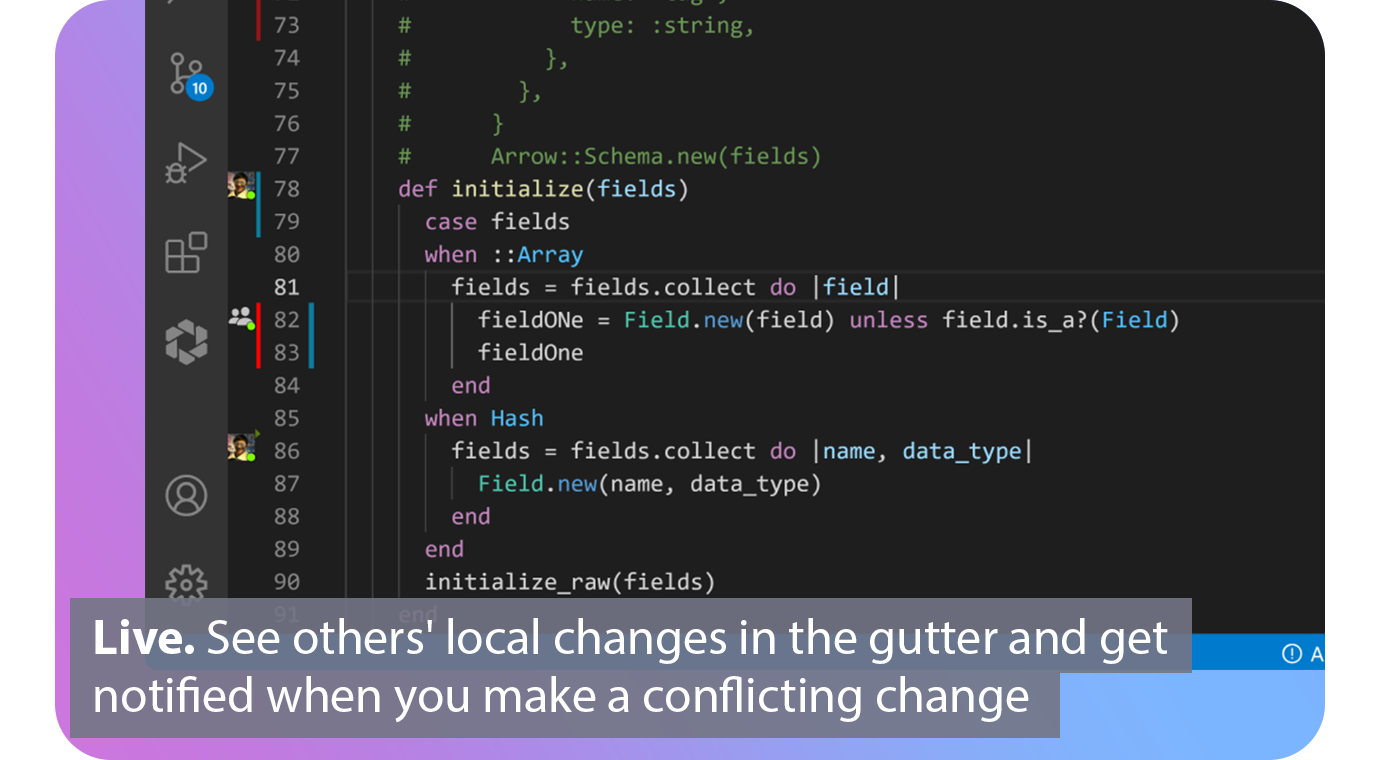
Extend Git with real-time collaborative superpowers. Connect. See when your fellow contributors are online and which repos, branches and files they are working on. Automated. Connect your issue tracker to share what issue you are working on based on your current branch. Live. See others' local changes in the gutter of your editor and get notified the moment you make a conflicting change. Patch. View diffs of other contributors' local files and cherry‑pick individual lines, files or complete working copies. Codeshare. Make voice and video calls directly from your editor and codeshare to see each others cursors. Agnostic. Edit together simultaneously, interoperable between VS Code and all JetBrains IDEs.
|
About
Remote Collab is an open-source SublimeText plugin for remote pair programming, allowing multiple developers to work together on the same project in real-time. The easiest way to install is using Sublime Package Control. The easiest way to install is using Sublime Package Control: Open command palette using menu item tools, choose package control: install package, find RemoteCollab and hit enter. You can also install Remote Collab manually: Download the .zip or .tar.gz archive, unzip and rename the folder to RemoteCollab, Copy the folder into Packages directory, which you can find using the menu item Sublime Text. Host a session: Open the file you wish to collaboratively edit, open command palette using menu item tools -> Command Palette, choose remote: Host Session, you are now hosting a Remote Collab session. Give your IP address to the remote colleague you wish to collaborate with and they can join your session.
|
|||||
Platforms Supported
Windows
Mac
Linux
Cloud
On-Premises
iPhone
iPad
Android
Chromebook
|
Platforms Supported
Windows
Mac
Linux
Cloud
On-Premises
iPhone
iPad
Android
Chromebook
|
|||||
Audience
Development teams looking for a software solution for their real-time collaboration and communication needs
|
Audience
Developers searching for a SublimeText plugin allows them to remote pair program
|
|||||
Support
Phone Support
24/7 Live Support
Online
|
Support
Phone Support
24/7 Live Support
Online
|
|||||
API
Offers API
|
API
Offers API
|
|||||
Screenshots and Videos |
Screenshots and Videos |
|||||
Pricing
$0
Free Version
Free Trial
|
Pricing
No information available.
Free Version
Free Trial
|
|||||
Reviews/
|
Reviews/
|
|||||
Training
Documentation
Webinars
Live Online
In Person
|
Training
Documentation
Webinars
Live Online
In Person
|
|||||
Company InformationGitLive
Founded: 2019
United Kingdom
git.live/
|
Company InformationTeam Remote
United States
teamremote.github.io/remote-sublime/
|
|||||
Alternatives |
Alternatives |
|||||
|
|
||||||
|
|
|
|||||
|
|
||||||
Categories |
Categories |
|||||
Code Collaboration Features
Audio Conferencing
Chat / Messaging
Code Review
Discussion Threads
IDE Integration
Remote Control
Remote Pair Programming
Screen Sharing
Video Conferencing
|
||||||
Integrations
Android Studio
Asana
GitHub
Jira
Jira Align
Slack
Sublime Text
Trello
Visual Studio Code
|
Integrations
Android Studio
Asana
GitHub
Jira
Jira Align
Slack
Sublime Text
Trello
Visual Studio Code
|
|||||
|
|
|