Related Products
|
||||||
About
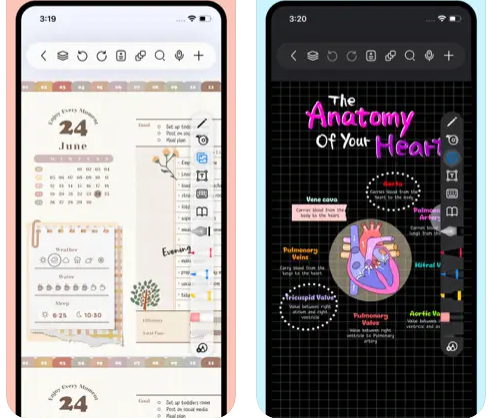
Freenotes offers a digital note-taking experience that blends the feel of writing on paper with powerful AI enhancements. You get realistic pen strokes that mimic lifelike handwriting as you sketch or take notes, along with tools like handwriting-to-text conversion, stickers, and various brush styles. Your notes sync via iCloud and multi-cloud backups. Freenotes supports PDF annotation, letting you mark up, highlight, and translate text directly in your documents; you can also insert hyperlinks to other pages or external web content. It enables picture-in-picture video mode and split-screen support so you can take notes while watching course videos or lectures. With its built-in AI assistant, you can take a screenshot or upload a document and receive instant answers or content summaries. To stay organized, notes can be grouped into folders, and a quick search lets you locate what you need fast.
|
About
Sometimes you just need a place to jot down a quick note or draft an email or text on the fly. Write your draft and immediately copy or share to another app. When you come back, keep working or delete the note and start over. Quick Draft is intentionally simple. There’s no document storage but Quick Draft syncs your scratchpad with iCloud across your devices. Quick Draft Pro for iOS/iPadOS and macOS supports URL schemes with basic x-callback-URL support. Jot down some simple todos or your grocery list. Use the checkbox button or standard Markdown checkboxes to activate interactivity. From there, tap to mark as completed. Quick Draft is intentionally simple. Quick Draft syncs with iCloud across your devices. Be sure to also download Quick Draft for iOS and iPadOS. You can prepend to the contents of your scratchpad and append to the contents of your scratchpad.
|
|||||
Platforms Supported
Windows
Not Supported
Mac
Supported
Linux
Not Supported
Cloud
Not Supported
On-Premises
Not Supported
iPhone
Supported
iPad
Supported
Android
Not Supported
Chromebook
Not Supported
|
Platforms Supported
Windows
Not Supported
Mac
Supported
Linux
Not Supported
Cloud
Not Supported
On-Premises
Not Supported
iPhone
Supported
iPad
Supported
Android
Not Supported
Chromebook
Not Supported
|
|||||
Audience
Students and learners requiring a tool that captures handwriting, annotates PDFs, provides AI-powered summaries, and supports video and exam-style workflows
|
Audience
Anyone seeking an application to write their drafts and copy or share to another app
|
|||||
Support
Phone Support
Not Supported
24/7 Live Support
Not Supported
Online
Supported
|
Support
Phone Support
Not Supported
24/7 Live Support
Not Supported
Online
Supported
|
|||||
API
Offers API
Not Supported
|
API
Offers API
Not Supported
|
|||||
Screenshots and Videos |
Screenshots and Videos |
|||||
Pricing
Free
Free Version
Supported
Free Trial
Not Supported
|
Pricing
No information available.
Free Version
Not Supported
Free Trial
Not Supported
|
|||||
Reviews/
|
Reviews/
|
|||||
Training
Documentation
Supported
Webinars
Not Supported
Live Online
Not Supported
In Person
Not Supported
|
Training
Documentation
Supported
Webinars
Not Supported
Live Online
Not Supported
In Person
Not Supported
|
|||||
Company InformationFreenotes
China
apps.apple.com/us/app/freenotes-ai-notes-taking/id6464237904
|
Company InformationQuick Draft
quickdraft.app/index.html
|
|||||
Alternatives |
Alternatives |
|||||
|
|
||||||
|
|
||||||
|
|
||||||
Categories |
Categories |
|||||
|
|
|