FancyZonesMicrosoft
|
SnapItEngin Kırmacı
|
|||||
Related Products
|
||||||
About
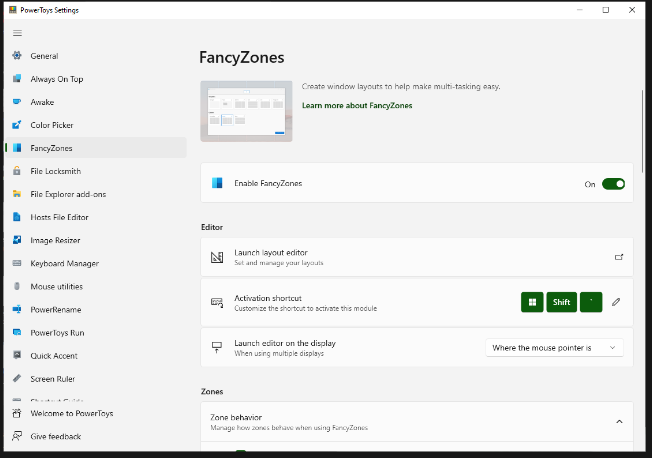
FancyZones is a window manager utility for arranging and snapping windows into efficient layouts to improve the speed of your workflow and restore layouts quickly. FancyZones allows you to define a set of zone locations to be used as targets for Windows on your desktop. When you drag a window into a zone or enter the associated keyboard shortcut, the window is resized and repositioned to fill that zone. You can also trigger zone selection mode by clicking the non-primary mouse button if the "Use non-primary mouse button to toggle zone activation" setting is enabled. If two zones are adjacent, a window can be snapped to the sum of their area (rounded to the minimum rectangle that contains both). When the mouse cursor is near the common edge of two zones, both zones are activated simultaneously, allowing you to drop the window into both zones. You can drag the window until one zone is activated, then press and hold the control key while dragging the window to select multiple zones.
|
About
Snap It is a window manager for Windows 10/11. Organizes your windows to improve your productivity when working with wide and multiple screens. Snap It is designed to be quick and simple. Divide screens into snapping areas. Move windows between snapping areas by dragging a window. Run applications and move to a specified area with one click. Snap windows using keyboard and mouse. Choose different layouts for each screen. Create custom layouts using the design tool. Set your theme for overlay and highlighting of areas. Customizable options for dragging windows. Predefined layouts for different use cases (vertical or horizontal screens). Supports different DPI and taskbar positions for each screen. Dark and light themes are available.
|
|||||
Platforms Supported
Windows
Supported
Mac
Not Supported
Linux
Not Supported
Cloud
Not Supported
On-Premises
Not Supported
iPhone
Not Supported
iPad
Not Supported
Android
Not Supported
Chromebook
Not Supported
|
Platforms Supported
Windows
Supported
Mac
Not Supported
Linux
Not Supported
Cloud
Not Supported
On-Premises
Not Supported
iPhone
Not Supported
iPad
Not Supported
Android
Not Supported
Chromebook
Not Supported
|
|||||
Audience
Anyone searching for a solution to optimize their workflow by improving control over windows and layouts
|
Audience
Windows users requiring a tool to organize their windows to improve productivity
|
|||||
Support
Phone Support
Supported
24/7 Live Support
Not Supported
Online
Supported
|
Support
Phone Support
Not Supported
24/7 Live Support
Not Supported
Online
Supported
|
|||||
API
Offers API
Not Supported
|
API
Offers API
Not Supported
|
|||||
Screenshots and Videos |
Screenshots and Videos |
|||||
Pricing
Free
Free Version
Supported
Free Trial
Not Supported
|
Pricing
$5.29 one-time payment
Free Version
Not Supported
Free Trial
Not Supported
|
|||||
Reviews/
|
Reviews/
|
|||||
Training
Documentation
Supported
Webinars
Supported
Live Online
Not Supported
In Person
Supported
|
Training
Documentation
Supported
Webinars
Not Supported
Live Online
Not Supported
In Person
Not Supported
|
|||||
Company InformationMicrosoft
United States
learn.microsoft.com/en-us/windows/powertoys/fancyzones
|
Company InformationEngin Kırmacı
apps.microsoft.com/store/detail/snapit/9PHGBMZ7RBZX
|
|||||
Alternatives |
Alternatives |
|||||
|
|
||||||
|
|
|
|||||
|
|
|
|||||
|
|
||||||
Categories |
Categories |
|||||
Integrations
No info available.
|
Integrations
No info available.
|
|||||
|
|
|