FancyZonesMicrosoft
|
||||||
Related Products
|
||||||
About
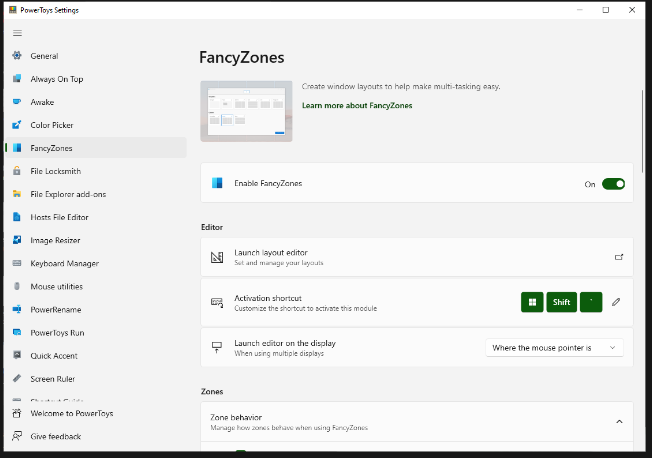
FancyZones is a window manager utility for arranging and snapping windows into efficient layouts to improve the speed of your workflow and restore layouts quickly. FancyZones allows you to define a set of zone locations to be used as targets for Windows on your desktop. When you drag a window into a zone or enter the associated keyboard shortcut, the window is resized and repositioned to fill that zone. You can also trigger zone selection mode by clicking the non-primary mouse button if the "Use non-primary mouse button to toggle zone activation" setting is enabled. If two zones are adjacent, a window can be snapped to the sum of their area (rounded to the minimum rectangle that contains both). When the mouse cursor is near the common edge of two zones, both zones are activated simultaneously, allowing you to drop the window into both zones. You can drag the window until one zone is activated, then press and hold the control key while dragging the window to select multiple zones.
|
About
SmartPanels is a Microsoft Windows workspace management tool designed to help users save and restore their exact desktop layout in seconds. The software lets users preserve window positions, browser tabs, app layouts, display settings, and preset workspace arrangements. SmartPanels supports multiple browsers, including Google Chrome, Mozilla Firefox, and Microsoft Edge, making it easier to return to active tabs and workflows. It also supports multi-monitor setups with up to six displays, helping users manage complex workspaces across home, office, and professional environments. Users can launch saved workspace profiles with custom Windows hotkeys and share profiles by email for easier collaboration or setup. SmartPanels helps professionals stay organized, reduce daily workspace rebuilding, and move between projects faster with a single click.
|
|||||
Platforms Supported
Windows
Mac
Linux
Cloud
On-Premises
iPhone
iPad
Android
Chromebook
|
Platforms Supported
Windows
Mac
Linux
Cloud
On-Premises
iPhone
iPad
Android
Chromebook
|
|||||
Audience
Anyone searching for a solution to optimize their workflow by improving control over windows and layouts
|
Audience
SmartPanels is best suited for Windows users, project managers, researchers, teachers, agencies, remote workers, multitaskers, and multi-monitor professionals who need to save, restore, and share organized desktop workspaces quickly
|
|||||
Support
Phone Support
24/7 Live Support
Online
|
Support
Phone Support
24/7 Live Support
Online
|
|||||
API
Offers API
|
API
Offers API
|
|||||
Screenshots and Videos |
Screenshots and Videos |
|||||
Pricing
Free
Free Version
Free Trial
|
Pricing
$39.99 per year
Free Version
Free Trial
|
|||||
Reviews/
|
Reviews/
|
|||||
Training
Documentation
Webinars
Live Online
In Person
|
Training
Documentation
Webinars
Live Online
In Person
|
|||||
Company InformationMicrosoft
United States
learn.microsoft.com/en-us/windows/powertoys/fancyzones
|
Company InformationSmartPanels
Pakistan
smartpanels.app/
|
|||||
Alternatives |
Alternatives |
|||||
|
|
||||||
|
|
|
|||||
|
|
|
|||||
Categories |
Categories |
|||||
Integrations
Microsoft Excel
Microsoft PowerPoint
Microsoft Project
Microsoft Word
|
Integrations
Microsoft Excel
Microsoft PowerPoint
Microsoft Project
Microsoft Word
|
|||||
|
|
|