FancyZonesMicrosoft
|
Pop!_OSSystem76
|
|||||
Related Products
|
||||||
About
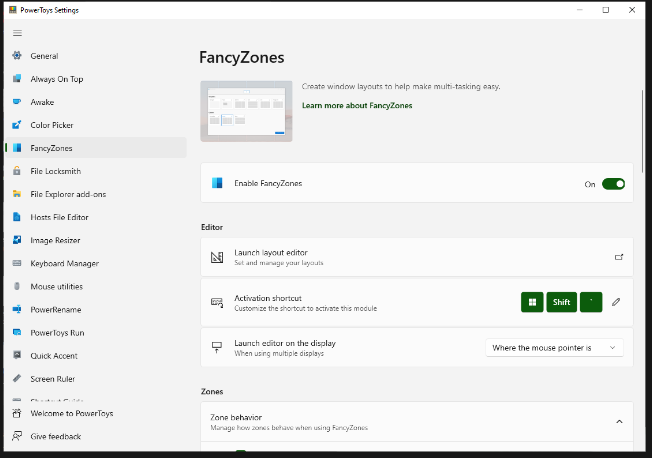
FancyZones is a window manager utility for arranging and snapping windows into efficient layouts to improve the speed of your workflow and restore layouts quickly. FancyZones allows you to define a set of zone locations to be used as targets for Windows on your desktop. When you drag a window into a zone or enter the associated keyboard shortcut, the window is resized and repositioned to fill that zone. You can also trigger zone selection mode by clicking the non-primary mouse button if the "Use non-primary mouse button to toggle zone activation" setting is enabled. If two zones are adjacent, a window can be snapped to the sum of their area (rounded to the minimum rectangle that contains both). When the mouse cursor is near the common edge of two zones, both zones are activated simultaneously, allowing you to drop the window into both zones. You can drag the window until one zone is activated, then press and hold the control key while dragging the window to select multiple zones.
|
About
Pop!_OS is an operating system for STEM and creative professionals who use their computer as a tool to discover and create. Unleash your potential on secure, reliable open source software. Based on your exceptional curiosity, we sense you have a lot of it. Pop!_OS is designed for fast navigation, easy workspace organization, and fluid, convenient workflow. Your operating system should encourage discovery, not obstruct it. While you’ve got your wheels turning, take the scenic route with a dock and touchpad gestures, or race along a minimalist track from behind the wheel of a revving keyboard. With a variety of both mouse-driven and keyboard-driven customizations, you’re empowered to navigate your workflow the way you’ve always wanted. Pop!_OS uses auto-tiling for the same reason that people hire assistants: Organizing your work is incredibly time-consuming. Sure, you could still move, resize, and arrange windows yourself, but why spend the time when your OS does it for you?
|
|||||
Platforms Supported
Windows
Mac
Linux
Cloud
On-Premises
iPhone
iPad
Android
Chromebook
|
Platforms Supported
Windows
Mac
Linux
Cloud
On-Premises
iPhone
iPad
Android
Chromebook
|
|||||
Audience
Anyone searching for a solution to optimize their workflow by improving control over windows and layouts
|
Audience
Creative professionals interested in an operating system to use their computer as a tool to discover and create
|
|||||
Support
Phone Support
24/7 Live Support
Online
|
Support
Phone Support
24/7 Live Support
Online
|
|||||
API
Offers API
|
API
Offers API
|
|||||
Screenshots and Videos |
Screenshots and Videos |
|||||
Pricing
Free
Free Version
Free Trial
|
Pricing
No information available.
Free Version
Free Trial
|
|||||
Reviews/
|
Reviews/
|
|||||
Training
Documentation
Webinars
Live Online
In Person
|
Training
Documentation
Webinars
Live Online
In Person
|
|||||
Company InformationMicrosoft
United States
learn.microsoft.com/en-us/windows/powertoys/fancyzones
|
Company InformationSystem76
Founded: 2008
United States
pop.system76.com
|
|||||
Alternatives |
Alternatives |
|||||
|
|
||||||
|
|
||||||
|
|
|
|||||
Categories |
Categories |
|||||
Integrations
Android Studio
Atom
Blender
Bowtie
Caffe
Chromium
DaVinci Resolve
Discord
Inkscape
MATLAB
|
Integrations
Android Studio
Atom
Blender
Bowtie
Caffe
Chromium
DaVinci Resolve
Discord
Inkscape
MATLAB
|
|||||
|
|
|