Related Products
|
||||||
About
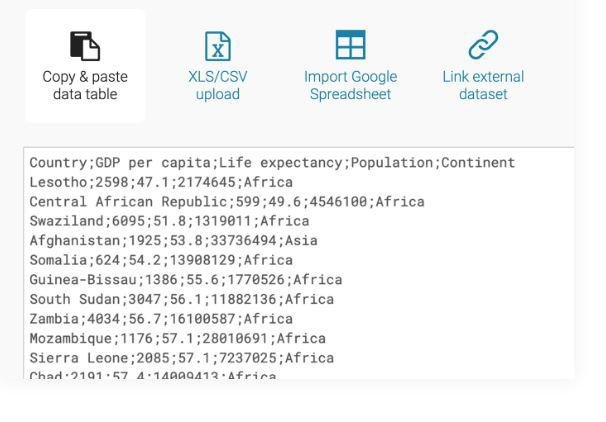
Enrich your stories with charts, maps and tables. Use one of our 19 interactive & responsive chart types ranging from simple bars and lines to arrow, range and scatter plots. We offer three interactive & responsive map types for making anything from locator maps to thematic choropleth & symbol maps. Our shiny new responsive data tables allow for lots of styling options and let you include bar & line charts, images, a search bar and pagination. Datawrapper helps some of the world's best teams to tell their stories with data. Our goal is to enable everyone to create beautiful charts, maps & tables. Including you. Copy your data from the web, Excel or Google Sheets. You can also upload CSV/XLS files or link to an URL or Google Sheet for live-updating charts. Choose from many chart and map types with one click. Then customize and annotate your chart to make it more effective.
|
About
Power-user is a productivity tool for heavy users of Microsoft PowerPoint, Excel & Word.
Once Power-user is installed, you will have access to many new features in PowerPoint, Excel & Word, such as:
- A library of content containing thousands of templates, icons, flags, pictures, logos, maps, charts etc. All this content can be customized with your corporate brand and resources.
- A productivity toolbar to easily align shapes in PowerPoint, helping you work 50% faster
- Clean fonts, colors, titles alignment, missing page numbers etc. from your presentation
- Automate reports by linking charts and tables to Excel data
- Advanced charts and maps for data visualization in Excel
Power-user boosts your productivity on PowerPoint and Excel, secure brand consistency across your organization, and help you create impressive deliverables for your clients and managers
|
|||||
Platforms Supported
Windows
Not Supported
Mac
Not Supported
Linux
Not Supported
Cloud
Supported
On-Premises
Not Supported
iPhone
Not Supported
iPad
Not Supported
Android
Not Supported
Chromebook
Not Supported
|
Platforms Supported
Windows
Supported
Mac
Not Supported
Linux
Not Supported
Cloud
Not Supported
On-Premises
Not Supported
iPhone
Not Supported
iPad
Not Supported
Android
Not Supported
Chromebook
Not Supported
|
|||||
Audience
Users, companies and businesses looking for a charts, maps and tables software solution for their visual needs
|
Audience
Microsoft PowerPoint, Excel, and Word users
|
|||||
Support
Phone Support
Not Supported
24/7 Live Support
Not Supported
Online
Supported
|
Support
Phone Support
Supported
24/7 Live Support
Not Supported
Online
Supported
|
|||||
API
Offers API
Supported
|
API
Offers API
Not Supported
|
|||||
Screenshots and Videos |
Screenshots and Videos |
|||||
Pricing
€199 per month
Free Version
Not Supported
Free Trial
Not Supported
|
Pricing
Free
Volume discounts apply above 10 users, request a quote from the website's Plans page
Free Version
Supported
Free Trial
Supported
|
|||||
Reviews/
|
Reviews/
|
|||||
Pros & Cons from Real UsersPros
Cons
|
||||||
Training
Documentation
Supported
Webinars
Not Supported
Live Online
Not Supported
In Person
Supported
|
Training
Documentation
Supported
Webinars
Supported
Live Online
Supported
In Person
Supported
|
|||||
Company InformationDatawrapper
Founded: 2012
Germany
www.datawrapper.de/
|
Company InformationPower-user
Founded: 2015
France
powerusersoftwares.com
|
|||||
Alternatives |
Alternatives |
|||||
|
|
||||||
|
|
||||||
|
|
|
|||||
|
|
|
|||||
Categories |
Categories |
|||||
Data Visualization Features
Analytics
Supported
Content Management
Not Supported
Dashboard Creation
Not Supported
Filtered Views
Not Supported
OLAP
Not Supported
Relational Display
Not Supported
Simulation Models
Supported
Visual Discovery
Not Supported
|
Data Visualization Features
Analytics
Not Supported
Content Management
Supported
Dashboard Creation
Supported
Filtered Views
Not Supported
OLAP
Not Supported
Relational Display
Not Supported
Simulation Models
Not Supported
Visual Discovery
Not Supported
Dashboard Features
Annotations
Not Supported
Data Source Integrations
Not Supported
Functions / Calculations
Not Supported
Interactive
Not Supported
KPIs
Not Supported
OLAP
Not Supported
Private Dashboards
Supported
Public Dashboards
Not Supported
Scorecards
Not Supported
Themes
Not Supported
Visual Analytics
Not Supported
Widgets
Not Supported
Productivity Features
Collaboration
Not Supported
Database Creation
Not Supported
Document Creation
Supported
File Sharing
Supported
Notes Management
Not Supported
Office Suite
Supported
Presentation Tools
Supported
Project Management
Supported
Task Management
Supported
Team Chat
Not Supported
Reporting Features
Customizable Dashboard
Not Supported
Data Source Connectors
Not Supported
Drag & Drop
Not Supported
Drill Down
Not Supported
Email Reports
Not Supported
Financial Reports
Supported
Forecasting
Not Supported
Marketing Reports
Not Supported
OLAP
Not Supported
Report Export
Not Supported
Sales Reports
Supported
Scheduled / Automated Reports
Not Supported
|
|||||
Integrations
Microsoft Excel
Supported
Clearbit
Not Supported
Google Sheets
Supported
Microsoft PowerPoint
Not Supported
Microsoft Word
Not Supported
Nocode HQ
Supported
Pexels
Not Supported
SPP.co
Supported
|
Integrations
Microsoft Excel
Supported
Clearbit
Supported
Google Sheets
Not Supported
Microsoft PowerPoint
Supported
Microsoft Word
Supported
Nocode HQ
Not Supported
Pexels
Supported
SPP.co
Not Supported
|
|||||
|
|
|