Related Products
|
||||||
About
Cursor is an AI coding agent and development platform for building ambitious software faster. The platform lets developers hand off tasks to agents that can build, test, demo, and prepare features for review. Cursor supports autonomous and parallel agent workflows, including cloud agents that can work on multiple tasks across repositories. It runs across the editor, terminal, Slack, and GitHub, helping teams automate coding, code review, PR workflows, and repetitive engineering work. Cursor also lets users choose from leading AI models for different tasks, including models from OpenAI, Anthropic, Gemini, and Cursor. Built for developers, engineering teams, and enterprises, Cursor helps accelerate software development while keeping humans focused on decisions and review.
|
About
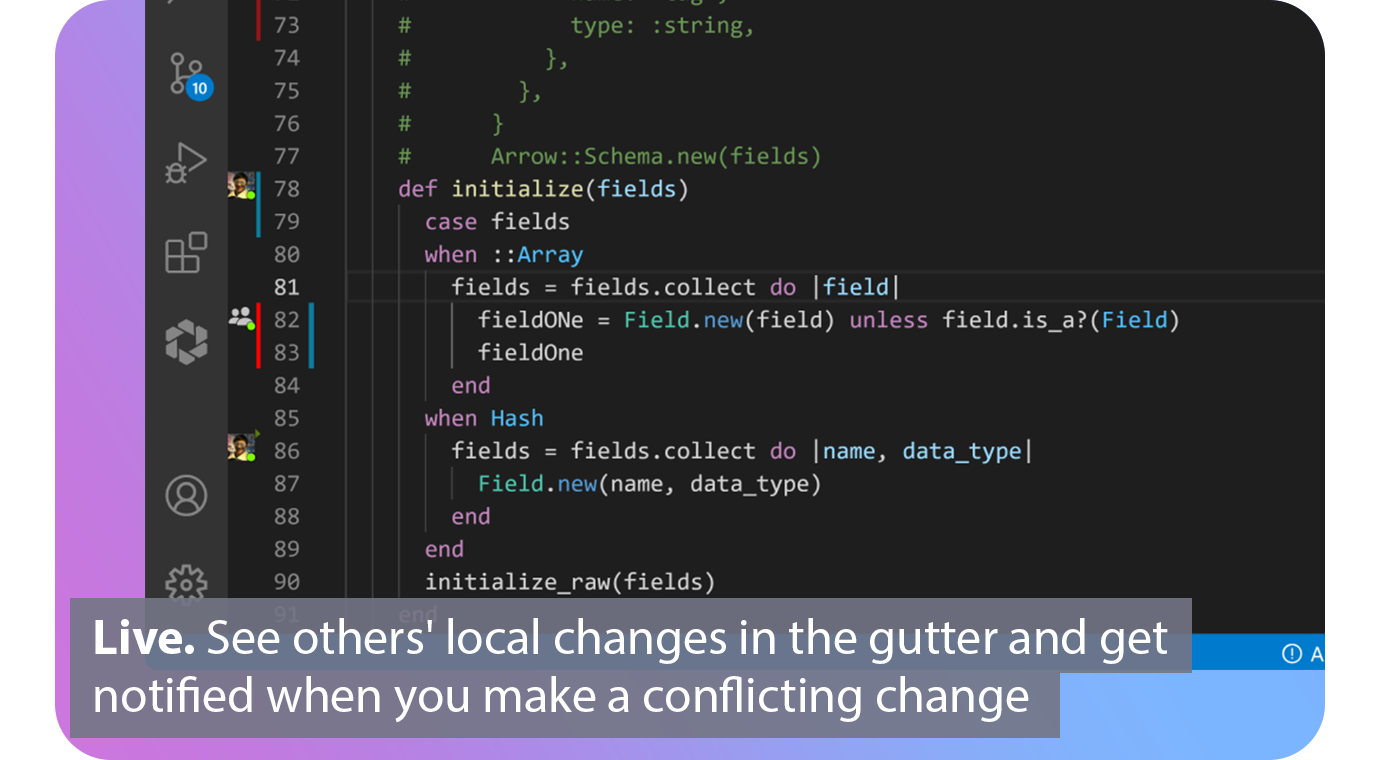
Extend Git with real-time collaborative superpowers. Connect. See when your fellow contributors are online and which repos, branches and files they are working on. Automated. Connect your issue tracker to share what issue you are working on based on your current branch. Live. See others' local changes in the gutter of your editor and get notified the moment you make a conflicting change. Patch. View diffs of other contributors' local files and cherry‑pick individual lines, files or complete working copies. Codeshare. Make voice and video calls directly from your editor and codeshare to see each others cursors. Agnostic. Edit together simultaneously, interoperable between VS Code and all JetBrains IDEs.
|
|||||
Platforms Supported
Windows
Supported
Mac
Supported
Linux
Supported
Cloud
Supported
On-Premises
Not Supported
iPhone
Supported
iPad
Supported
Android
Not Supported
Chromebook
Not Supported
|
Platforms Supported
Windows
Not Supported
Mac
Not Supported
Linux
Not Supported
Cloud
Supported
On-Premises
Not Supported
iPhone
Not Supported
iPad
Not Supported
Android
Not Supported
Chromebook
Not Supported
|
|||||
Audience
Developers, engineering teams, software companies, startups, enterprise engineering organizations, product teams, DevOps teams, AI coding teams, code reviewers, and technical leaders that need AI coding agents, autonomous development, cloud agents, parallel task execution, code review, CLI workflows, Slack collaboration, GitHub integration, model choice, automations, and secure software development at scale
|
Audience
Development teams looking for a software solution for their real-time collaboration and communication needs
|
|||||
Support
Phone Support
Not Supported
24/7 Live Support
Not Supported
Online
Supported
|
Support
Phone Support
Supported
24/7 Live Support
Not Supported
Online
Supported
|
|||||
API
Offers API
Supported
|
API
Offers API
Not Supported
|
|||||
Screenshots and Videos |
Screenshots and Videos |
|||||
Pricing
$20/month
Free Version
Supported
Free Trial
Not Supported
|
Pricing
$0
Free or paid plans available. Team plan starting at $5 per user per month.
Free Version
Supported
Free Trial
Not Supported
|
|||||
Reviews/
|
Reviews/
|
|||||
Pros & Cons from Real UsersPros
Cons
|
||||||
Training
Documentation
Supported
Webinars
Not Supported
Live Online
Not Supported
In Person
Not Supported
|
Training
Documentation
Supported
Webinars
Not Supported
Live Online
Not Supported
In Person
Not Supported
|
|||||
Company InformationCursor
Founded: 2022
United States
www.cursor.com
|
Company InformationGitLive
Founded: 2019
United Kingdom
git.live/
|
|||||
Alternatives |
Alternatives |
|||||
|
|
||||||
|
|
|
|||||
|
|
||||||
|
|
|
|||||
Categories |
Categories |
|||||
Code Collaboration Features
Audio Conferencing
Not Supported
Chat / Messaging
Not Supported
Code Review
Not Supported
Discussion Threads
Not Supported
IDE Integration
Supported
Remote Control
Not Supported
Remote Pair Programming
Supported
Screen Sharing
Supported
Video Conferencing
Supported
|
||||||
Integrations
GitHub
Supported
Slack
Supported
Agensi
Supported
Cocuyo
Supported
Conspecta
Supported
Dial
Supported
DryRun Security
Supported
Elmo
Supported
Gemini 3 Pro
Supported
Inspector
Supported
|
Integrations
GitHub
Supported
Slack
Supported
Agensi
Not Supported
Cocuyo
Not Supported
Conspecta
Not Supported
Dial
Not Supported
DryRun Security
Not Supported
Elmo
Not Supported
Gemini 3 Pro
Not Supported
Inspector
Not Supported
|
|||||
|
|
|