| CoffeeScript | JavaScript | Multiview ERP | ||||
|---|---|---|---|---|---|---|
Related Products
|
||||||
CoffeeScript:
About
Underneath that awkward Java-esque patina, JavaScript has always had a gorgeous heart. CoffeeScript is an attempt to expose the good parts of JavaScript in a simple way. The golden rule of CoffeeScript is: “It’s just JavaScript.” The code compiles one-to-one into the equivalent JS, and there is no interpretation at runtime. You can use any existing JavaScript library seamlessly from CoffeeScript (and vice-versa). The compiled output is readable, pretty printed, and tends to run as fast or faster than the equivalent handwritten JavaScript. Most modern JavaScript features that CoffeeScript supports can run natively in Node 7.6+, meaning that Node can run CoffeeScript’s output without any further processing required. This list may be incomplete, and excludes versions of Node that support newer features behind flags; please refer to node.green for full details. You can run the tests in your browser to see what your browser supports.
|
JavaScript:
About
JavaScript is a scripting language and programming language for the web that enables developers to build dynamic elements on the web. Over 97% of the websites in the world use client-side JavaScript. JavaScript is one of the most important scripting languages on the web. Strings in JavaScript are contained within a pair of either single quotation marks '' or double quotation marks "". Both quotes represent Strings but be sure to choose one and STICK WITH IT. If you start with a single quote, you need to end with a single quote. There are pros and cons to using both IE single quotes tend to make it easier to write HTML within Javascript as you don’t have to escape the line with a double quote. Let’s say you’re trying to use quotation marks inside a string. You’ll need to use opposite quotation marks inside and outside of JavaScript single or double quotes.
|
Multiview ERP:
About
Discover Multiview ERP: The Financial Management Revolution
Welcome to the future of financial management with Multiview ERP. For over 30 years, we've been redefining ERP solutions for organizations from startups to Fortune 500 companies across 40+ industries. Our goal? To transform your financial processes with unparalleled ease and efficiency.
Why Choose Multiview ERP?
Elevate your financial management with Multiview ERP, the definitive solution for ending month-end woes and enhancing operational efficiency. Our platform transforms the financial close process with automation, saving you time and reducing complexities. Plus, with Multiview, you receive premium, personalized support directly from industry experts, ensuring you have the tools and guidance for success at every step. Choose Multiview ERP - where innovation meets unparalleled support, propelling your organization towards strategic success.
|
||||
CoffeeScript:
Platforms Supported
Windows
Supported
Mac
Supported
Linux
Supported
Cloud
Not Supported
On-Premises
Not Supported
iPhone
Not Supported
iPad
Not Supported
Android
Not Supported
Chromebook
Not Supported
|
JavaScript:
Platforms Supported
Windows
Supported
Mac
Supported
Linux
Supported
Cloud
Supported
On-Premises
Supported
iPhone
Not Supported
iPad
Not Supported
Android
Not Supported
Chromebook
Supported
|
Multiview ERP:
Platforms Supported
Windows
Supported
Mac
Not Supported
Linux
Not Supported
Cloud
Supported
On-Premises
Not Supported
iPhone
Not Supported
iPad
Not Supported
Android
Not Supported
Chromebook
Not Supported
|
||||
CoffeeScript:
Audience
Developers searching for a a little language solution that compiles into JavaScript
|
JavaScript:
Audience
Web developers and anyone looking for a mobile solution for running and developing web content
|
Multiview ERP:
Audience
Built for growing businesses and well-established enterprises alike, Multiview is a highly scalable and robust ERP.
|
||||
CoffeeScript:
Support
Phone Support
Not Supported
24/7 Live Support
Not Supported
Online
Supported
|
JavaScript:
Support
Phone Support
Not Supported
24/7 Live Support
Not Supported
Online
Not Supported
|
Multiview ERP:
Support
Phone Support
Supported
24/7 Live Support
Not Supported
Online
Not Supported
|
||||
CoffeeScript:
API
Offers API
Not Supported
|
JavaScript:
API
Offers API
Not Supported
|
Multiview ERP:
API
Offers API
Not Supported
|
||||
CoffeeScript:
Screenshots and Videos |
JavaScript:
Screenshots and Videos |
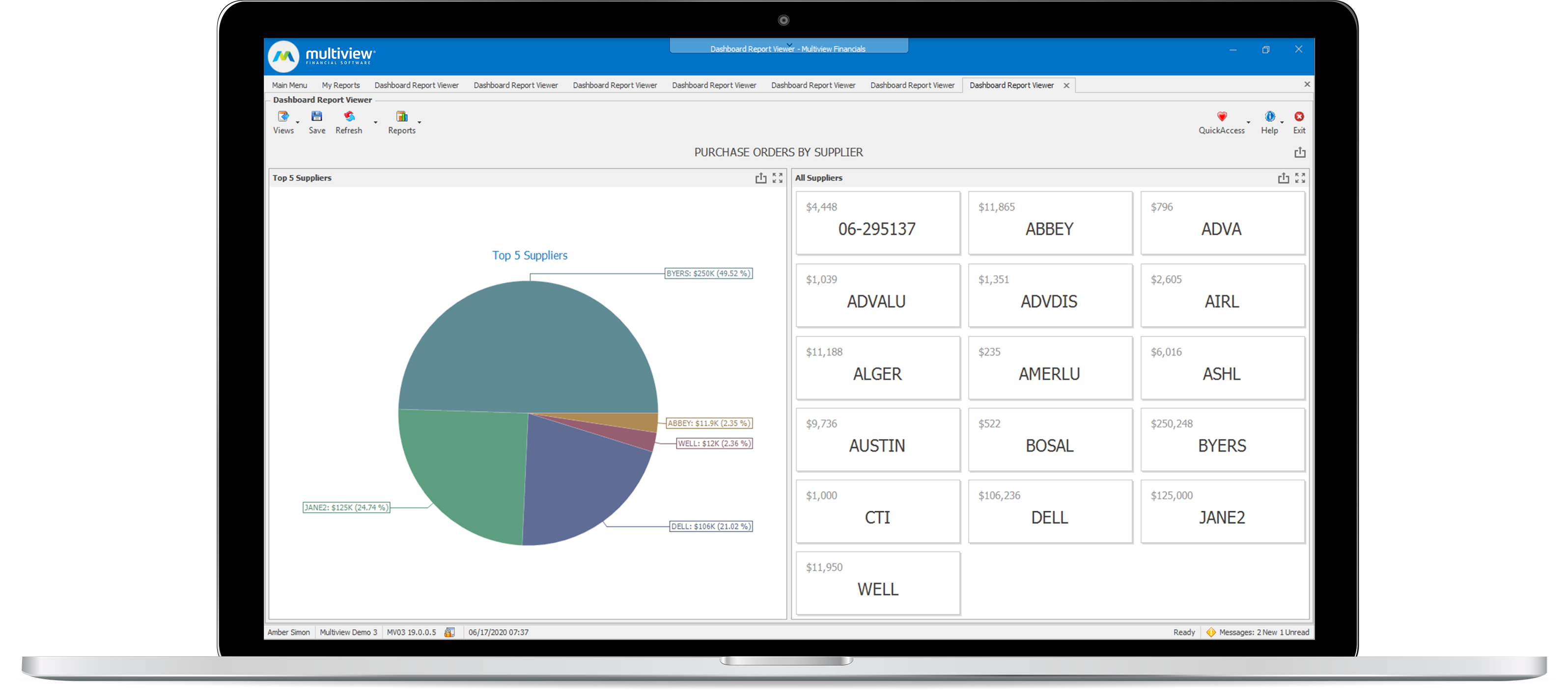
Multiview ERP:
Screenshots and Videos |
||||
CoffeeScript:
Pricing
Free
Free Version
Supported
Free Trial
Not Supported
|
JavaScript:
Pricing
Free
Free Version
Supported
Free Trial
Not Supported
|
Multiview ERP:
PricingMultiview's pricing is broken out to two parts: one-time professional services for implementation and annual ongoing subscription.
Multiview offers inclusive, comprehensive pricing designed to eliminate hidden fees. Additionally, Multiview renders all services, including sales, implementation, support and development in-house, all of which is 100% North American-based.
Free Version
Not Supported
Free Trial
Not Supported
|
||||
CoffeeScript:
Reviews/
|
JavaScript:
Reviews/
|
Multiview ERP:
Reviews/
|
||||
CoffeeScript:
Training
Documentation
Supported
Webinars
Not Supported
Live Online
Not Supported
In Person
Not Supported
|
JavaScript:
Training
Documentation
Supported
Webinars
Not Supported
Live Online
Not Supported
In Person
Not Supported
|
Multiview ERP:
Training
Documentation
Supported
Webinars
Supported
Live Online
Supported
In Person
Supported
|
||||
CoffeeScript:
Company InformationCoffeeScript
coffeescript.org
|
JavaScript:
Company InformationJavaScript
Founded: 1995
United States
javascript.com
|
Multiview ERP:
Company InformationMultiview ERP
Founded: 1990
Canada
www.multiviewcorp.com
|
||||
CoffeeScript:
Alternatives |
JavaScript:
Alternatives |
Multiview ERP:
Alternatives |
||||
| CoffeeScript: |
JavaScript:
|
Multiview ERP:
|
||||
| CoffeeScript: | JavaScript: |
Multiview ERP:
|
||||
|
CoffeeScript:
|
JavaScript: |
Multiview ERP:
|
||||
|
CoffeeScript:
|
JavaScript: |
Multiview ERP:
|
||||
CoffeeScript:
Categories |
JavaScript:
Categories |
Multiview ERP:
Categories |
||||
Multiview ERP:
Accounting Features
Accounts Payable
Supported
Accounts Receivable
Supported
Bank Reconciliation
Supported
Billing & Invoicing
Supported
Cash Management
Supported
CPA Firms
Not Supported
Cryptocurrency Support
Not Supported
Expense Tracking
Supported
Fixed Asset Management
Supported
Fund Accounting
Supported
General Ledger
Supported
Government
Supported
Multi-Currency
Supported
Nonprofits
Supported
Payroll Management
Not Supported
Project Accounting
Supported
Purchase Orders
Supported
Tax Management
Supported
Accounts Payable Features
Approval Process Control
Supported
Bank Reconciliation
Supported
Cash Management
Supported
Check Writing
Supported
Duplicate Payment Alert
Supported
Fraud Detection
Not Supported
General Ledger Entry
Supported
Vendor Management
Supported
Accounts Receivable Features
ACH Payment Processing
Not Supported
Billing & Invoicing
Supported
Check Processing
Not Supported
Collections Management
Supported
Online Payment Processing
Not Supported
Overpayment Processing
Not Supported
Partial Payments
Supported
Receivables Ledger
Supported
Recurring Billing
Supported
Billing and Invoicing Features
Billing Portal
Not Supported
Contact Database
Not Supported
Contingency Billing
Not Supported
Customer Portal
Not Supported
Customizable Invoices
Supported
Dunning Management
Not Supported
Hourly Billing
Supported
Invoice History
Supported
Mobile Payments
Not Supported
Multi-Currency
Supported
Online Invoicing
Not Supported
Online Payments
Not Supported
Payment Processing
Not Supported
Project Billing
Supported
Recurring/Subscription Billing
Supported
Service Ticket Billing
Not Supported
Tax Calculator
Not Supported
Fund Accounting Features
Accounts Payable
Supported
Accounts Receivable
Supported
Activity Tracking
Supported
Asset Management
Supported
Bank Reconciliation
Supported
Budgeting & Forecasting
Supported
Compliance Management
Not Supported
Donor Management
Not Supported
General Ledger
Supported
Partnership Accounting
Not Supported
Purchasing & Receiving
Supported
Purchasing Features
Catalog Management
Not Supported
Compliance Management
Not Supported
Contract Management
Not Supported
Inventory Management
Supported
Invoice Processing
Not Supported
PunchOut
Not Supported
Purchase Order Management
Supported
Requisitions & Approvals
Supported
Sourcing Management
Not Supported
Spend Management
Supported
Supplier Management
Supported
|
||||||
CoffeeScript:
Integrations
AI21 Studio
Not Supported
Claude Fable 5.2
Not Supported
Claude Opus 4
Not Supported
CodeScene
Not Supported
Codecov
Not Supported
D24
Not Supported
GraalVM
Not Supported
Gray Swan
Not Supported
Llama 3
Not Supported
OpenTelemetry
Not Supported
|
JavaScript:
Integrations
AI21 Studio
Supported
Claude Fable 5.2
Supported
Claude Opus 4
Supported
CodeScene
Supported
Codecov
Supported
D24
Supported
GraalVM
Supported
Gray Swan
Supported
Llama 3
Supported
OpenTelemetry
Supported
|
Multiview ERP:
Integrations
AI21 Studio
Not Supported
Claude Fable 5.2
Not Supported
Claude Opus 4
Not Supported
CodeScene
Not Supported
Codecov
Not Supported
D24
Not Supported
GraalVM
Not Supported
Gray Swan
Not Supported
Llama 3
Not Supported
OpenTelemetry
Not Supported
|
||||
|
CoffeeScript:
|
JavaScript:
|
Multiview ERP:
|