|
|
||||||
| CloudConvert | FileZigZag | |||||
|---|---|---|---|---|---|---|
Related Products
|
||||||
CloudConvert:
About
CloudConvert is an online file converter. We support nearly all audio, video, document, ebook, archive, image, spreadsheet, and presentation formats. To get started, use the button below and select files to convert from your computer. CloudConvert is your Swiss army knife for file conversions. We support nearly all audio, video, document, ebook, archive, image, spreadsheet, and presentation formats. Plus, you can use our online tool without downloading any software. CloudConvert has been trusted by our users and customers since its founding in 2012. No one except you will ever have access to your files. We earn money by selling access to our API, not by selling your data. Besides using open source software under the hood, we’ve partnered with various software vendors to provide the best possible results. Most conversion types can be adjusted to your needs such as setting the quality and many other options.
|
FileZigZag:
About
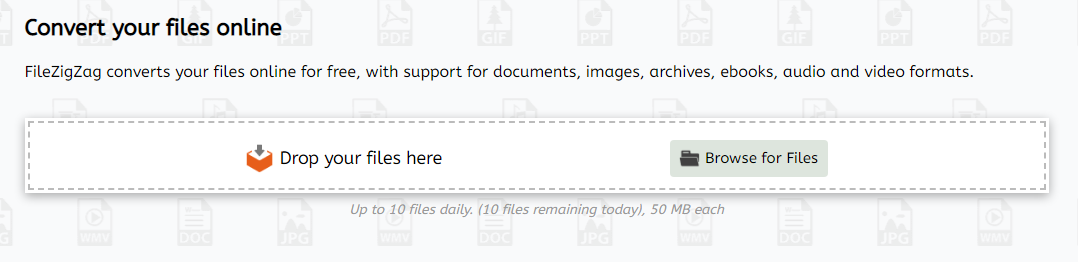
FileZigZag is a free online converter that supports a wide range of formats including audio, video, image, document, ebook, and archive. It uses a sophisticated conversion engine to deliver the best quality conversion. Also, you don't need to install any software in your computer. FileZigZag converts your files online for free, with support for documents, images, archives, ebooks, audio and video formats. FileZigZag supports conversion between a wide variety of different file formats. We work hard to add new conversion formats. Contact us if you would like to add a new format and we will do our best to add it. Click on a source format link to open a converter for that format, or click on a target format link to open a source-to-target converter. Our servers has industry-leading CPUs, so your can save your CPU power and let us do the work for you. We use sophisticated conversion algorithms specially designed to provide the best quality possible.
|
|||||
CloudConvert:
Platforms Supported
Windows
Not Supported
Mac
Not Supported
Linux
Not Supported
Cloud
Supported
On-Premises
Not Supported
iPhone
Not Supported
iPad
Not Supported
Android
Not Supported
Chromebook
Not Supported
|
FileZigZag:
Platforms Supported
Windows
Not Supported
Mac
Not Supported
Linux
Not Supported
Cloud
Supported
On-Premises
Not Supported
iPhone
Not Supported
iPad
Not Supported
Android
Not Supported
Chromebook
Not Supported
|
|||||
CloudConvert:
Audience
Any user interested in an online file converter solution
|
FileZigZag:
Audience
Anyone seeking a free online converter supporting a wide range of formats including audio, video, image, document, etc.
|
|||||
CloudConvert:
Support
Phone Support
Not Supported
24/7 Live Support
Not Supported
Online
Supported
|
FileZigZag:
Support
Phone Support
Not Supported
24/7 Live Support
Not Supported
Online
Supported
|
|||||
CloudConvert:
API
Offers API
Not Supported
|
FileZigZag:
API
Offers API
Not Supported
|
|||||
CloudConvert:
Screenshots and Videos |
FileZigZag:
Screenshots and Videos |
|||||
CloudConvert:
Pricing
$8.00/one-time
Free Version
Supported
Free Trial
Supported
|
FileZigZag:
Pricing
Free
Free Version
Supported
Free Trial
Not Supported
|
|||||
CloudConvert:
Reviews/
|
FileZigZag:
Reviews/
|
|||||
CloudConvert:
Pros & Cons from Real UsersPros
Cons
|
||||||
CloudConvert:
Training
Documentation
Supported
Webinars
Not Supported
Live Online
Not Supported
In Person
Not Supported
|
FileZigZag:
Training
Documentation
Supported
Webinars
Not Supported
Live Online
Not Supported
In Person
Not Supported
|
|||||
CloudConvert:
Company InformationLunaweb
Founded: 2010
Germany
cloudconvert.com
|
FileZigZag:
Company InformationFileZigZag
Founded: 2015
www.filezigzag.com
|
|||||
CloudConvert:
Alternatives |
FileZigZag:
Alternatives |
|||||
| CloudConvert: |
FileZigZag:
|
|||||
| CloudConvert: |
FileZigZag:
|
|||||
| CloudConvert: | FileZigZag: | |||||
| CloudConvert: | FileZigZag: | |||||
CloudConvert:
Categories |
FileZigZag:
Categories |
|||||
CloudConvert:
File Converters Features
Archive Converter
Supported
Audio Converter
Supported
Batch Conversions
Supported
Document Converter
Supported
Email Converter
Supported
Image Converter
Supported
Other File Type Conversions
Supported
PDF Converter
Supported
Video Converter
Supported
|
||||||
CloudConvert:
Integrations
ActiveCampaign
Supported
Axis LMS
Supported
Butlerapp
Supported
Cognito Forms
Supported
DronaHQ
Supported
Ecwid
Supported
ElectroNeek
Supported
FileRun
Supported
Gmail
Supported
Google Calendar
Supported
|
FileZigZag:
Integrations
ActiveCampaign
Not Supported
Axis LMS
Not Supported
Butlerapp
Not Supported
Cognito Forms
Not Supported
DronaHQ
Not Supported
Ecwid
Not Supported
ElectroNeek
Not Supported
FileRun
Not Supported
Gmail
Not Supported
Google Calendar
Not Supported
|
|||||
|
CloudConvert:
|
FileZigZag:
|