Chrome DevToolsGoogle
|
||||||
Related Products
|
||||||
About
Chrome DevTools is a set of web developer tools built directly into the Google Chrome browser. DevTools can help you edit pages on-the-fly and diagnose problems quickly, which ultimately helps you build better websites, faster. There are many ways to open DevTools, because different users want quick access to different parts of the DevTools UI. When you want to work with the DOM or CSS, right-click an element on the page and select Inspect to jump into the Elements panel. Or press Command+Option+C (Mac) or Control+Shift+C (Windows, Linux, Chrome OS). When you want to see logged messages or run JavaScript, press Command+Option+J (Mac) or Control+Shift+J (Windows, Linux, Chrome OS) to jump straight into the Console panel. Toggle various overlays and speed up DOM tree navigation with badges. The main uses of the Chrome DevTools Console are logging messages and running JavaScript.
|
About
DebugBear is a web performance monitoring tools that helps companies keep their website fast and pass Google's Core Web Vitals assessment. Find out how to optimize your website and get alerted when there's a problem.
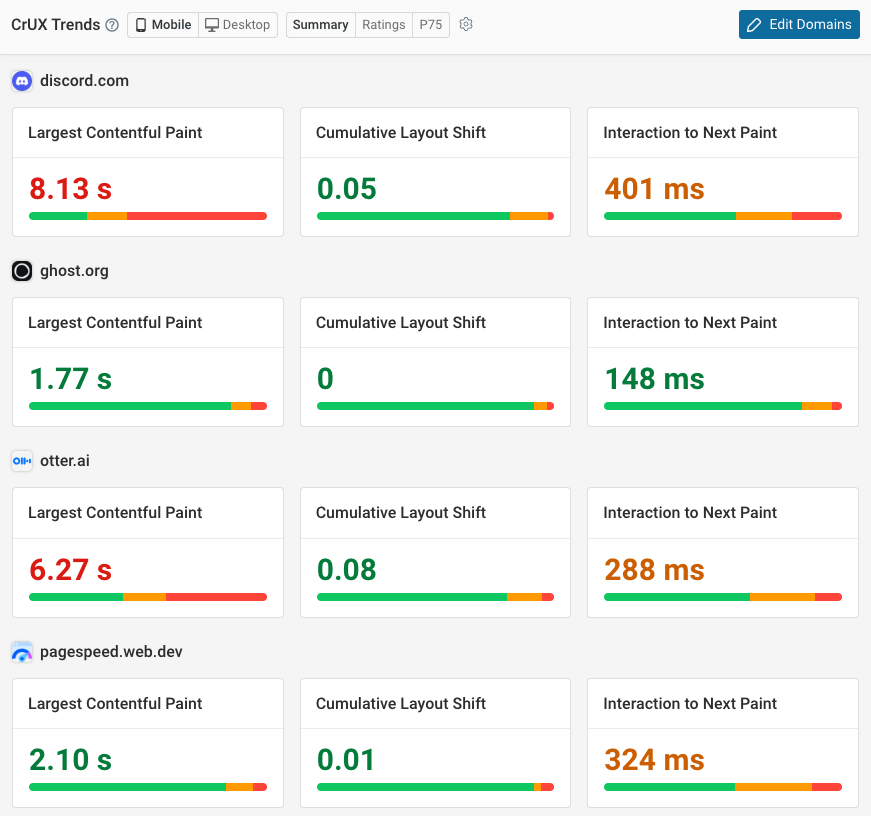
Run scheduled synthetic tests, monitor data from Google's Chrome User Experience Report (CrUX), and collect real user analytics directly on your website. Track Google Lighthouse scores over time and benchmark against your competition.
Get custom performance recommendations with detailed analysis, and quickly try out performance optimizations with page speed experiments – without deploying any code!
|
|||||
Platforms Supported
Windows
Supported
Mac
Supported
Linux
Supported
Cloud
Supported
On-Premises
Not Supported
iPhone
Not Supported
iPad
Not Supported
Android
Not Supported
Chromebook
Not Supported
|
Platforms Supported
Windows
Not Supported
Mac
Not Supported
Linux
Not Supported
Cloud
Supported
On-Premises
Not Supported
iPhone
Not Supported
iPad
Not Supported
Android
Not Supported
Chromebook
Not Supported
|
|||||
Audience
Web developers that want a suite of web development tools for Google Chrome
|
Audience
Online businesses, development and marketing teams
|
|||||
Support
Phone Support
Not Supported
24/7 Live Support
Not Supported
Online
Not Supported
|
Support
Phone Support
Not Supported
24/7 Live Support
Not Supported
Online
Supported
|
|||||
API
Offers API
Not Supported
|
API
Offers API
Supported
|
|||||
Screenshots and Videos |
Screenshots and Videos |
|||||
Pricing
Free
Free Version
Supported
Free Trial
Not Supported
|
Pricing
$125/mo
Free Version
Not Supported
Free Trial
Supported
|
|||||
Reviews/
|
Reviews/
|
|||||
Training
Documentation
Supported
Webinars
Not Supported
Live Online
Not Supported
In Person
Not Supported
|
Training
Documentation
Supported
Webinars
Not Supported
Live Online
Supported
In Person
Not Supported
|
|||||
Company InformationGoogle
Founded: 1998
United States
developer.chrome.com/docs/devtools/
|
Company InformationDebugBear
Founded: 2018
United Kingdom
www.debugbear.com
|
|||||
Alternatives |
Alternatives |
|||||
|
|
||||||
|
|
||||||
|
|
||||||
Categories |
Categories |
|||||
Website Monitoring Features
Availability Testing
Not Supported
Event Logs
Not Supported
Event-Based Notifications
Not Supported
FTP Monitoring
Not Supported
Mail Server Monitoring
Not Supported
Maintenance Scheduling
Not Supported
Performance Metrics
Supported
Real Time Monitoring
Supported
Transaction Monitoring
Supported
Uptime Reporting
Not Supported
Website Optimization Tools Features
Competitor Analysis
Supported
Content Management
Not Supported
Keyword Research Tools
Not Supported
Link Management
Not Supported
Performance Metrics
Supported
Problem Area Alerts
Supported
|
||||||
Integrations
Google Chrome
Supported
GitHub
Not Supported
Inteldo
Supported
Kitesurf
Supported
Lighthouse
Not Supported
LoadFocus
Supported
Netlify
Not Supported
Ranorex Selocity
Supported
Slack
Not Supported
Stetho
Supported
|
Integrations
Google Chrome
Supported
GitHub
Supported
Inteldo
Not Supported
Kitesurf
Not Supported
Lighthouse
Supported
LoadFocus
Not Supported
Netlify
Supported
Ranorex Selocity
Not Supported
Slack
Supported
Stetho
Not Supported
|
|||||
|
|
|