Related Products
|
||||||
About
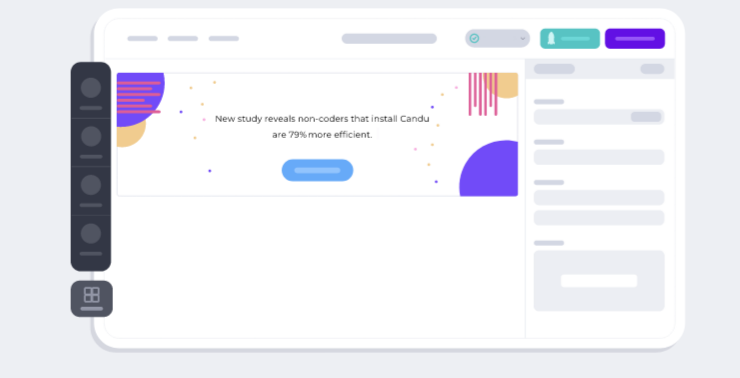
Build user experiences with your own UI components, no coding required. Jumpstart your UI design with a template. Make it your own. Our editor syncs with your style guide. Preview what you’ve built with Candu for Chrome. Serve up different variants to different users. See what works and what doesn’t with our analytics engine. Other solutions build components on top of your product. Candu embeds components in your product so they integrate seamlessly. Empower any team to design delightful user experiences. Pick a template, or build from scratch. We’ve got you covered! Drag and drop your way to any user experience, and power up customer onboarding, feature adoption, and more. Candu’s WYSIWIG editor provides the canvas to build your UX design in minutes. Drag and drop your own UI components to create beautiful in-product experiences without a single line of code. Choose from our template gallery to jumpstart your design.
|
About
A new way to visually layout your Origami prototypes with freeform drawing tools, text editing, and visual components. Wire up flows between screens with built-in present and dismiss animations. Visually layout your components in the Canvas and combine them with powerful interactions in the patch editor. Tap into native hardware APIs. Expand the potential of your prototypes with patches that unlock hardware capabilities. Copy and paste editable vector shape and text layers into Origami. Capture, trim, and export video of your prototype directly in Origami. Easily share prototypes in critique, reviews, or just for fun. Origami performance gets an upgrade. Faster patch editor, faster viewer, faster everything. Preview your prototype on both simulated and physical devices. Importing from design tools like Sketch is as simple as copying and pasting. Make sure you have the Origami Pasteboard installed from the Figma plugin community.
|
|||||
Platforms Supported
Windows
Not Supported
Mac
Not Supported
Linux
Not Supported
Cloud
Supported
On-Premises
Not Supported
iPhone
Not Supported
iPad
Not Supported
Android
Not Supported
Chromebook
Not Supported
|
Platforms Supported
Windows
Supported
Mac
Not Supported
Linux
Not Supported
Cloud
Not Supported
On-Premises
Not Supported
iPhone
Supported
iPad
Supported
Android
Not Supported
Chromebook
Not Supported
|
|||||
Audience
Product and growth teams searching for a solution to build, optimize and regularly update content for their users
|
Audience
Developers, teams and anyone searching for a solution to design, animate, and prototype applications
|
|||||
Support
Phone Support
Not Supported
24/7 Live Support
Supported
Online
Supported
|
Support
Phone Support
Not Supported
24/7 Live Support
Not Supported
Online
Supported
|
|||||
API
Offers API
Not Supported
|
API
Offers API
Supported
|
|||||
Screenshots and Videos |
Screenshots and Videos |
|||||
Pricing
No information available.
Free Version
Supported
Free Trial
Supported
|
Pricing
No information available.
Free Version
Not Supported
Free Trial
Not Supported
|
|||||
Reviews/
|
Reviews/
|
|||||
Pros & Cons from Real UsersPros
Cons
|
||||||
Training
Documentation
Supported
Webinars
Supported
Live Online
Supported
In Person
Supported
|
Training
Documentation
Supported
Webinars
Not Supported
Live Online
Not Supported
In Person
Not Supported
|
|||||
Company InformationCandu
United States
www.candu.ai/
|
Company InformationOrigami Studio
United States
origami.design/
|
|||||
Alternatives |
Alternatives |
|||||
|
|
||||||
|
|
||||||
|
|
||||||
Categories |
Categories |
|||||
|
|
|