TextlyMacThru
|
||||||
Related Products
|
||||||
About
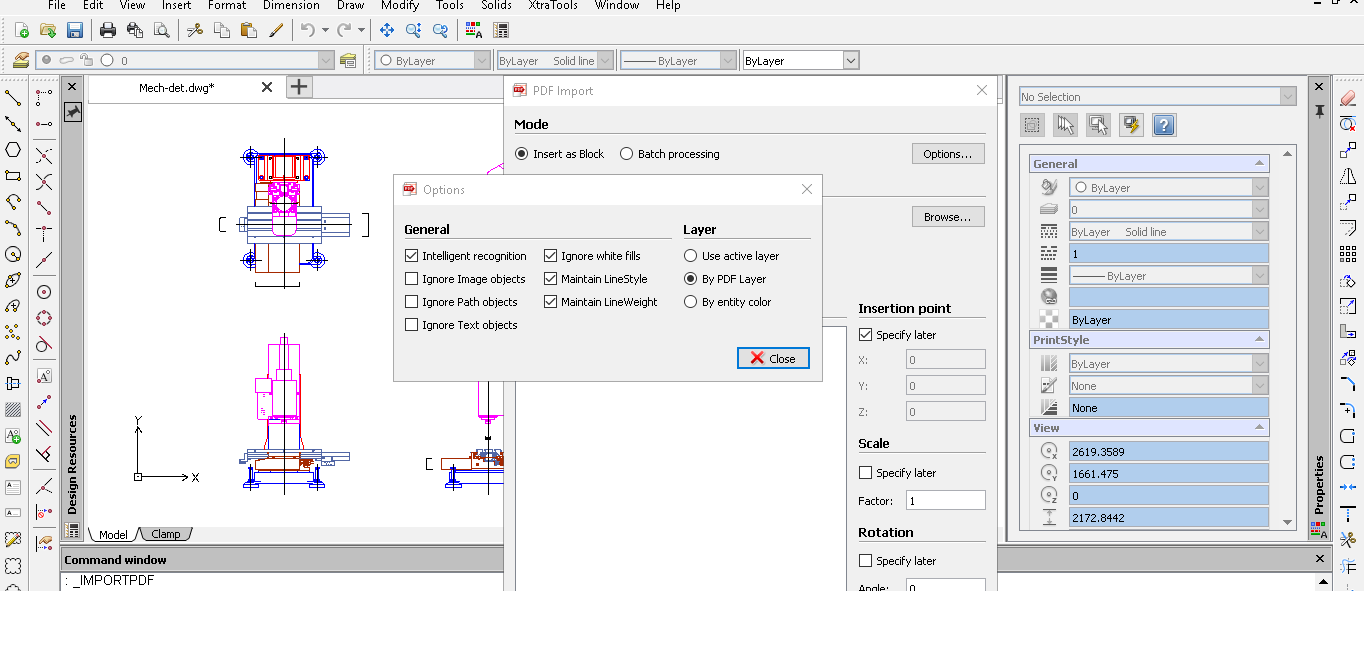
CADopia is a powerful Computer-Aided-Design software for engineers, architects, designers and drafters — virtually anyone who creates, edits, or views professional drawings. CADopia 19 is available in 12 languages – Chinese, Czech, English, French, German, Italian, Japanese, Korean, Polish, Portuguese, Russian, and Spanish. CADopia Professional Services can help you maximize the returns on your investment in CAD technology. CADopia provides upfront consulting services, custom application development, staff training,technical support, and project outsourcing solutions. Productivity enhancing drafting tools such as custom construction plane, entity snaps, grids, entity and polar tracking allowsyou to complete your drawings precisely and efficiently.
|
About
Textly - a lightning-fast, easy to use, privacy first app designed to capture, organise, and access text effortlessly. Whether you're extracting text from a video, grabbing code from a screenshot, or saving notes from a Zoom meeting or non-editable text on your Mac screen. Textly makes capturing effortless. With a simple shortcut or a quick click, capture and extract text instantly.
CAPTURE TEXT EFFORTLESSLY - Capture text from anywhere - Images, videos, PDFs, presentations, photos, zoom/team meetings, app screens or any other sources. No internet connection is needed. - Supports OCR in multiple languages - Textly recognises text in many familiar languages across the globe, including: English, French, Italian, German, Spanish, Portuguese, Chinese (Simplified & Traditional), Korean, Japanese, Ukrainian, Russian, and more! - Instant URL actions : If a URL is detected in the captured text, Textly can copy it and open it in your browser instantly.
INSTANT CLIPBOARD OF COPIED TEXTS.
|
|||||
Platforms Supported
Windows
Supported
Mac
Not Supported
Linux
Not Supported
Cloud
Not Supported
On-Premises
Not Supported
iPhone
Not Supported
iPad
Not Supported
Android
Not Supported
Chromebook
Not Supported
|
Platforms Supported
Windows
Not Supported
Mac
Supported
Linux
Not Supported
Cloud
Not Supported
On-Premises
Not Supported
iPhone
Not Supported
iPad
Not Supported
Android
Not Supported
Chromebook
Not Supported
|
|||||
Audience
Architects, engineers, draftspersons, surveyors in need of a structural drawing solution
|
Audience
Textly is perfect for Mac users, professionals, and productivity enthusiasts who need a fast, efficient, and organized way to manage and extract text from multiple sources using OCR and clipboard management
|
|||||
Support
Phone Support
Supported
24/7 Live Support
Not Supported
Online
Not Supported
|
Support
Phone Support
Not Supported
24/7 Live Support
Not Supported
Online
Supported
|
|||||
API
Offers API
Not Supported
|
API
Offers API
Not Supported
|
|||||
Screenshots and Videos |
Screenshots and Videos |
|||||
Pricing
No information available.
Free Version
Not Supported
Free Trial
Not Supported
|
Pricing
$11.99/lifetime/user
Free Version
Not Supported
Free Trial
Supported
|
|||||
Reviews/
|
Reviews/
|
|||||
Pros & Cons from Real UsersPros
Cons
|
||||||
Training
Documentation
Supported
Webinars
Not Supported
Live Online
Not Supported
In Person
Not Supported
|
Training
Documentation
Not Supported
Webinars
Not Supported
Live Online
Not Supported
In Person
Not Supported
|
|||||
Company InformationCADopia
Founded: 1999
United States
www.cadopia.com
|
Company InformationMacThru
India
www.macthru.com/textly-ocr-clipboard-manager-macos
|
|||||
Alternatives |
Alternatives |
|||||
|
|
|
|||||
|
|
|
|||||
|
|
||||||
|
|
||||||
Categories |
Categories |
|||||
Architecture Features
2D Drawing
Supported
3D Modeling
Supported
Bills of material
Supported
BIM Modeling
Not Supported
Building Information Modeling
Supported
Client Management
Not Supported
Contact Management
Supported
Contract Management
Not Supported
Document Management
Not Supported
Drafting
Supported
Manufacturing Design Data
Not Supported
Presentation Tools
Supported
Project Management
Not Supported
Proposal Management
Not Supported
Quotes/Proposals
Supported
Visualization / Presentation
Not Supported
CAD Features
2 1/2-Axis Milling
Not Supported
2D Drawing
Supported
3-Axis Milling
Not Supported
3D Modeling
Supported
4-Axis Milling
Not Supported
5-Axis Milling
Not Supported
Civil
Supported
Collaboration
Supported
Database Connectivity
Supported
Design Analysis
Supported
Design Export
Supported
Document Management
Supported
Electrical
Supported
Hole Making
Supported
Mechanical
Supported
Mechatronics
Supported
Presentation Tools
Supported
Simulate Cycles
Not Supported
Spiral Output
Not Supported
Structural Engineering
Not Supported
Toolpath Simulation
Not Supported
User Defined Cycles
Not Supported
|
OCR Features
Batch Processing
Not Supported
Convert to PDF
Not Supported
ID Scanning
Not Supported
Image Pre-processing
Supported
Indexing
Not Supported
Metadata Extraction
Not Supported
Multi-Language
Supported
Multiple Output Formats
Not Supported
Text Editor
Not Supported
Zone Selection Tool
Supported
|
|||||
Integrations
No info available.
|
Integrations
No info available.
|
|||||
|
|
|