Related Products
|
||||||
About
With focused visual tools and preprocessor support, Brackets is a modern text editor that makes it easy to design in the browser. It's crafted from the ground up for web designers and front-end developers. Brackets is a lightweight, yet powerful, modern text editor. We blend visual tools into the editor so you get the right amount of help when you want it without getting in the way of your creative process. You'll enjoy writing code in Brackets. Brackets is an open-source project, supported by an active and passionate community. It's made by other web developers like you! Instead of jumping between file tabs, Brackets lets you open a window into the code you care about most. Want to work on the CSS that applies to a specific ID? Put your mouse cursor on that ID, push Command / Ctrl+E and Brackets will show you all the CSS selectors with that ID in an inline window so you can work on your code side-by-side without any popups.
|
About
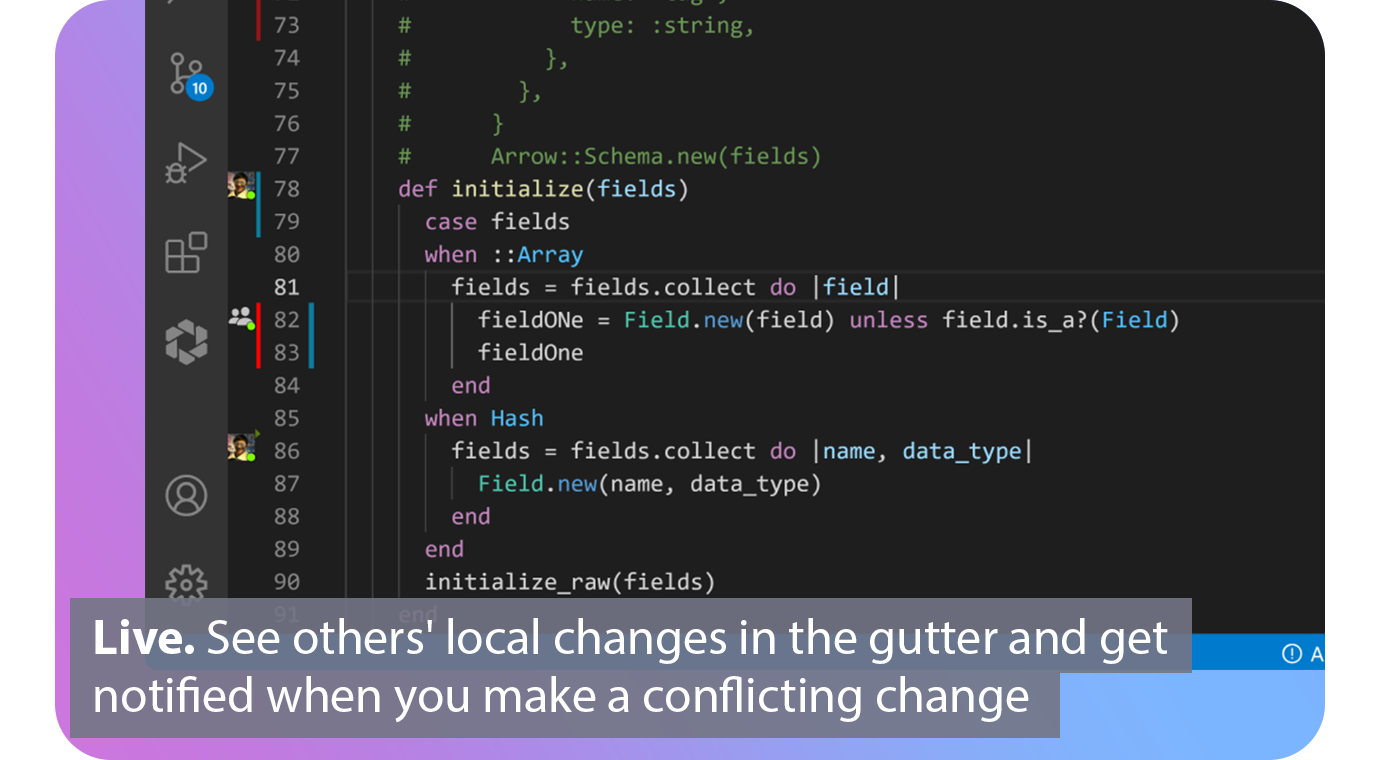
Extend Git with real-time collaborative superpowers. Connect. See when your fellow contributors are online and which repos, branches and files they are working on. Automated. Connect your issue tracker to share what issue you are working on based on your current branch. Live. See others' local changes in the gutter of your editor and get notified the moment you make a conflicting change. Patch. View diffs of other contributors' local files and cherry‑pick individual lines, files or complete working copies. Codeshare. Make voice and video calls directly from your editor and codeshare to see each others cursors. Agnostic. Edit together simultaneously, interoperable between VS Code and all JetBrains IDEs.
|
|||||
Platforms Supported
Windows
Supported
Mac
Supported
Linux
Supported
Cloud
Not Supported
On-Premises
Not Supported
iPhone
Not Supported
iPad
Not Supported
Android
Not Supported
Chromebook
Not Supported
|
Platforms Supported
Windows
Not Supported
Mac
Not Supported
Linux
Not Supported
Cloud
Supported
On-Premises
Not Supported
iPhone
Not Supported
iPad
Not Supported
Android
Not Supported
Chromebook
Not Supported
|
|||||
Audience
Developers searching for an open source code editor for the web
|
Audience
Development teams looking for a software solution for their real-time collaboration and communication needs
|
|||||
Support
Phone Support
Supported
24/7 Live Support
Not Supported
Online
Supported
|
Support
Phone Support
Supported
24/7 Live Support
Not Supported
Online
Supported
|
|||||
API
Offers API
Supported
|
API
Offers API
Not Supported
|
|||||
Screenshots and Videos |
Screenshots and Videos |
|||||
Pricing
No information available.
Free Version
Not Supported
Free Trial
Not Supported
|
Pricing
$0
Free or paid plans available. Team plan starting at $5 per user per month.
Free Version
Supported
Free Trial
Not Supported
|
|||||
Reviews/
|
Reviews/
|
|||||
Pros & Cons from Real UsersPros
Cons
|
||||||
Training
Documentation
Supported
Webinars
Not Supported
Live Online
Not Supported
In Person
Not Supported
|
Training
Documentation
Supported
Webinars
Not Supported
Live Online
Not Supported
In Person
Not Supported
|
|||||
Company InformationBrackets
Founded: 2014
United States
brackets.io
|
Company InformationGitLive
Founded: 2019
United Kingdom
git.live/
|
|||||
Alternatives |
Alternatives |
|||||
|
|
||||||
|
|
|
|||||
Categories |
Categories |
|||||
Code Collaboration Features
Audio Conferencing
Not Supported
Chat / Messaging
Not Supported
Code Review
Not Supported
Discussion Threads
Not Supported
IDE Integration
Supported
Remote Control
Not Supported
Remote Pair Programming
Supported
Screen Sharing
Supported
Video Conferencing
Supported
|
||||||
Integrations
Android Studio
Not Supported
Asana
Not Supported
CSS
Supported
Dash
Supported
Git
Supported
GitHub
Not Supported
HTML
Supported
JavaScript
Supported
Jira
Not Supported
Jira Align
Not Supported
|
Integrations
Android Studio
Supported
Asana
Supported
CSS
Not Supported
Dash
Not Supported
Git
Not Supported
GitHub
Supported
HTML
Not Supported
JavaScript
Not Supported
Jira
Supported
Jira Align
Supported
|
|||||
|
|
|