Auslogics BoostSpeedAuslogics
|
JetDriveAbelssoft
|
|||||
Related Products
|
||||||
About
Auslogics BoostSpeed helps businesses save money on expensive hardware upgrades by cleaning, tweaking and optimizing computer systems for top performance.
Auslogics, an Australian software maker, has been offering professional computer maintenance solutions for over 15 years, with its flagship product BoostSpeed downloaded over 50 million times worldwide.
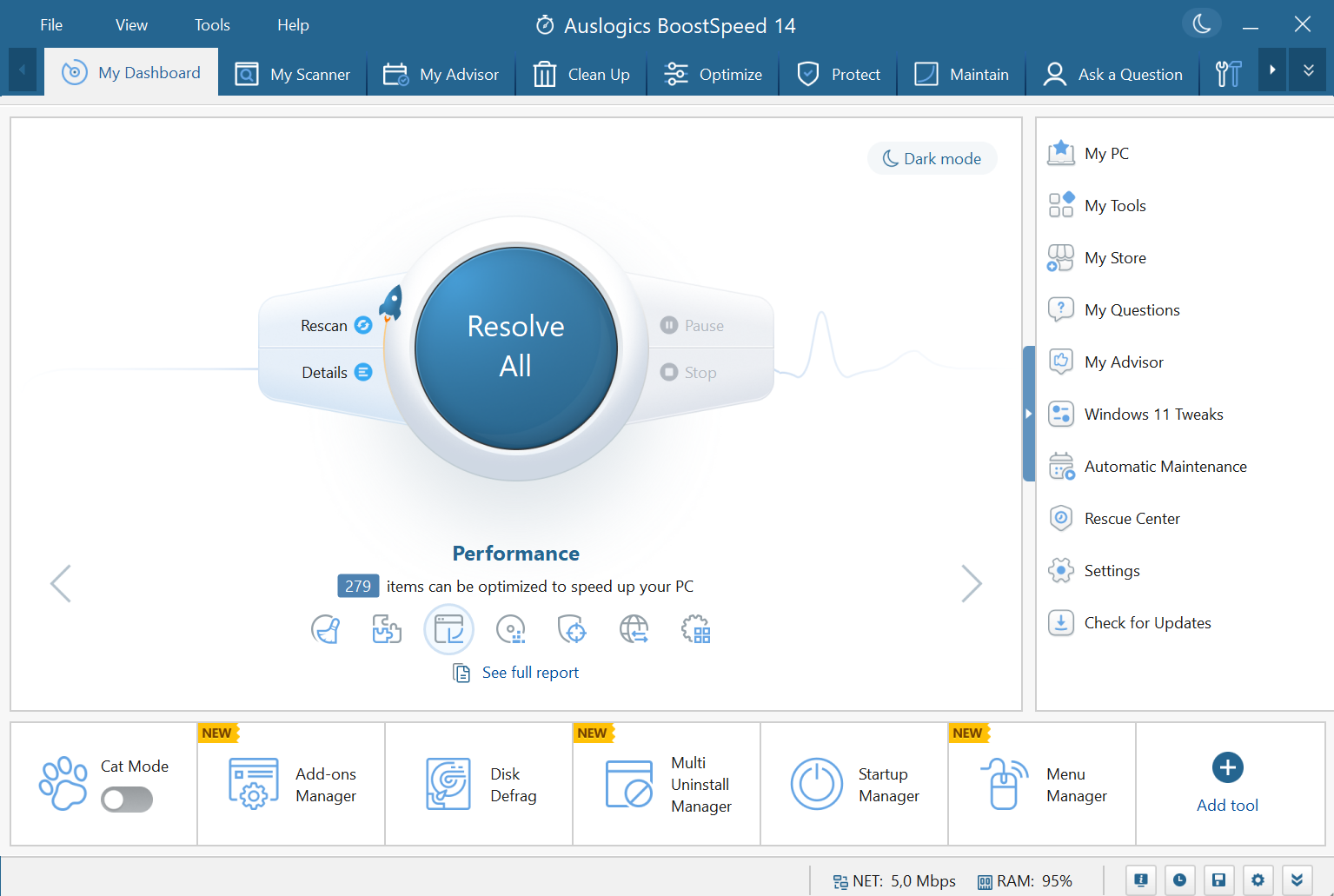
BoostSpeed is an all-in-one suite of tools to remove file clutter, fix registry issues, defragment HDD, optimize SSD, tune up Windows, improve internet speed, boost MS Office apps, and resolve various malfunctions.
In addition to that, it includes tools to cover many other PC-related tasks: recover accidentally deleted files; shred sensitive files & wipe free space on drives; check HDD for errors & prevent data loss; get full system information for getting support or part replacement; force-remove apps & their leftovers.
The program is simple enough for novice PC users while letting IT pros run more advanced tweaking.
|
About
JetDrive recognizes errors in your hard drives and can even detect and fix errors automatically if you prefer. Do you still remember the feeling when you bought your PC and everything ran so quickly? With JetDrive you can regain this lost speed. There is a physical reason why your PC slows down with time. JetDrive defragments your drive and restores it to an optimal state. Defragments are also your Registry thanks to our special registry defragmentation algorithm. Select which drive you want to defragment. A memory overview shows you how much memory capacity is still free or occupied. JetDrive of Abelssoft fixes the problem, defragments the computer, and optimizes the performance noticeably. In the classic hard disks, files are stored by magnetic fields, sector by sector. When a file is deleted, there is a gap. If the next file stored is not exactly in the size of this gap, it might result in an issue.
|
|||||
Platforms Supported
Windows
Supported
Mac
Not Supported
Linux
Not Supported
Cloud
Not Supported
On-Premises
Not Supported
iPhone
Not Supported
iPad
Not Supported
Android
Not Supported
Chromebook
Not Supported
|
Platforms Supported
Windows
Supported
Mac
Not Supported
Linux
Not Supported
Cloud
Not Supported
On-Premises
Not Supported
iPhone
Not Supported
iPad
Not Supported
Android
Not Supported
Chromebook
Not Supported
|
|||||
Audience
Companies of all sizes
|
Audience
Individuals in need of a solution to recognize errors and defragment their drives and registry
|
|||||
Support
Phone Support
Supported
24/7 Live Support
Not Supported
Online
Supported
|
Support
Phone Support
Not Supported
24/7 Live Support
Not Supported
Online
Supported
|
|||||
API
Offers API
Not Supported
|
API
Offers API
Not Supported
|
|||||
Screenshots and Videos |
Screenshots and Videos |
|||||
Pricing
$69.95 per year
1 Year Subscription
3 PC license
Free Version
Supported
Free Trial
Not Supported
|
Pricing
€29.90 one-time payment
Free Version
Not Supported
Free Trial
Supported
|
|||||
Reviews/
|
Reviews/
|
|||||
Pros & Cons from Real UsersPros
Cons
|
||||||
Training
Documentation
Supported
Webinars
Not Supported
Live Online
Supported
In Person
Not Supported
|
Training
Documentation
Supported
Webinars
Not Supported
Live Online
Not Supported
In Person
Supported
|
|||||
Company InformationAuslogics
Founded: 2008
Australia
www.auslogics.com
|
Company InformationAbelssoft
Germany
www.abelssoft.de/en/windows/system-utilities/jetdrive
|
|||||
Alternatives |
Alternatives |
|||||
|
|
|
|||||
|
|
|
|||||
|
|
|
|||||
|
|
|
|||||
Categories |
Categories |
|||||
Data Recovery Features
Web Access / Restoration
Supported
Backup Log
Supported
Backup Scheduling
Supported
Compression
Not Supported
Continuous Backup
Not Supported
Encryption
Not Supported
Incremental Backup
Not Supported
Local Server Options
Not Supported
Multiple System Support
Not Supported
Remote Server Options
Not Supported
Secure Data Storage
Not Supported
|
||||||
Integrations
No info available.
|
Integrations
No info available.
|
|||||
|
|
|