Related Products
|
||||||
About
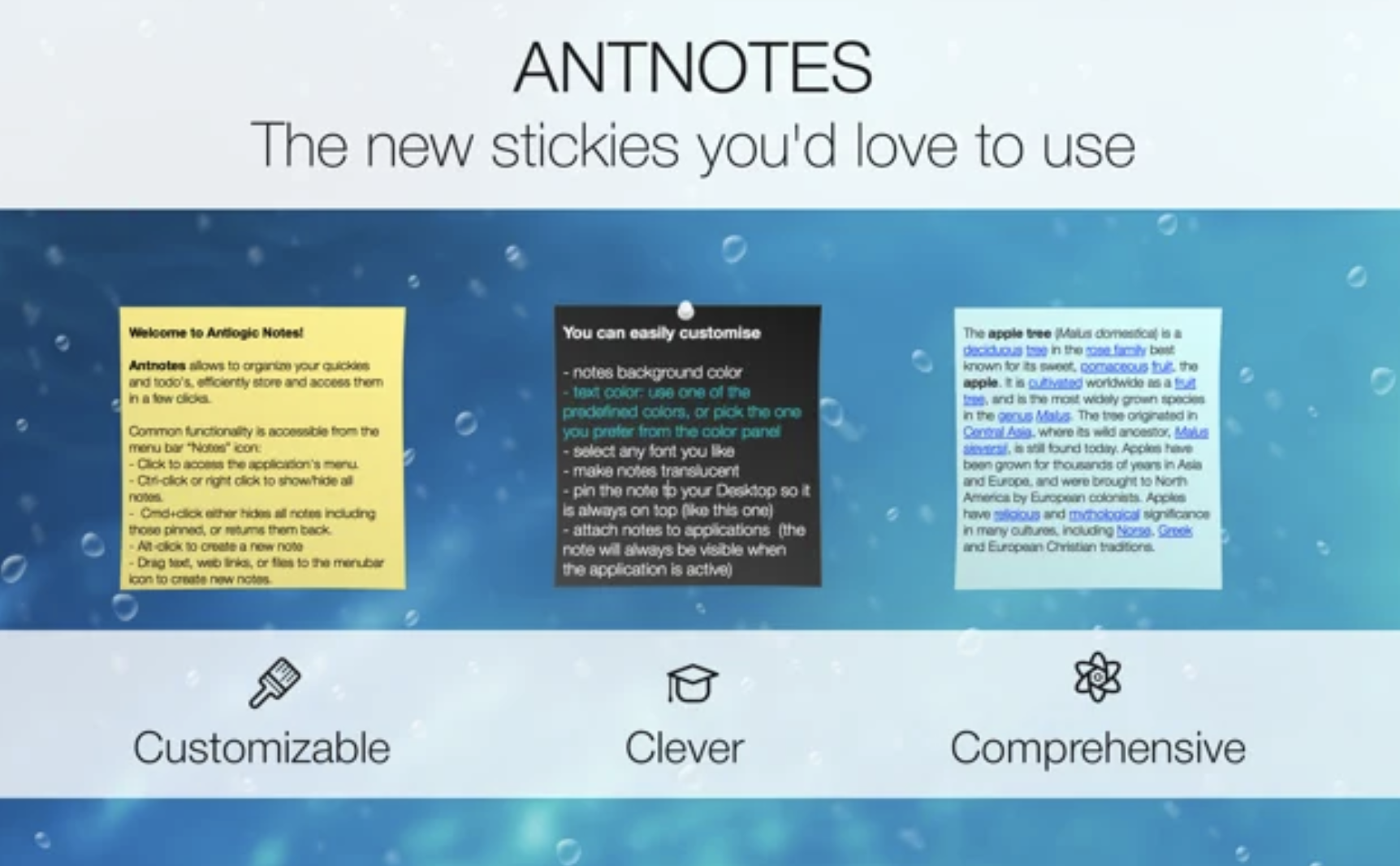
Antnotes app is a handy replacement of standard stickies application with more features and customization options. We did our best to retain the simplicity and ease of use but add more complicated features like notes archive, import and export, ability to attach note to specific application or numerous customization options. You can enjoy Antnotes for free with most of it’s basic features you will ever need, however you can also buy the full-featured version. Buying it will also encourage us for future development and improvement of Antnotes. For each note you can change size, placement on screen, background color, text font and color, make it translucent (transparent) or pinned (so it floats atop of all other windows). Note can be rolled-up to the thin stripe so you can see the title which doesn’t take much space on your screen. All standard rich text editing features apply: you can make text bold, italic and underline, insert images and links, drag text and files to the note.
|
About
Turn handwritten notes into professional documents with the world's best write-to-text conversion. Add PDFs to your notebooks, mark them up and export to PDF with your annotations in place. Write and draw freely on an infinite canvas, then copy content for reuse on other pages or in other apps. From boardroom to lecture hall, project plan to daily diary, Nebo makes note-taking smarter, more efficient and more enjoyable. Take your notes with you everywhere. Download the new companion app for iPhone to read, search and share content on the go. Download and enjoy Nebo on Apple silicon devices! Available free from the iPhone and iPad apps section of the App Store. You can now add highlights to titles as well as colored, bold and underlined text. Touch and hold with the marker to change the color of highlights, words, strokes, diagram shapes and math symbols.
|
About
Access, share, and collaborate on all your files from anywhere. OneDrive connects you to all your files in Office 365 so you can share and work together from anywhere while protecting your work. Easily store, access and discover your personal and shared work files in Office 365, including Microsoft Teams, from all your devices. Edits you make offline are automatically uploaded next time you connect. Work faster and smarter with anyone inside or outside your organization. Securely share files and work together in real-time using Word, Excel and PowerPoint across web, mobile and desktop. Create, view, edit, and share files on the go with the OneDrive mobile app. Easily capture whiteboards and scan work receipts, business cards, and other paper documents for safe keeping. OneDrive helps protect your files. You can easily recover files from accidental deletes or malicious attacks and administrators can manage security policies to help keep your information safe.
|
||||
Platforms Supported
Windows
Mac
Linux
Cloud
On-Premises
iPhone
iPad
Android
Chromebook
|
Platforms Supported
Windows
Mac
Linux
Cloud
On-Premises
iPhone
iPad
Android
Chromebook
|
Platforms Supported
Windows
Mac
Linux
Cloud
On-Premises
iPhone
iPad
Android
Chromebook
|
||||
Audience
Anyone looking for a sticky note application
|
Audience
Note‑taking application for individuals
|
Audience
Anyone who wants a cloud storage system from Microsoft
|
||||
Support
Phone Support
24/7 Live Support
Online
|
Support
Phone Support
24/7 Live Support
Online
|
Support
Phone Support
24/7 Live Support
Online
|
||||
API
Offers API
|
API
Offers API
|
API
Offers API
|
||||
Screenshots and Videos |
Screenshots and Videos |
Screenshots and Videos |
||||
Pricing
No information available.
Free Version
Free Trial
|
Pricing
No information available.
Free Version
Free Trial
|
Pricing
$2 per user per month
Free Version
Free Trial
|
||||
Reviews/
|
Reviews/
|
Reviews/
|
||||
Training
Documentation
Webinars
Live Online
In Person
|
Training
Documentation
Webinars
Live Online
In Person
|
Training
Documentation
Webinars
Live Online
In Person
|
||||
Company InformationAntnotes
www.antnotes.com
|
Company InformationNebo
www.nebo.app/
|
Company InformationMicrosoft
Founded: 1975
United States
www.microsoft.com/en-us/microsoft-365/onedrive/online-cloud-storage
|
||||
Alternatives |
Alternatives |
Alternatives |
||||
|
|
||||||
|
|
|
|||||
|
|
|
|
||||
Categories |
Categories |
Categories |
||||
Digital Asset Management Features
Asset Categorization
Asset Library
Asset Sharing
Brand Control
Customizable Branding
File Conversion
Metadata Management
Mobile App
Reporting/Analytics
Search Within Document
Search/Filter
Version Control
Watermarking
Workflow Management
File Sharing Features
Audit Trail
Chat / Messaging
Collaboration
Document Management
Drag & Drop
Electronic Signature
Encryption
File Synchronization
Search
User Management
Version Control
Workflow Management
|
||||||
Integrations
8am
Assembly
BasicOps
BluSync
BooleBox
DocSend
FileBrowser Professional
Filio
IRI DMaaS
Ideals Virtual Data Room
|
Integrations
8am
Assembly
BasicOps
BluSync
BooleBox
DocSend
FileBrowser Professional
Filio
IRI DMaaS
Ideals Virtual Data Room
|
Integrations
8am
Assembly
BasicOps
BluSync
BooleBox
DocSend
FileBrowser Professional
Filio
IRI DMaaS
Ideals Virtual Data Room
|
||||
|
|
|
|