
 Browse Code

This software converts Windows Media Player generated playlists(.wpl) to .m3u playlists which can be played by other media players too.
It also provides the functionality to change the order of the songs in the playlist and also to delete songs from the playlist before saving the playlist.
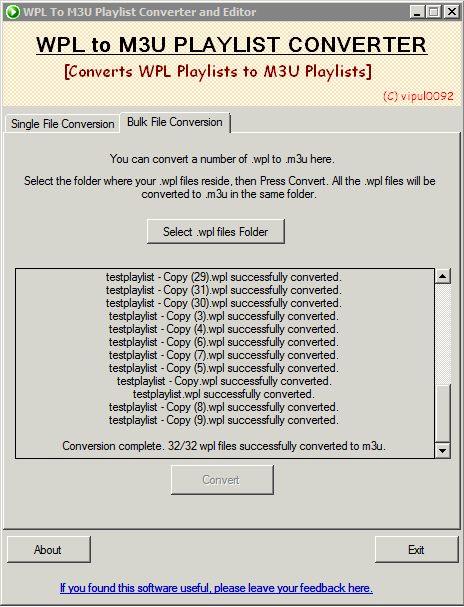
You can also bulk convert your .wpl files in just a single click.
Requires - .NET Framework 4.5
Latest Version - v3.1
What's new in this version :
* Added bulk conversion feature in the application
Features
- Converts .WPL Playlists to .M3U Playlists
- Lets you edit the playlist before saving -> Reordering and Deleting files
- Multiple save options
- Detects Library Referral, which can be handled by the user
- Simple and Uncluttered UI
- Has Bulk file conversion feature
Project Samples


License
Public DomainFollow WPL To M3U Converter
Other Useful Business Software
MongoDB Atlas runs apps anywhere
MongoDB Atlas gives you the freedom to build and run modern applications anywhere—across AWS, Azure, and Google Cloud. With global availability in over 115 regions, Atlas lets you deploy close to your users, meet compliance needs, and scale with confidence across any geography.
Rate This Project
Login To Rate This Project
User Reviews
-
This is a great utility. Just what is needed and not more. Very easy to use. The bulk feature is the cat's pajamas.
-
Used V3.0 before which was just what I was looking for, except: the bulk-feature. Using 3.1 I receive an error when trying use bulk, possibly I'm using it wrongly. See details in tickets (see PM instead). Anyhow: I like the tool - thanks!
-
Good program. Efficient and does the job. The new bulk convert allows to easily perform large scale conversions.
-
Nice tool : Easy to use. A little problem with character encodings (Use of UTF-8 instead of Latin1), but with a vim command, all is ok.
-
Does what it says it will do. Very easy to use. Thanks for creating this tool. Nice.

