
 Download
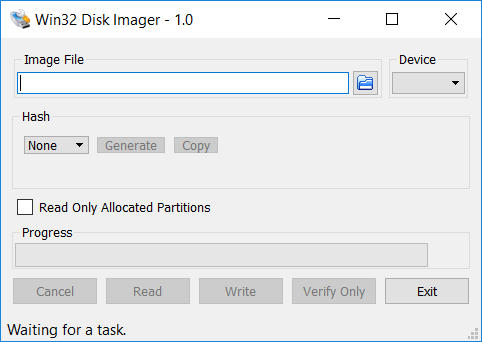
This program is designed to write a raw disk image to a removable device or backup a removable device to a raw image file. It is very useful for embedded development, namely Arm development projects (Android, Ubuntu on Arm, etc). Anyone is free to branch and modify this program. Patches are always welcome.
This release is for Windows 7/8.1/10. It will should also work on Windows Server 2008/2012/2016 (although not tested by the developmers). For Windows XP/Vista, please use v0.9 (in the files archive).
Warning: Issues have been reported when using to write to USB Floppy drives (and occasionally other USB devices, although very rare). While this has been fixed in v1.0, it is highly recommended that before an image is written to a device, the user should do a Read to a temporary file first. If this fails, please report the failure along with your system information.
Known issues:
Currently, the program will crash if you are using a Ramdisk. This is being debugged.
Features
- Raw reading and writing to removable media
Project Samples
License
GNU General Public License version 2.0 (GPLv2)Follow Win32 Disk Imager
User Reviews
-
Excellent, simple tool that does what it does well and doesn't hold your hand. The vast majority of the negative reviews are from people who either didn't read the instructions or are not technically competent enough to be using a tool like this. This is not a tool designed for newbies. Look on Google or YouTube for instructions on how to use the tool before you go blaming the developers for your lack of knowledge.
-
I have used this to write Raspbian OS images to microSD cards, most recently the image 2023-10-10-raspios-bookworm-arm64-full.img, This is the 64 bit Raspbian Bookworm OS with the recommended software and is 13.4 GB in size. I have never had a problem, always successful writes. The free program SD Formatter can always be used to restore the original format. I have used it both on Windows 10 and Windows 11 computers. "Expand file system" should be done on the Raspberry Pi computer to recover the original microSD card storage capacity.
-
It is very useful for embedded development, namely, Arm development projects!
-
keep up the great work
-
Using Win10-2004, works great and fast! Thanks so much for creating this tool! btw - for folks having issues on Win10, try setting resolution to 1080p. High res DPI screens can mess up older GUIs that use pixel sizing.

