
 Download
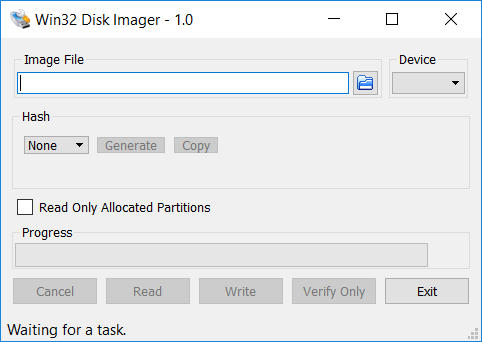
This program is designed to write a raw disk image to a removable device or backup a removable device to a raw image file. It is very useful for embedded development, namely Arm development projects (Android, Ubuntu on Arm, etc). Anyone is free to branch and modify this program. Patches are always welcome.
This release is for Windows 7/8.1/10. It will should also work on Windows Server 2008/2012/2016 (although not tested by the developmers). For Windows XP/Vista, please use v0.9 (in the files archive).
Warning: Issues have been reported when using to write to USB Floppy drives (and occasionally other USB devices, although very rare). While this has been fixed in v1.0, it is highly recommended that before an image is written to a device, the user should do a Read to a temporary file first. If this fails, please report the failure along with your system information.
Known issues:
Currently, the program will crash if you are using a Ramdisk. This is being debugged.
Features
- Raw reading and writing to removable media
Project Samples
License
GNU General Public License version 2.0 (GPLv2)Follow Win32 Disk Imager
User Reviews
-
This is great program for windows users. If you are looking for the same functionality on linux, I suggest trying AnyDistro Disk Imager. It does the same stuff but should work on all distributions on linux instead of windows.
-
I have used this a couple times to read and verify exFat microSd cards in a USB adapter. Seems to work decently enough. I have not used this to write the image back to a microsSd card but I have done this with Rufus and then used this again to verify the result - which has been successful. I do wish: 1. There was a command line interface. 2. There was a checkbox to perform verify immediately after a read is performed. 3. There was built-in support for compressing the created image file. I have done this myself using 7-zip and found that a 512GB image file could be reduced substantially to 155GB. And this is significant! Either way, this is definitely added to my tool belt. Thanks!
-
if this tool makes your drive's allocated space small, don't be scared. you need to use Disk utility on windows for fully format it. when you opened disk utility (win + x and select disk utility) you see your drive has been allocated in there. right click the black space and select "new basic partition" or something click next until you see "attend drive letter" or another thing. (i don't using my pc english) select a drive letter, name it and your drive is ready. you're welcome
-
Excellent, simple tool that does what it does well and doesn't hold your hand. The vast majority of the negative reviews are from people who either didn't read the instructions or are not technically competent enough to be using a tool like this. This is not a tool designed for newbies. Look on Google or YouTube for instructions on how to use the tool before you go blaming the developers for your lack of knowledge.
-
First, I would like to note that this software does require some knowledge on the part of the user. Most of the poor reviews are only due to the user's ignorance and failure to understand what they are doing. This software is designed to write an image to a drive. A drive being a hard drive, SSD, USB flash drive, SD card, microSD card, etc. It will overwrite the entire destination drive. You cannot write an image to a partition, only the whole drive. All partitions on the destination are erased and over written. The image was made from a drive and is the same size as the original. When it is written the destination drive becomes the same size as the image. This can be fixed through scripts that auto expand the image to the full size of the destination drive or the expansion can be done manually through a partition manager. Many partition mangers have free versions capable of this. A partition manager can also be used to restore your drive to its original blank state. Since your destination drive has actually been overwritten, even data recovery software will not restore your destination drive data if you mistakenly wrote to the wrong drive. BE 100% SURE OF YOUR DESTINATION DRIVE! Then check again. Google this whole process. Watch a YouTube video. Watch many times if necessary. As a final note, there do exist some images that do not work well with this program and some drives that have problems. In some cases, downloaded images are not what they are described as. There are several other programs of this type. Google is your friend ;-)
