
| Name | Modified | Size | Downloads / Week |
|---|---|---|---|
| v1.5 | 2026-10-02 | ||
| ReadMe.md | 2026-10-02 | 5.0 kB | |
| Totals: 2 Items | 5.0 kB | 2 |
RedNectar's SquareWord Helper
This spreadsheet is to help you solve SquareWord puzzles as found at https://squareword.org
To show you how to use the helper, I'll use the example of puzzle #1 found on the SquareWord archive (https://squareword.org/archive/1)
Let's begin by entering the first guess both on the puzzle webpage and in the Guesses column on the Puzzle tab
The next step is to copy the valid letters and the unplaced letters shown on the page to the spreadsheet. The example below begins with the first guess as crane
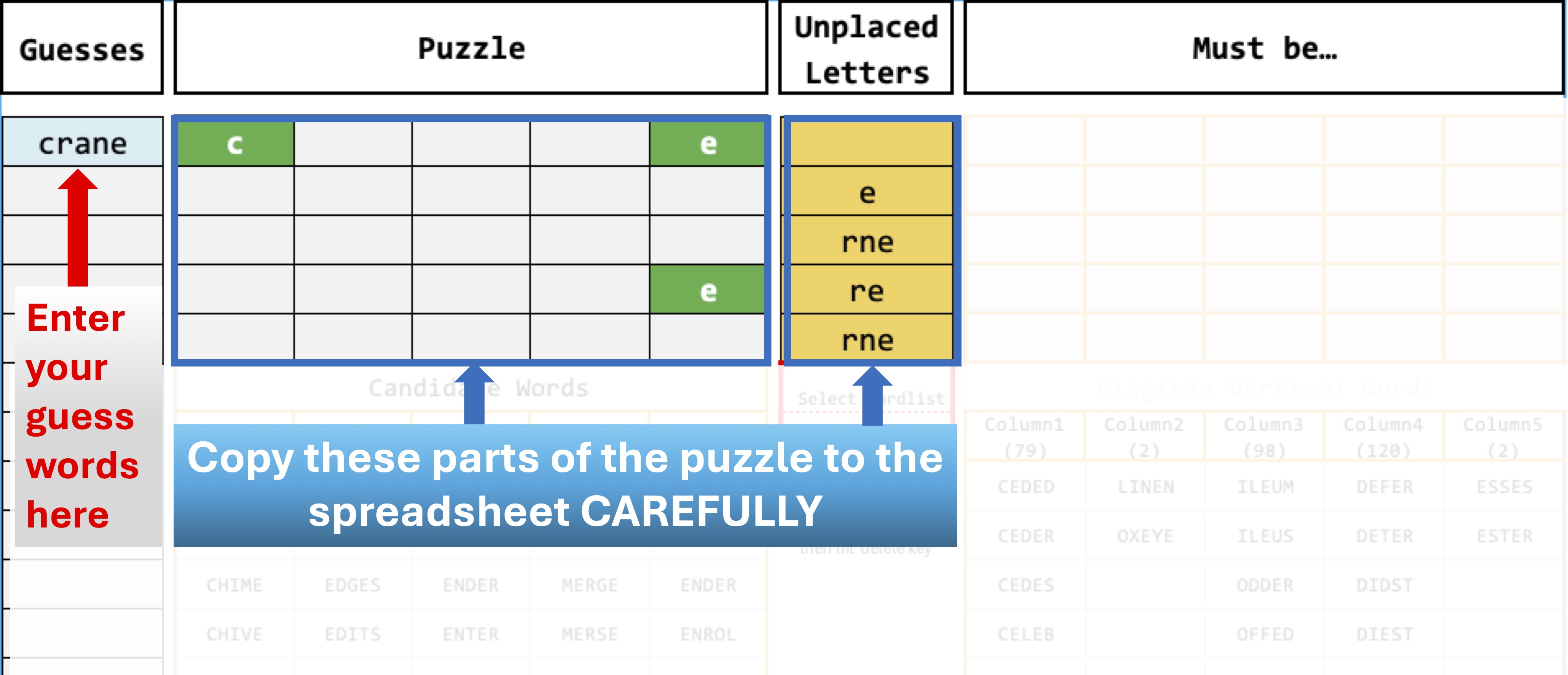
Note that under the puzzle a list of possible words for each row appears, along with the number of possible words shown in parentheses in the row heading. The spreadsheet also displays the possible vertical words, and in this case, note that Column2 and Column5 have been reduced to just 2 possibilities each.
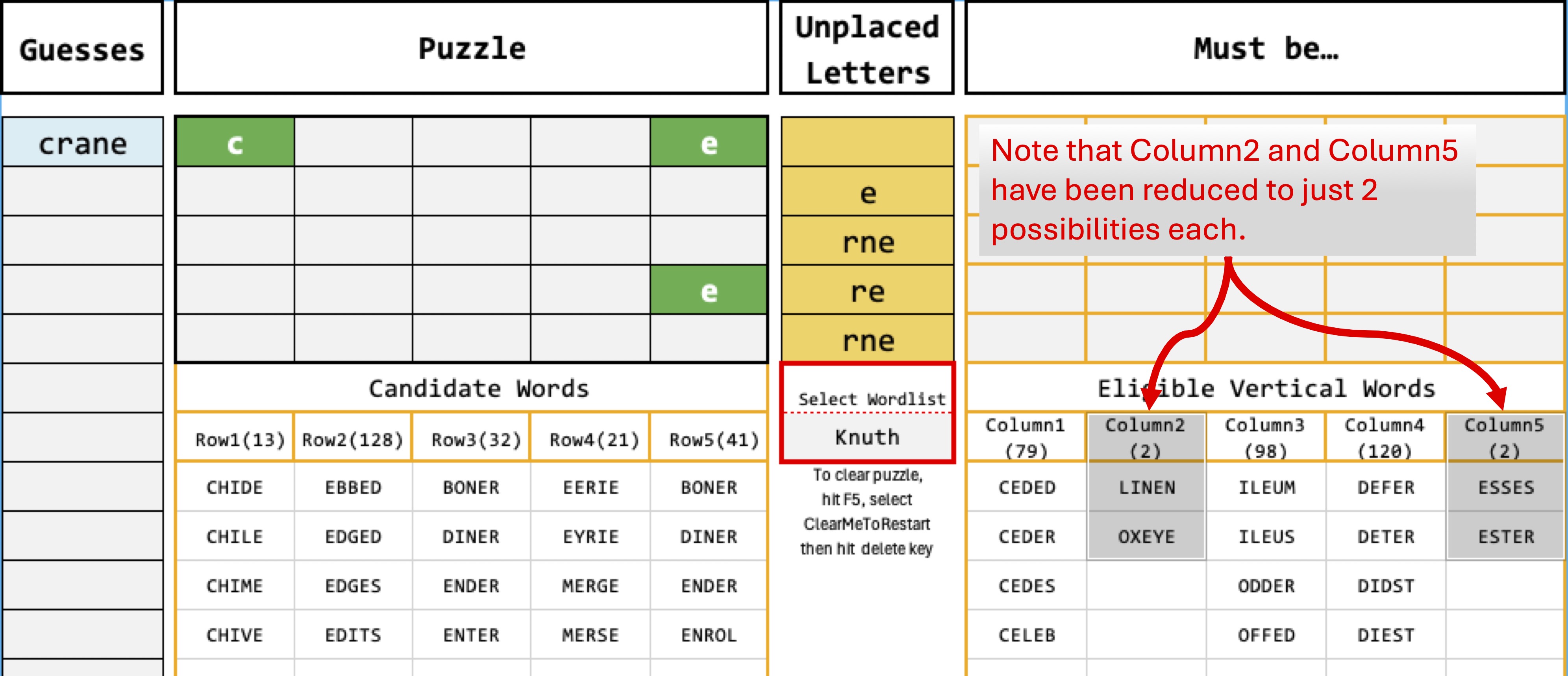
By looking for patterns in these vertical words, you'll be able to reduce some of these counts drastically at times.
Sidenote: There are two word lists that you can use to find candidate words. SquareWord acknowledges that it uses the YAWL list (which has 12036 five letter words) but you may find your solution quicker if you use the Knuth list (5757 words). You can select the list you wish to use under the Select Wordlist prompt. If using the Knuth list yields No Words then try the YAWL option.
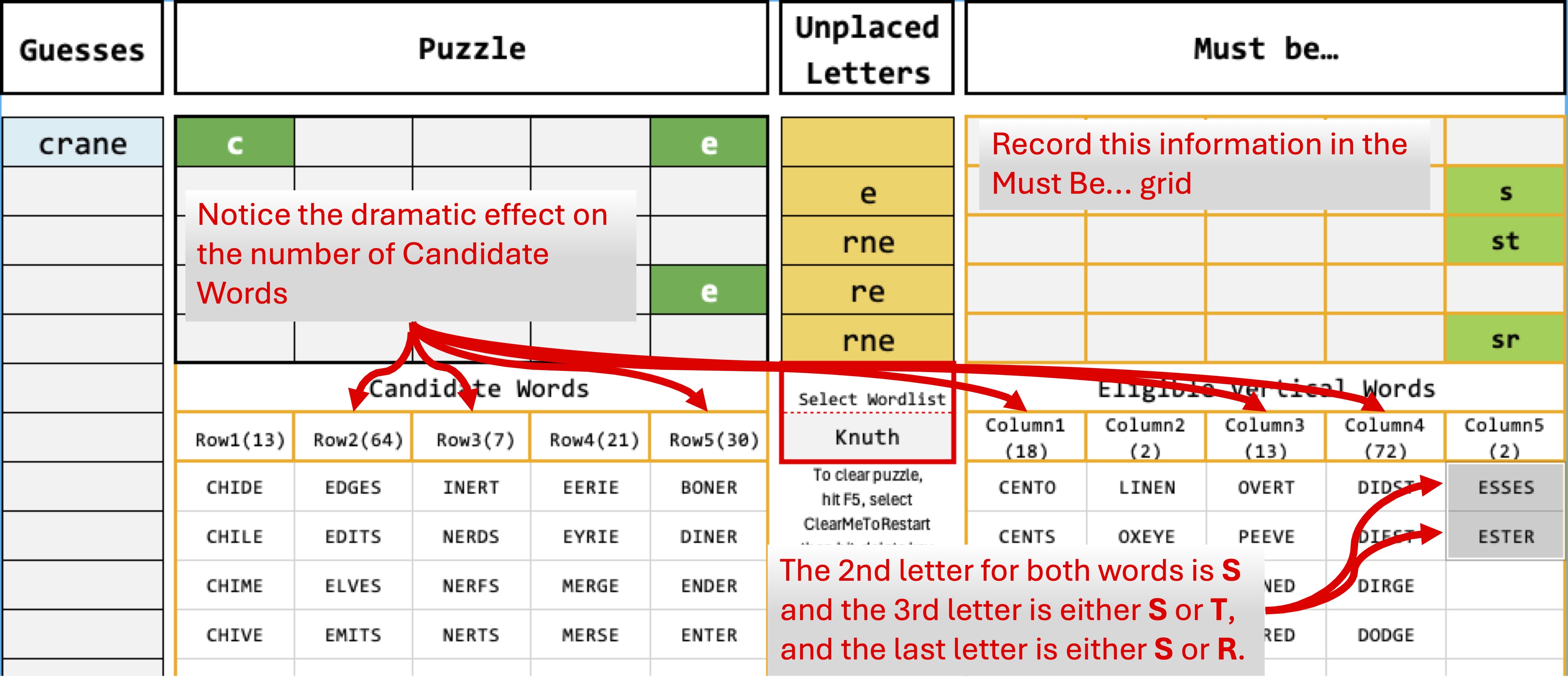
To begin, take a look at all the Eligible Vertical Words for Column5 - the puzzle has the 1st and 4th letters solved, but note that the 2nd letter for both words is S and the 3rd letter is either S or T, and the last letter is either S or E. You can record this information in the Must Be... grid and notice the dramatic effect it has on the number of Candidate Words which in turn reduces the number of Eligible Vertical Words too.
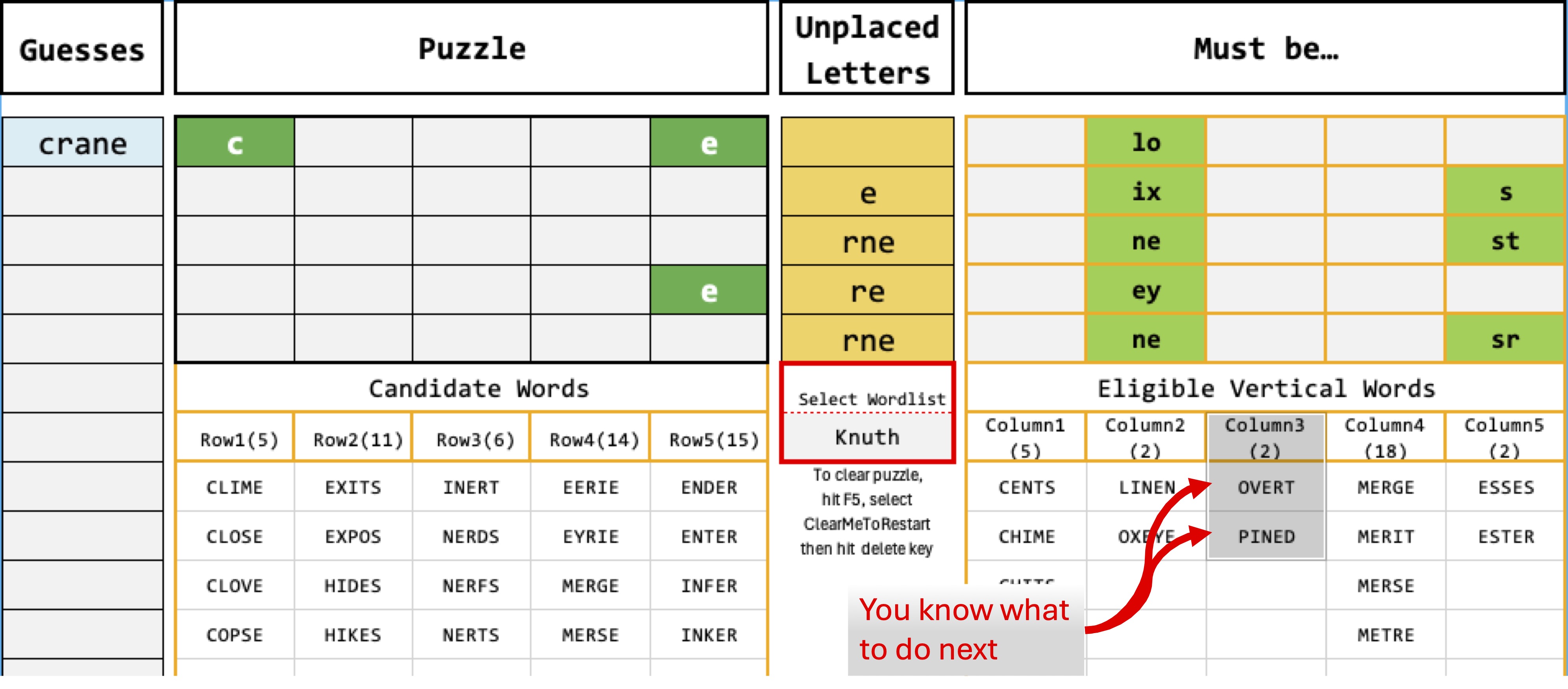
Now repeat the logic looking at the two words for Column2 and observe that now Column3 has only two words. So you know what to do next
Finally, you'll notice that Column1 has only 3 words, and when those letters are recorded, you'll have solved the puzzle (almost)
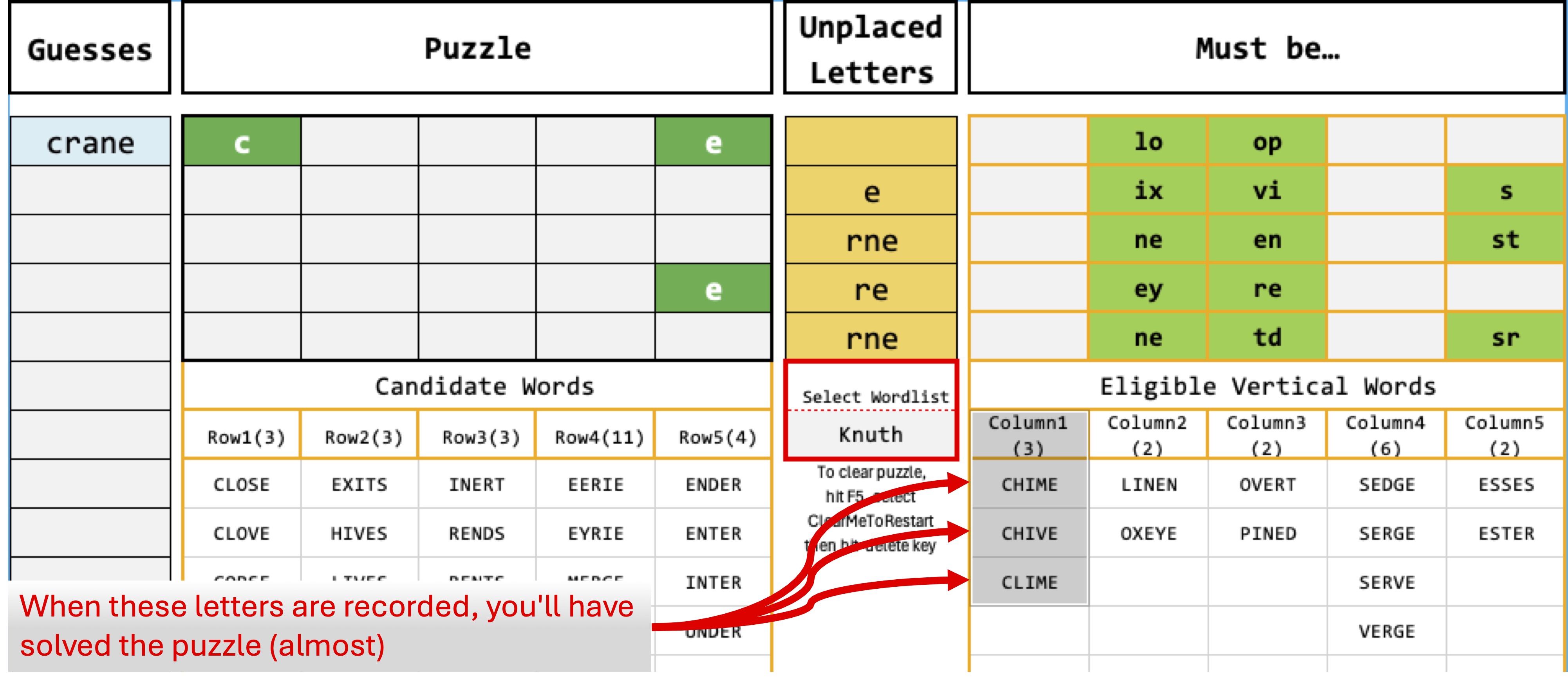
Finally, you can see that Row3 must be INERT.
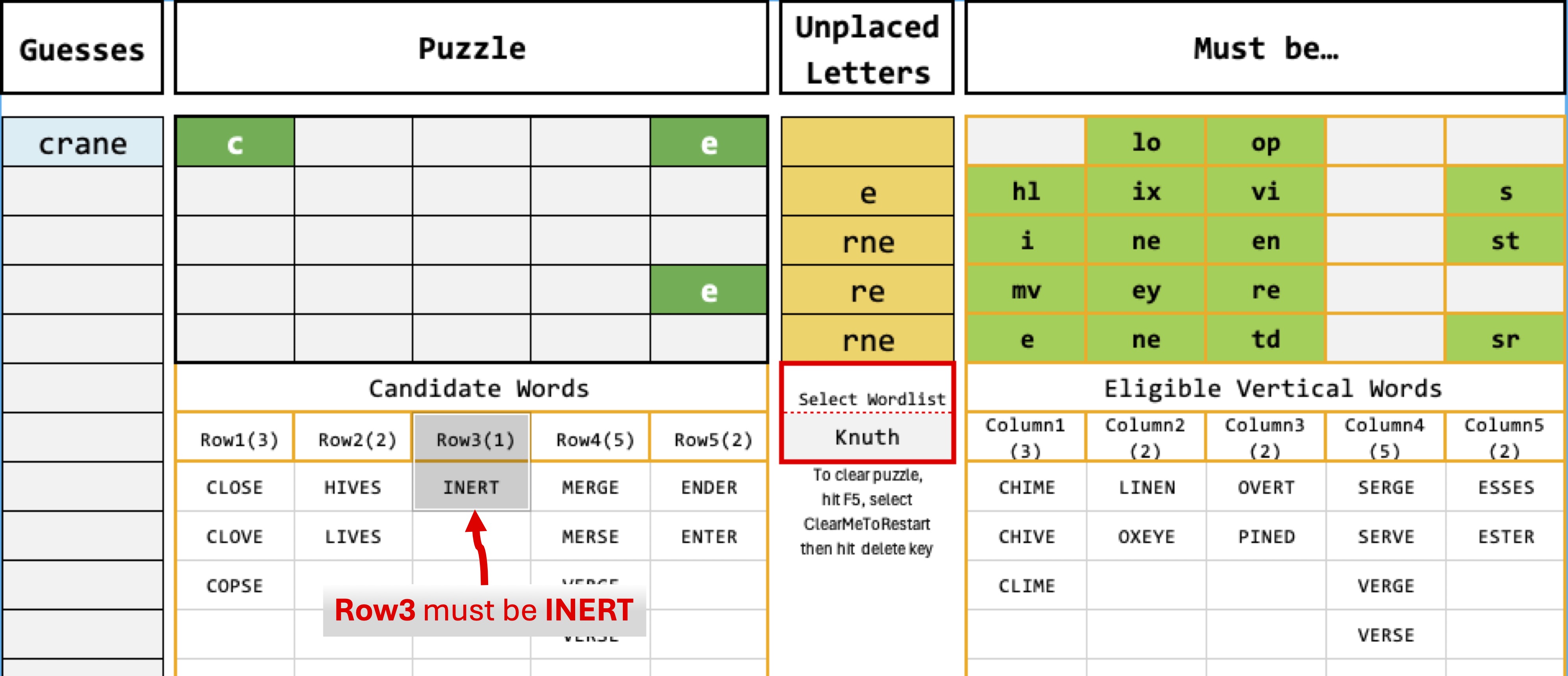
Adding INERT reveals that Row5 is ENTER, but since the N is already solved, enter ESTER instead so any words with an S will be revealed.
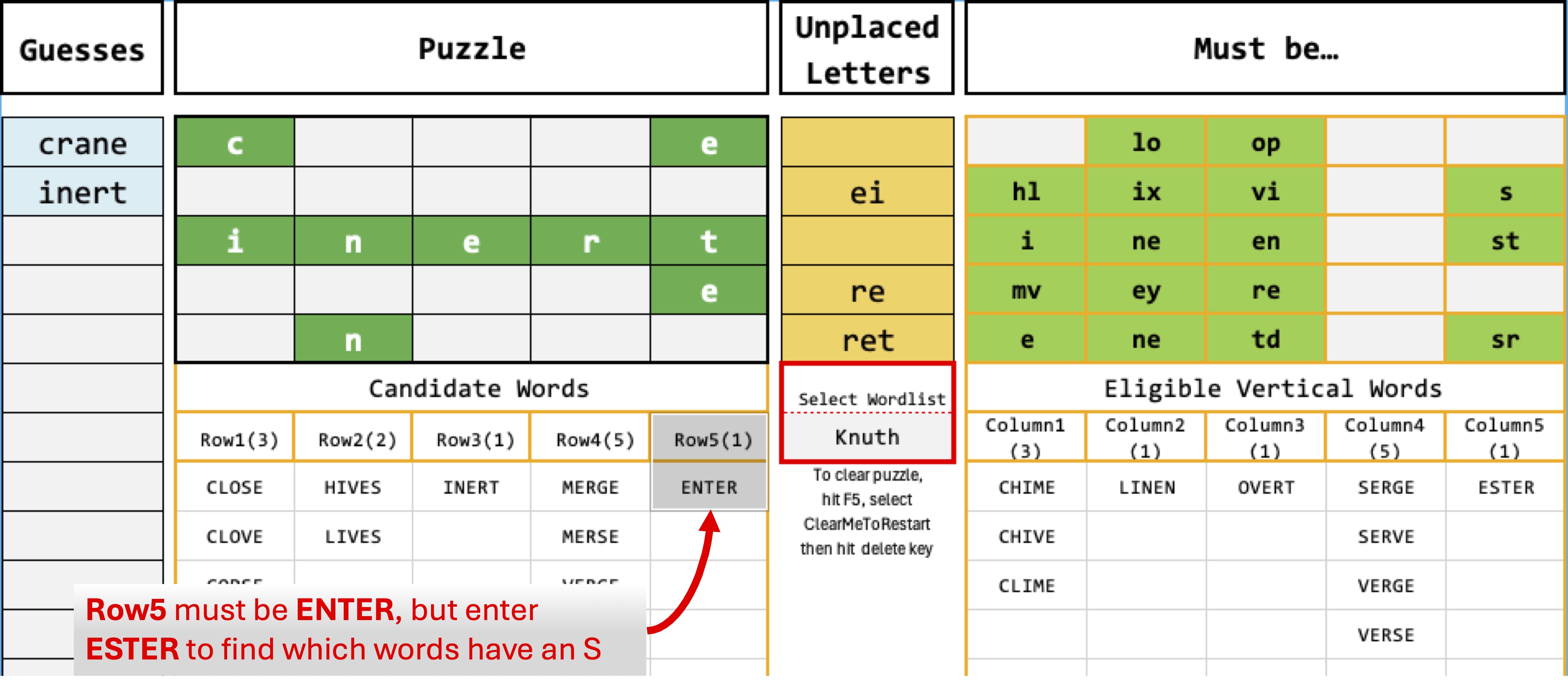
This has revealed thar Row1 is CLOVE but enter GLOVE to see if Row4 has a G
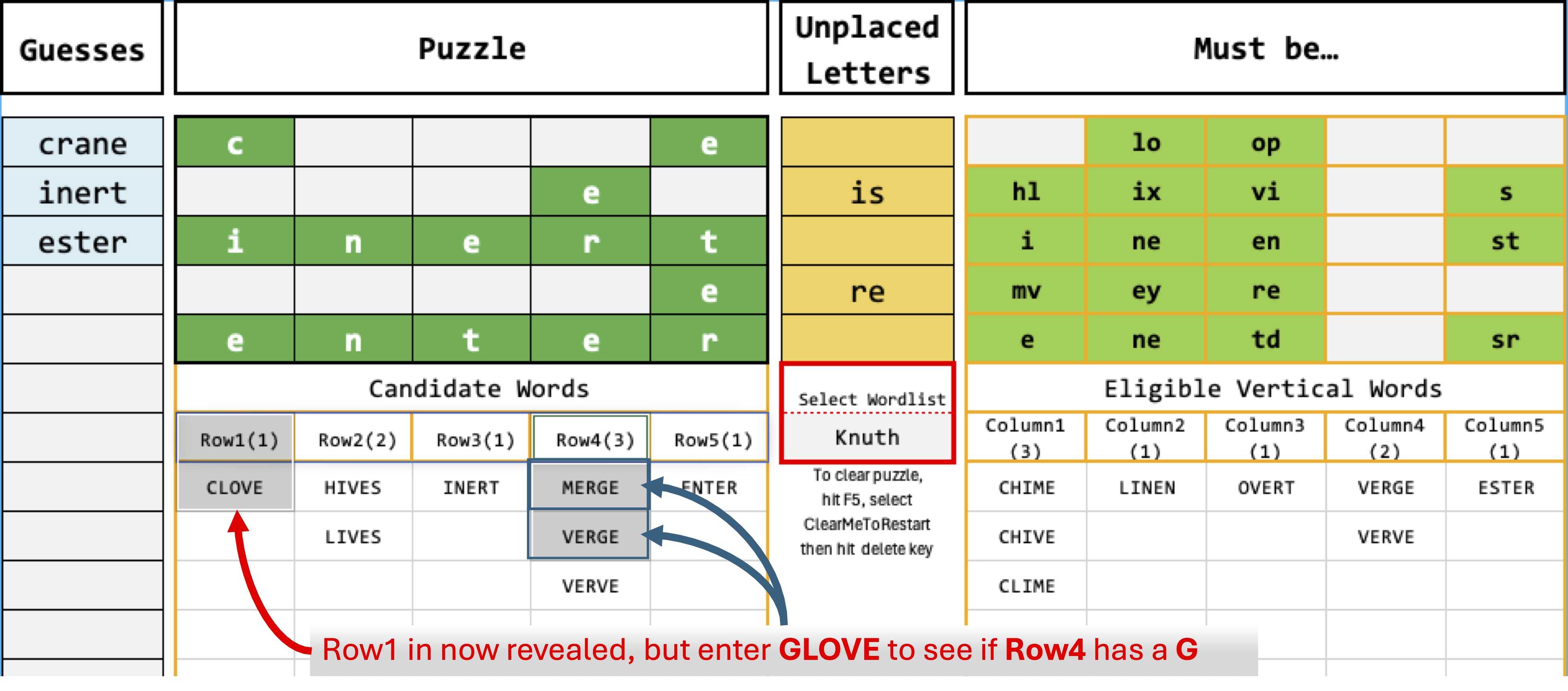
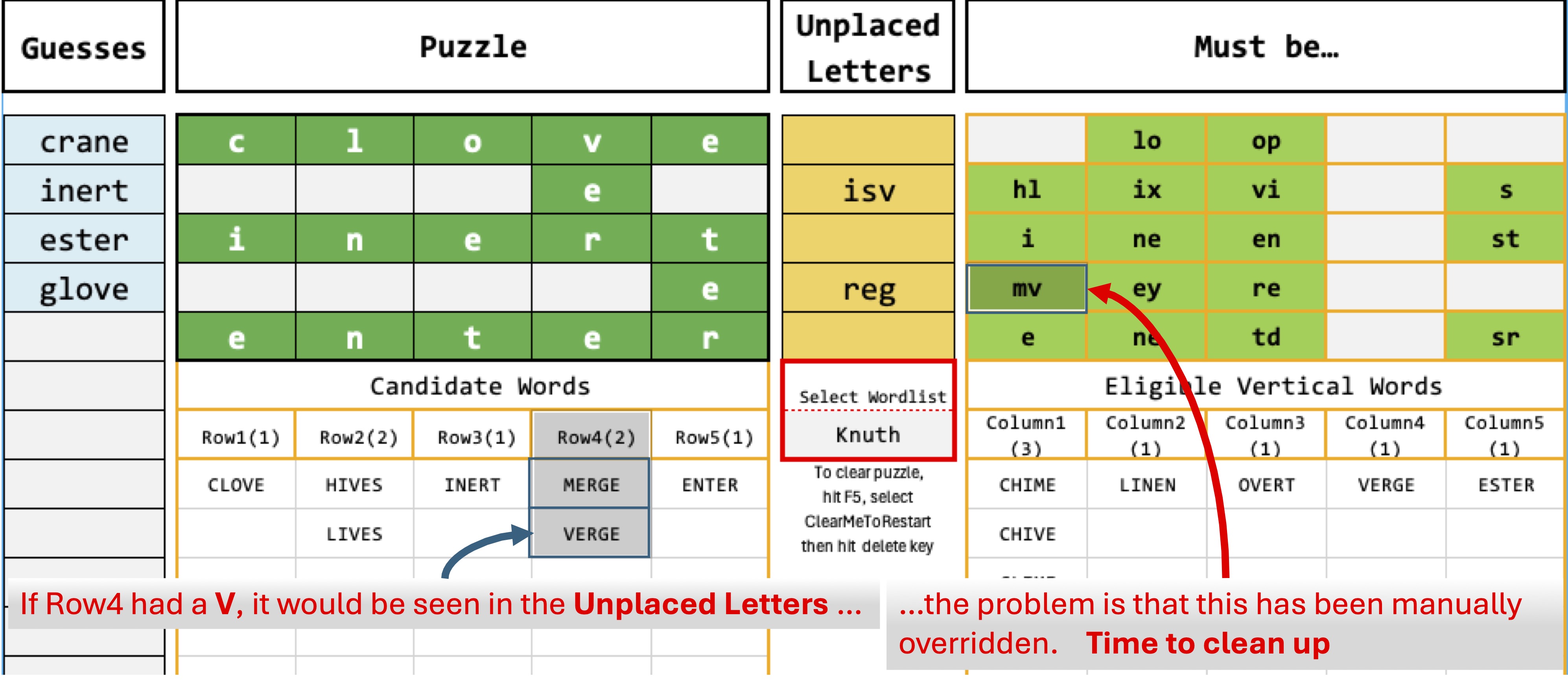
With CLOVE now solved, the spreadsheet reveals how care must be taken with the Must Be… grid. Row4 is still showing two candidates, but if VERGE was a candidate, V would appear int the Unplaced Letters list because V was used in CLOVE. The problem is that earlier, the letters MV were placed in the Must Be... grid, so this is overriding the spreadsheet's automatic logic. Time to clean up
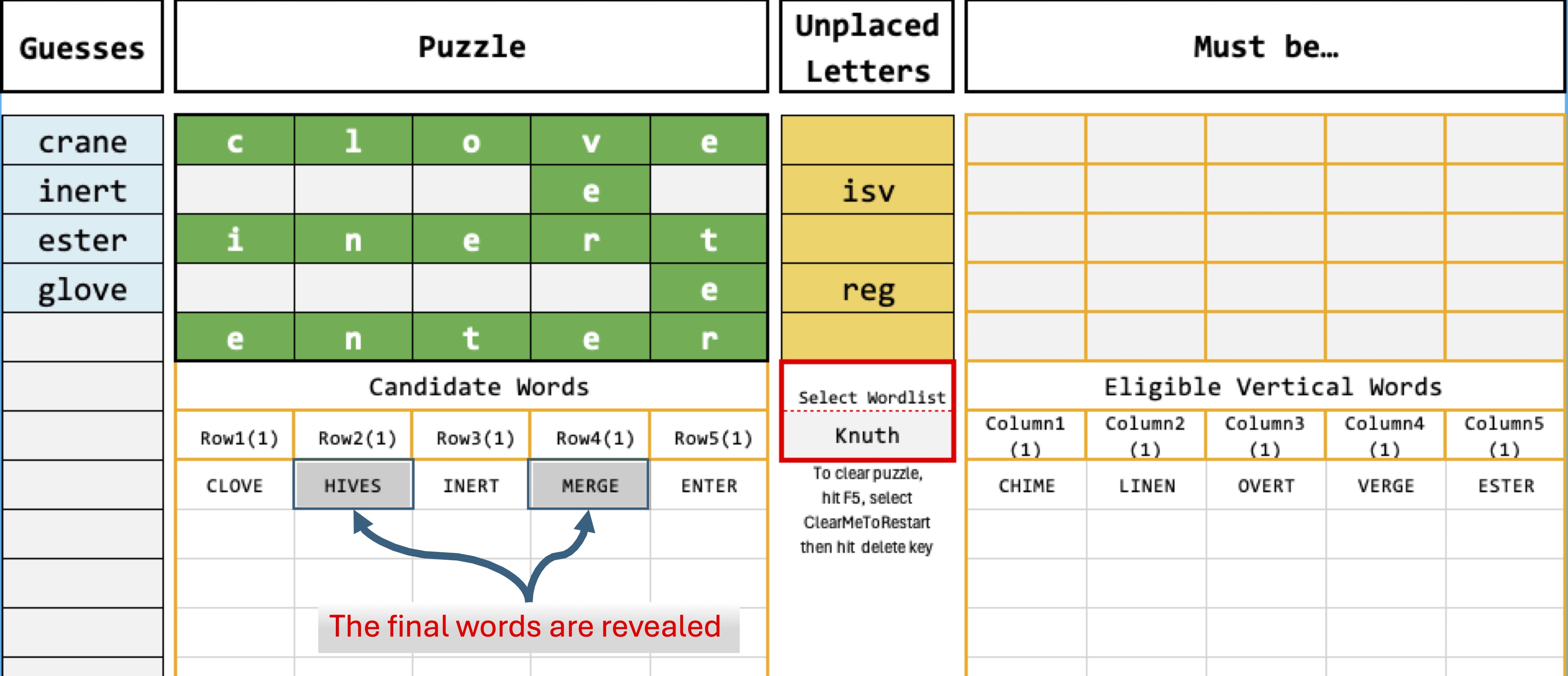
And sure enough, once the Must Be… grid is cleared, the final words are revealed! Puzzle solved in 6
Sidenote: The Must Be… grid could be calculated automatically by the spreadsheet - except for one small problem. Recording the possible letters for the vertical words changes the possible letters for the horizontal words automatically, and if that were to automatically change the possible letters for the vertical words a loop would be created and Excel would catch that and stop working.
Acknowledgements
The SquareWord Puzzle is found at https://squareword.org
The master lists of five letter words used in this spreadsheet has been extracted from:
(a) The Yet Another Word List Project (YAWL) found on Github at
https://github.com/elasticdog/yawl/blob/master/yawl-0.3.2.03/sigword.list
(b) Donald Knuth's famous five-letter word list available from the Stanford GraphBase (SGB) dataset collection
https://people.math.sc.edu/burkardt/datasets/words/sgb_words.txt
Licence
This spreadsheet is free to use in any non-commercial way you want. In other words, you can use it so long as any derivative you create from this is not used to make money
