Browse Code

SMTP Mailer plugin allows you to configure a mail server which handles all outgoing email from your website. It takes control of the wp_mail function and use SMTP instead of the PHP mail() function.
Plugin Repository URL: https://wordpress.org/plugins/smtp-mailer/
Plugin Author URL: https://wphowto.net/
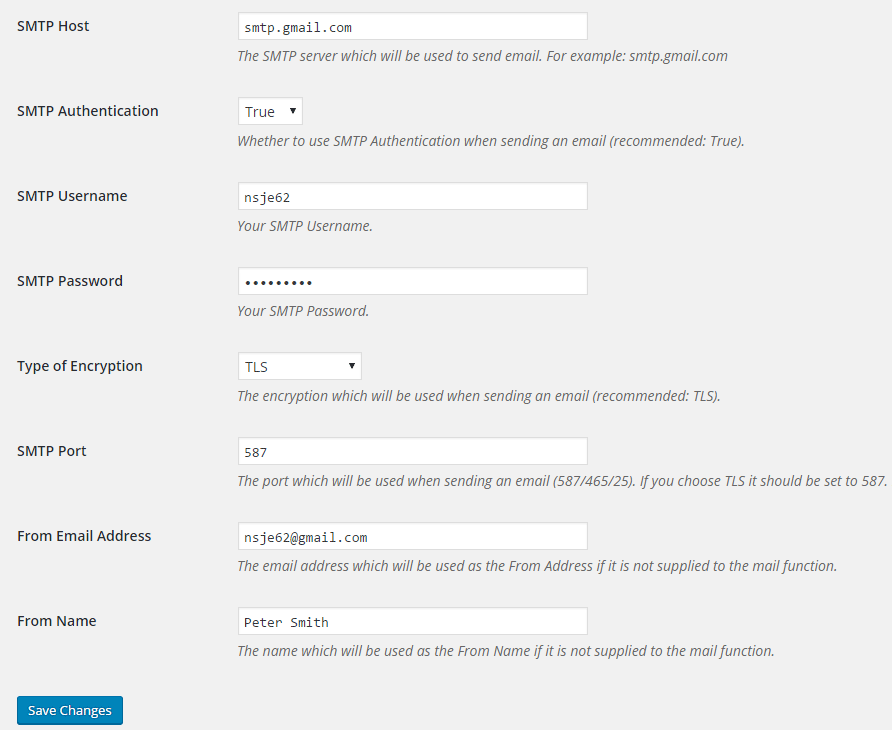
SMTP Mailer Settings:
*SMTP Host: Your outgoing mail server.
*SMTP Authentication: Whether to use SMTP authentication when sending an email (True/False).
*SMTP Username: The username to connect to your SMTP server.
*SMTP Password: The password to connect to your SMTP server.
*Type of Encryption: The encryption to be used when sending an email (TLS/SSL/No Encryption).
*SMTP Port: The port to be used when sending an email (587/465/25). If you choose TLS the port should be set to 587. For SSL use port 465 instead.
*From Email Address: The email address to be used as the From Address when sending an email.
*From Name: The name to be used as the From Name
Features
- SMTP Mailer works with any plugin that uses the WordPress Mail function
- Compatible with Contact Form 7
- Compatible with Jetpack Contact Form
- Compatible with Visual Form Builder
- Compatible with Fast Secure Contact Form
- Compatible with Formidable Forms
- Compatible with Contact Form by BestWebSoft
Project Samples