
| Name | Modified | Size | Downloads / Week |
|---|---|---|---|
| SaveJetDesktopProSetup.exe | 2026-06-27 | 32.0 MB | |
| SaveJetDesktopProPortable.exe | 2026-06-27 | 22.7 MB | |
| SaveJetDesktopPro.dmg | 2026-06-27 | 17.3 MB | |
| README.md | 2026-06-27 | 3.6 kB | |
| Totals: 4 Items | 72.0 MB | 4 |
SaveJet — Instagram Downloader for Windows & macOS
SaveJet Desktop is a free Instagram downloader for Windows and macOS that saves Instagram photos, videos, reels, carousels and IGTV — or entire profiles and hashtags — to your computer in original HD quality. No watermark, no ads, and no password required.
🌐 Prefer the browser? The free web version lives at savejet.app for grabbing a single post in seconds.
⬇️ Download
These links always point to the latest release:
| Platform | Download |
|---|---|
| 🪟 Windows — Installer (recommended) | SaveJetDesktopProSetup.exe (dl.savejet.app) |
| 🪟 Windows — Portable (no install) | SaveJetDesktopProPortable.exe (dl.savejet.app) |
| 🍎 macOS — Disk image | SaveJetDesktopPro.dmg (dl.savejet.app) |
➡️ Full download page with install help: savejet.app/downloads
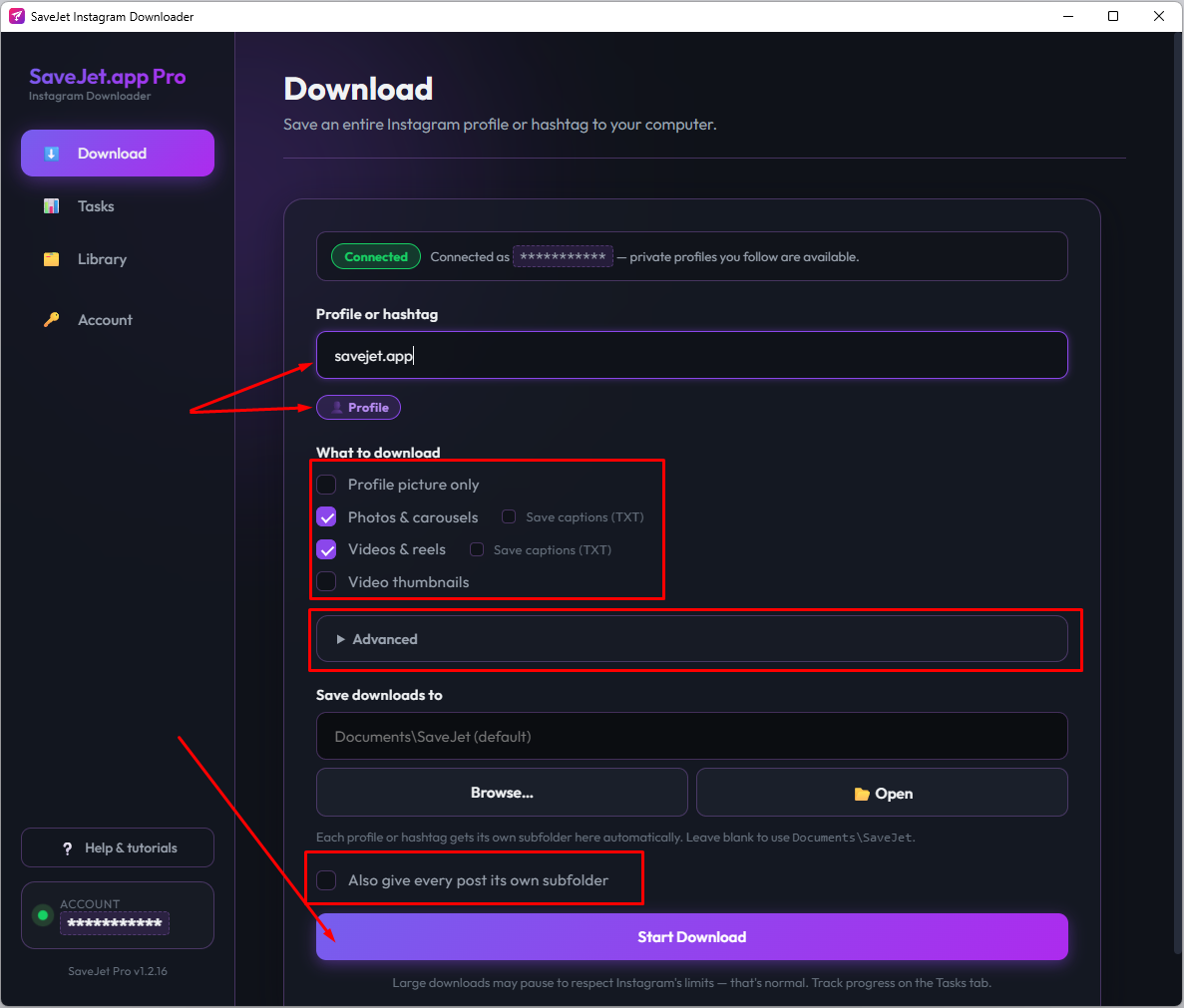
✨ What it does
- Bulk download whole Instagram profiles — paste a
@usernameand save every photo, video and reel. - Download by hashtag — paste a
#tagand grab the whole set. - All post types — photos, videos, reels, carousels and IGTV, in original HD (no re-encode, no watermark).
- Organized automatically — a separate folder per profile/hashtag, in
Documents/SaveJetor anywhere you pick. - No password — sign in with a session ID; your credentials never leave your computer.
- Live task monitor — run several downloads at once and watch each one's progress.
- Silent auto-updates — the app keeps itself current in the background.
- Free, for Windows 10/11 and macOS 11+.
For a single post or reel, the SaveJet web app is quickest — the desktop app is built for bulk profile and hashtag backups.
🛠️ Install
Windows: run SaveJetDesktopProSetup.exe. Because the free app isn't code-signed yet, Windows SmartScreen shows a one-time notice → click More info → Run anyway. It installs per-user in seconds (no admin). After that, updates are silent.
macOS: open SaveJetDesktopPro.dmg, drag the app to Applications, then right-click the app → Open → Open the first time (Gatekeeper, one time only).
📖 Step-by-step guide with screenshots: savejet.app/docs
❓ FAQ
- Is it free? Yes — free to download and use, no account, no limits.
- Is the "Windows protected your PC" / "unidentified developer" warning safe? Yes — it only means the free build isn't code-signed. See the install guide. PyInstaller apps also occasionally trip an antivirus false-positive; you can scan the file on VirusTotal anytime.
- Where are files saved? In a
SaveJetfolder (or any folder you choose), one subfolder per profile/hashtag. - Does it work without an Instagram account? Single public posts via the web app need no login; whole-profile/hashtag downloads use a session ID (no password).
Website: savejet.app · Download: savejet.app/downloads · Docs: savejet.app/docs
SaveJet is not affiliated with, authorized, or endorsed by Instagram or Meta Platforms, Inc.
