


I'm pleased to announce the release of REHex 0.63.0!
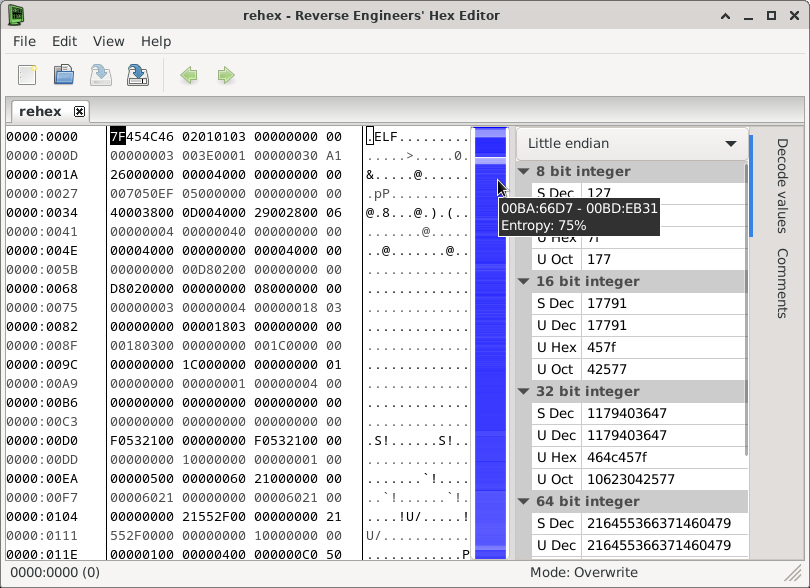
The first new feature I'd like to highlight is the "visual scrollbar", which you can enable to show the average entropy throughout the file, highlighting areas which appear to have more or less information encoded as shown below:
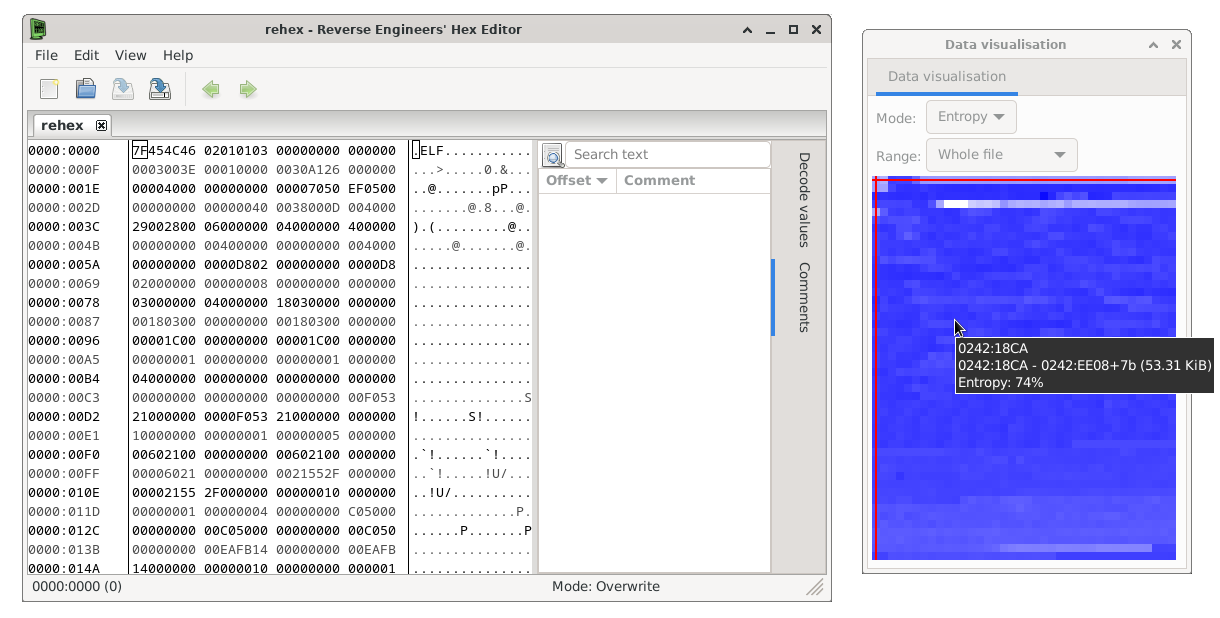
The same analysis backend is also hooked up to a new "Data visualisation" tool panel which can display the whole file or a custom selection/range:
Oh yeah, you can now drag tool panel tabs to other edges of the main window, or even detach them to separate windows (except when using the Wayland display manager on Linux), did I forget to mention that? Because you can finally do that :D
For Windows users, there is now an installer which will install the editor and add an association for all file types, so that it will appear in any file's "Open With" menu. The standalone .zip releases will continue to be provided too.
For macOS users, the application is now a dual-architecture executable for Apple Silicon and Intel, which should provide a performance boost on M1 (or later) Macs, it is also signed/notarised to keep the Gatekeeper warnings to a minimum and it is available on the App Store, if you prefer to download software that way.
Aside from those headline features, the full change log of this release below:
- Add non-modal "Jump to offset" dialog option (#242).
- Add "Repeat last 'Jump to offset'" command (#242).
- Add "Visual Scrollbar" for high-level overview of file contents.
- Add "Data visualisation" tool for overfiew of file/selection contents (#230).
- Add metadata import/export commands (#248).
- Fix crash when <charset = "US-ASCII"> is specified for a file variable in a template (#246).
- Add highlight functions to scripting API and template language (#247).
- Fix memory leaks in bitmap preview tool and metadata serialisation.
- Suspend scanning for strings when the strings tool is hidden.
- Fix the continue/reset buttons in the strings tool not working correctly.
- Fix horizontal scroll position being set out-of-range when the window is resized in some situations.
- Fix bitmap preview tool not following cursor correctly (#244).
- Allow detaching tool panels to floating windows or docking them to any side of the main window (#229).
- Reduce unnecessary padding in decimal offsets (#235).
- Fix range selection input for checksum/histogram on macOS.
- Fix selection being prematurely initiated when the mouse is clicked over file data.
I hope you find this software useful, please open an issue for any bugs you find or features you would like to see added!
