
 Download
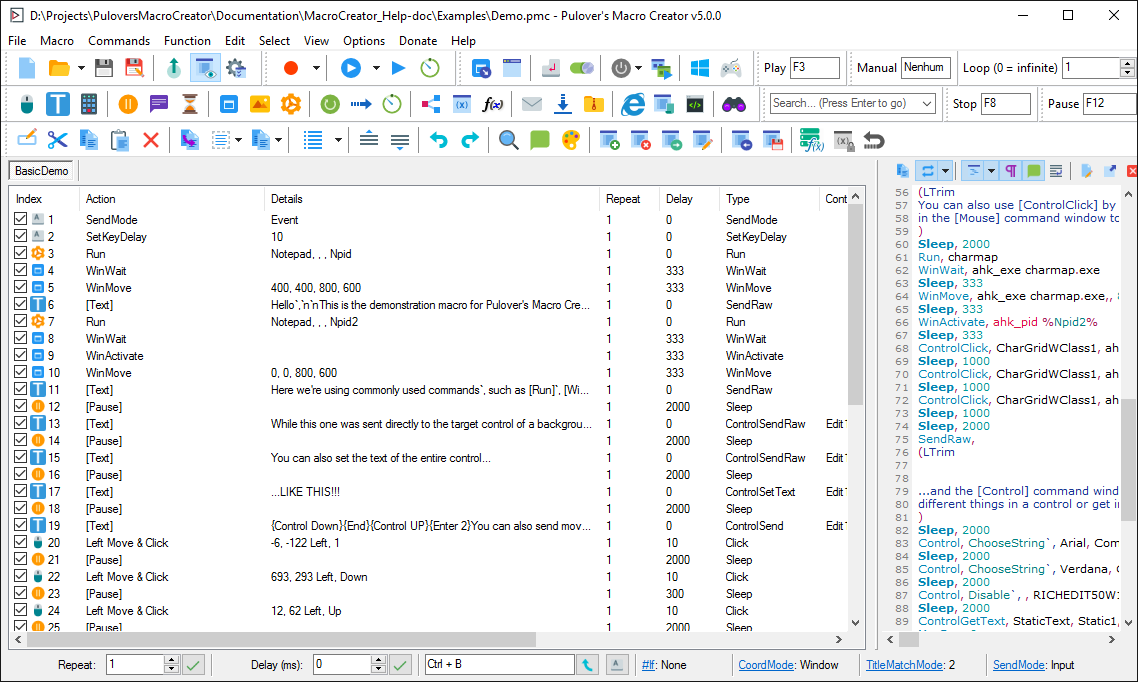
Pulover’s Macro Creator is a Free Automation Tool and Script Generator. It is based on AutoHotkey language and provides users with multiple automation functions, as well as a built-in recorder.
Features
- Mouse & Keyboard
- Control Commands
- Window Commands
- Image & Pixel Search
- Loops
- If Statements
- Variables & Functions
- Internet Explorer & General COM objects
- User-Defined Functions
Project Samples

License
GNU General Public License version 3.0 (GPLv3)Follow Pulover's Macro Creator
Other Useful Business Software
One Monitoring Tool for IT, OT and Cloud | Free Trial
Modern infrastructure spans data centers, cloud platforms and factory floors, and every blind spot between them is a risk. PRTG supports SNMP, WMI, SSH and other standard protocols to monitor IT, OT and hybrid environments through one customizable dashboard. Build the views your team needs, from network health to application performance, without switching tools. Try PRTG free for 30 days now.
Rate This Project
Login To Rate This Project
User Reviews
-
1. Thats not a software, it is just installer, that tries to download and install side-content. 2. It can`t. Not worth your attention.
-
mid macro that has multiple adware popups
-
it surreptitiously installed Lavasoft Adaware on my computer
-
Installs Adware on your computer that crashes web browsers (Firefox and Chrome). Also reconfigures your web browsers.
-
Love this program, it does have optional adware included in its installation. So, towards the end of the typical installation procedure, watch for the dialog box that reads, "Optional Offer Adaware Web Companion" … If you want to install it, install it. If you don't, don't.
