
 Download
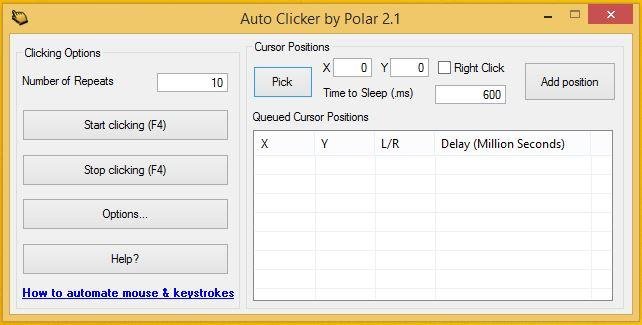
A full-fledged autoclicker with two modes of autoclicking, at your dynamic cursor location or at a prespecified location. The maximum amounts of clicked can also be set (or left as infinite).
Hotkeys work in the background for convenience.
If you need to automate multiple mouse clicks, try this multiple auto clicker: https://sourceforge.net/projects/orphamielautoclicker/files/AutoClickers.exe/download
Whats new in v1.0.0.2:
1. You can now change your hotkeys!
2. Changed the about page
3. Added a few minor options
v1.0.0.1 :
1. Your settings are now saved from your last session so you only need to enter them once. (Includes last fixed location)
2. Added double clicking and triple clicking
3. Added Right clicking and middle clicking
Features
- Choose whether to follow your cursor or click at a fixed spot
- Set the amount of times to click (or unlimited)
- Choose between which mouse button to click as
- Pick between single clicking, double clicking or triple clicking
- Change the hotkeys
- Convenient - Hotkeys work while application is in background
- Settings are saved (includes last fixed location)
- Free and Open Source
- Clean User Interface
- Low CPU usage
- Portable
- No advertisements or malware
- Virus Free (The amount of autoclickers with viruses out there are uncountable)
Project Samples

Categories
Auto ClickersLicense
Creative Commons Attribution Non-Commercial License V2.0Follow AutoClicker
User Reviews
-
Love it. Easy, easy. I use AutoClicker to move eMClient email templates into day/time order instead of having to click on a new email template (placed by eMClient at the bottom of the list) at least 50 times to move the new email template to the top of the list, which I did once before thinking there must be a kind-hearted smart developer who has made an auto clicker. AutoClicker just made eMClient email templates a much more valuable feature because I can now effortlessly move other types of email templates into an order where they are handy for frequent use (at the top of the list) and then move them down when not currently needed. Wow! Just Wow! Thank you.
-
please recompile this for apple silicon, they have deprecated rosetta 2 and it will soon not work in macOS 28. also, can you please make the icon conform to the standard icon shape on macOS?
-
sometime crash
-
Good but it carries on crashing
-
Works, but the UI is very low-res on systems with high DPIs
