


| Name | Modified | Size | Downloads / Week |
|---|---|---|---|
| Parent folder | |||
| OfflineBackup-0.9.1-win64.zip | 2026-11-03 | 1.0 MB | |
| Offline Backup 0.9.1 - fix for exFAT _ FAT32 drives source code.tar.gz | 2026-11-03 | 115.7 kB | |
| Offline Backup 0.9.1 - fix for exFAT _ FAT32 drives source code.zip | 2026-11-03 | 133.6 kB | |
| README.md | 2026-11-03 | 1.9 kB | |
| Totals: 4 Items | 1.3 MB | 1 | |
A fix for USB drives formatted exFAT or FAT32 - which is how most USB sticks come out of the box. Please update if you use 0.9.0.
Fixed
- On exFAT and FAT32 drives, about a third of the copied files got no checksum, so they were left out of Verify drive and of the
.md5files, and moved files were copied again instead of moved. These file systems keep file times in 2-second steps; checksums and move detection now allow for that, the same way robocopy does. - Your backups themselves were never affected. Files copied by 0.9.0 without a checksum get one at the next Verify drive (Drives... > Verify drive...).
Also
- Tested with a VeraCrypt volume labelled
OFFLINE-X: encrypted drives work like any other OFFLINE drive. Better VeraCrypt support (dismount from the app) is planned.
Screenshots
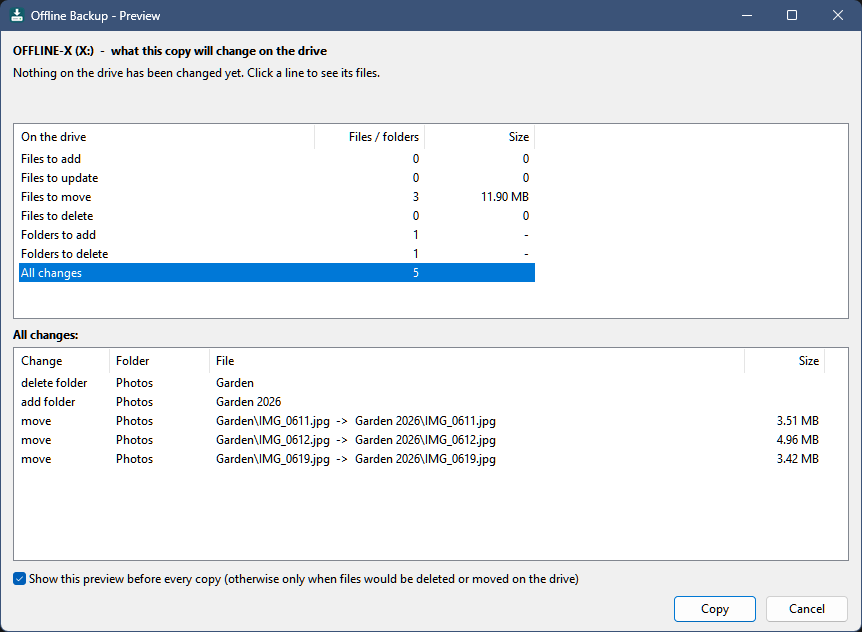
The preview before a copy - here with moved files, which are moved on the drive instead of copied again:
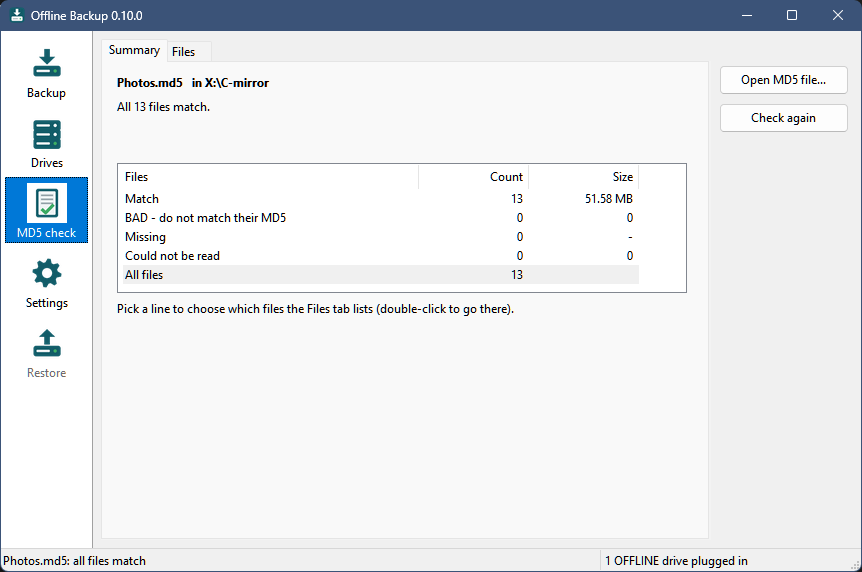
Check MD5 reads the files back from the drive and checks them:
More in the README.
Install or update
Download OfflineBackup-0.9.1-win64.zip below. To update, exit Offline Backup from its tray icon and replace OfflineBackup.exe with the new one - your settings (OfflineBackup.ini next to it) and your drives stay as they are. New installs: see the steps in the 0.9.0 release or README.txt in the zip.
Windows 10 or 11, 64-bit. Still a beta - keep more than one backup. MIT license.
SHA-256 of the zip: d0f3fa379c2407e52db97a787159316f4bd9cc9c712f12be1ca58909863ca7fa
