


MeowChan 0.9.0 — the UI relaunch is here 🐾
New name. New desktop. Welcome to MeowChan. 🐾
0.9.0 is the first release under the MeowChan name and our biggest desktop relaunch yet: a redesigned Avalonia interface for Windows, macOS and Linux, a new cat identity, dark and light themes, and a connected offline experience for downloading, reading and browsing your archive.
From the full-window thread reader to the image/video gallery, from board-filter previews to portable HTML collections, this release makes saved threads feel at home on your desktop. Barebones stays the simple default for new profiles. Want more? Simple and Advanced reveal more detail without interrupting your downloads.
Thank you to everyone who tested, reported rough edges and helped shape this release. Time to give your archive a new home. 🎉
Download MeowChan 0.9.0
| Platform | Download |
|---|---|
| Windows x64 | Download ZIP |
| Mac — Apple Silicon | Download DMG |
| Mac — Intel | Download DMG |
| Linux x64 | Download AppImage |
| Linux ARM64 | Download AppImage |
All five packages include .NET and VLC. See other Linux packages, first-launch instructions and checksums below.
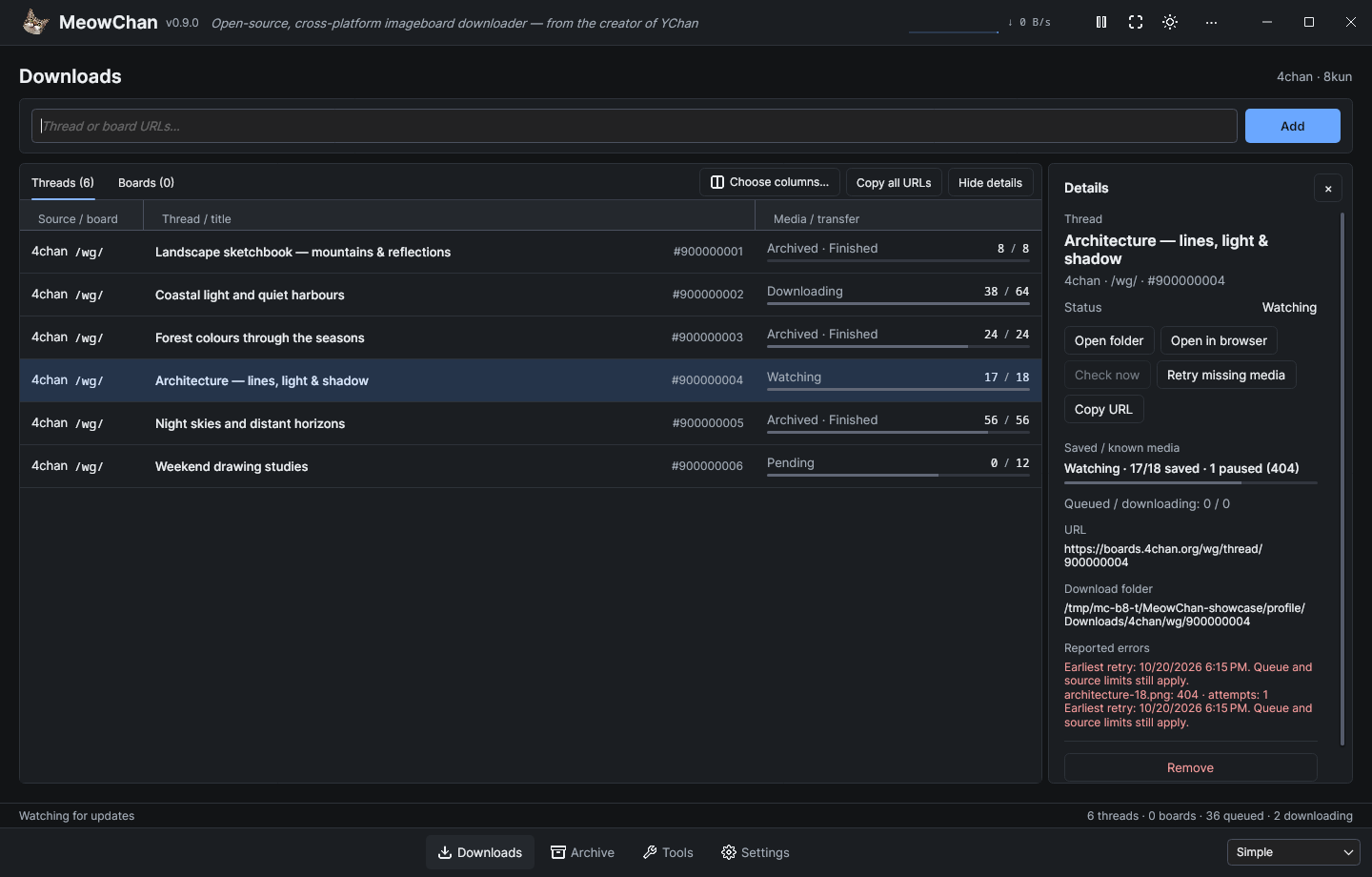
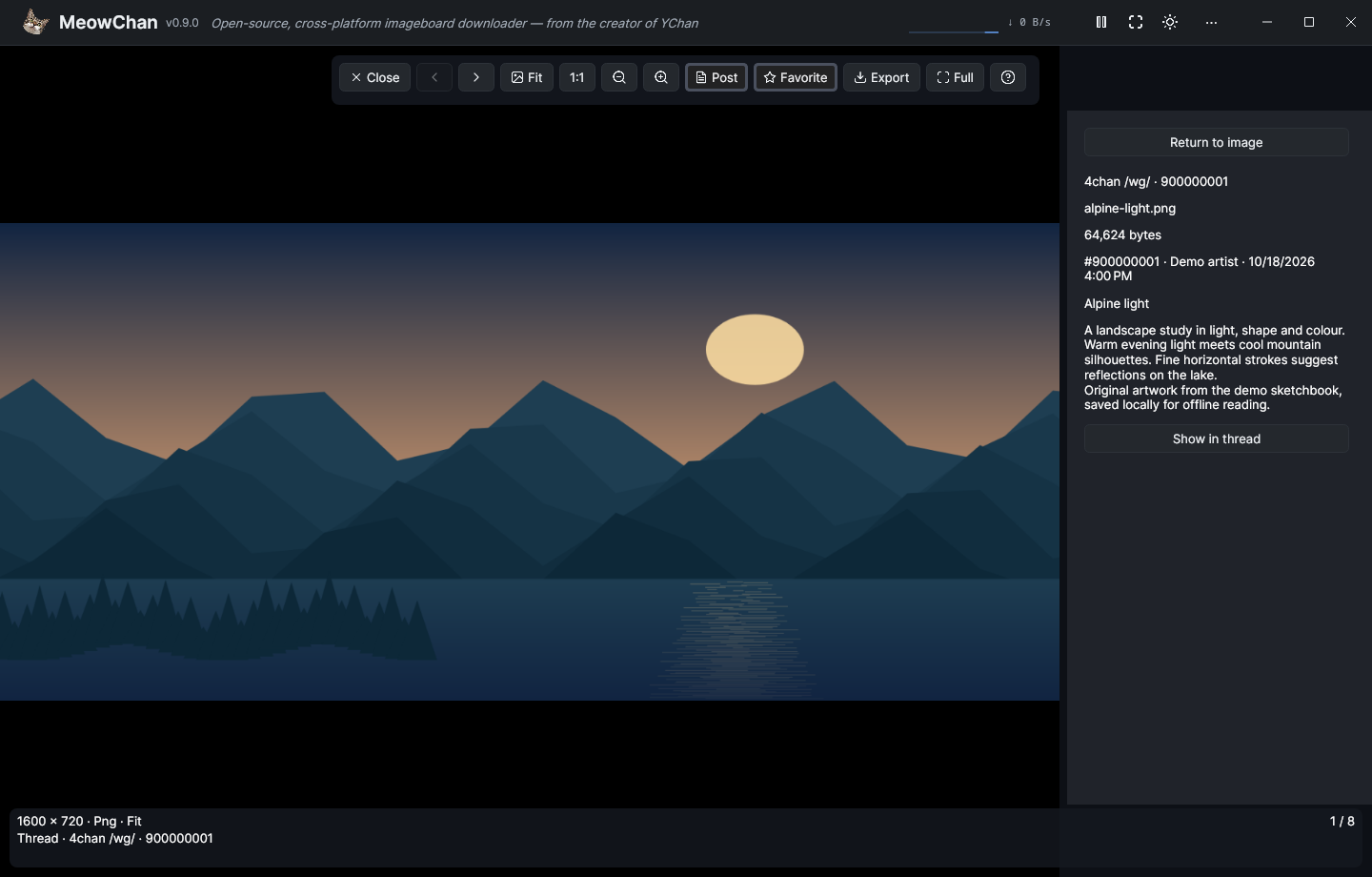
Compare Barebones and Advanced in the workspace showcase. These source-built interface captures are documented in the screenshot gallery.
Highlights
- Make the workspace yours. Barebones, Simple and Advanced each remember their own table columns, order and widths, archive layout, density and reading size. Downloads, Archive, Sources, Rules, Diagnostics and Settings share one workspace; navigation keeps your input, selection and running downloads. Click the cat in the header to open About.
- Read and browse offline. Search saved threads, captured posts and media; follow local quotes and backlinks; and move between the full-window reader and shared image/video gallery. Gallery navigation offers Fit/1:1, zoom, pan and saved-post context. Fullscreen works across the workspace, reader and gallery. Closing the gallery returns to the saved post associated with the media currently shown, while list and search origins keep their place.
- Act on several threads at once. Multi-select watches or archived threads to copy links, remove watches or export selected threads as one portable HTML collection. Favorites retain exact saved-media revisions, and verified originals can be exported without downloading again. Permanent archive deletion shows the local files to be removed and asks for confirmation; ordinary Delete keeps the archive.
- Control what gets saved. A board-admission wizard previews discovered threads, title/opening-post filters and individual choices before adding a batch. Inherited media rules, persistent Pause/Resume, bounded missing-media retries, manual repair and Diagnostics make downloads easier to manage. Repeat HTML exports can update a recognized earlier result, with backup protection for changed or reduced output.
- Use the desktop your way. Dark, Light and System themes; built-in English and German; optional JSON language packs; keyboard help; and separate Close to tray and Minimize to tray settings are available.
MeowChan watches supported 4chan and 8kun threads and boards, saves selected original media and can capture posts for offline reading. See the user guide for controls, rules, export, retry and upgrade details.
Help shape 1.0.0
1.0.0 is planned for later in 2026, with extensibility and further UI refinement as its focus. 0.9.0 lays the desktop foundation; your feedback will help shape what comes next.
Please test MeowChan on Windows, macOS and Linux. Try your everyday downloads, board filters, WebM/video playback, fullscreen, tray behavior and offline exports. Found a bug or a platform-specific quirk? Have a feature idea? Open a GitHub issue. For bugs, include your OS and architecture, MeowChan version, steps to reproduce, and relevant logs or screenshots. For feature requests, tell us what you want to achieve and how MeowChan could make it easier.
Downloads
All desktop packages include .NET. Keep the complete package together, including native libraries and legal notices.
- Windows x64: ZIP with VLC.
- Mac — Apple Silicon: ARM64 DMG with VLC.
- Mac — Intel: x64 DMG with VLC.
- Linux x64: AppImage with VLC.
- Linux ARM64: AppImage with VLC.
- Linux x64 tar archives: bundled VLC or smaller system-VLC package.
- Linux ARM64 tar archives: bundled VLC or smaller system-VLC package.
The Linux system-VLC archives require LibVLC 3.0.20 or newer with the media/output plugins supplied by your distribution. All Linux variants require a compatible native desktop, including glibc and X11/XWayland. See the Linux package instructions.
The macOS apps are ad-hoc signed, without Apple Developer ID signing or notarization. On first launch, macOS may require manual approval in Privacy & Security; see the macOS instructions.
Required legal notices accompany the binary packages. Corresponding native video source assets are the common Windows/macOS base, the macOS overlay paired with both DMGs, and the separate Linux x64 and Linux ARM64 companions. The Windows, macOS and Linux source records explain the matching components and replacement options.
Use SHA256SUMS to verify the 13 binary and source downloads.
Upgrading
Back up your profile and media directories before upgrading. Existing watches, settings and assigned media paths remain usable, but do not run an older application against the same profile or media destination concurrently. New profiles use .MeowChan and Downloads/MeowChan; a sole existing legacy profile is used in place. If both profile directories exist, select one with MEOWCHAN_PROFILE. New profile and media formats do not support downgrading.
The reusable library is renamed libmeowchan with MeowChan.* namespaces. Consumers must update package, assembly and namespace references; binary compatibility and an automatic NuGet redirect are not provided. The .NET 10 baseline remains.
