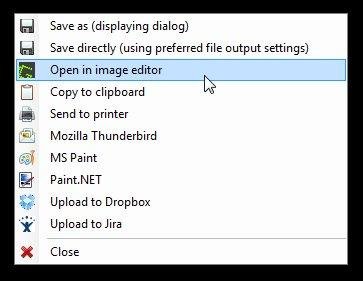
Greenshot is a lightweight screenshot software tool for Windows that quickly creates screenshots of a selected region, window, or full screen; you can even capture complete (scrolling) web pages from Internet Explorer. Greenshot easily annotates, highlights, or obfuscates parts of the screenshot. Greenshot also exports screenshots in various ways: save to file, send to printer, copy to clipboard, attach to e-mail, send Microsoft Office programs, or upload to photo sites like Flickr or Picasa. And Greenshot has a lot more options, to simplify the creation of, and work with, screenshots every day. Overall, Greenshot is easy to understand and configurable, that's why it is an efficient tool for project managers, software developers, technical writers, testers, and anyone else creating screenshots.

Features

  • Capture complete or partial screenshots
  • Easily annotate, highlight, or obfuscate screenshots
  • Send screenshots to a file, the clipboard, a printer, or as email attachments

Project Samples

Project Activity

See All Activity >

License

GNU General Public License version 2.0 (GPLv2)

Follow Greenshot - Screen Recorder

Greenshot - Screen Recorder Web Site

Other Useful Business Software
Gen AI apps are built with MongoDB Atlas Icon
Gen AI apps are built with MongoDB Atlas

The database for AI-powered applications.

MongoDB Atlas is the developer-friendly database used to build, scale, and run gen AI and LLM-powered apps—without needing a separate vector database. Atlas offers built-in vector search, global availability across 115+ regions, and flexible document modeling. Start building AI apps faster, all in one place.
Start Free
Rate This Project
Login To Rate This Project

User Ratings

★★★★★
★★★★
★★★
★★
167
4
3
1
3
ease 1 of 5 2 of 5 3 of 5 4 of 5 5 of 5 4 / 5
features 1 of 5 2 of 5 3 of 5 4 of 5 5 of 5 4 / 5
design 1 of 5 2 of 5 3 of 5 4 of 5 5 of 5 4 / 5
support 1 of 5 2 of 5 3 of 5 4 of 5 5 of 5 4 / 5

User Reviews

  • GOOD
  • I've just installed it and it's already better than my previous tool.
  • Super réalisation. Très utile pour les captures d'écran pour des tutoriels ou des powerpoints. A recommander. Merci.
  • Versatile and stable product but free. The best.
  • I've been using it for several years now.

Read more reviews >

Additional Project Details

Operating Systems

Windows

Languages

Arabic, Brazilian Portuguese, Chinese (Simplified), Chinese (Traditional), Czech, Danish, Dutch, English, Finnish, French, German, Greek, Hebrew, Hungarian, Italian, Japanese, Korean, Lithuanian, Norwegian, Persian, Polish, Portuguese, Romanian, Russian, Serbian, Slovak, Spanish, Swedish, Turkish, Ukrainian, Vietnamese

Intended Audience

End Users/Desktop, Information Technology, Quality Engineers, Testers

User Interface

Win32 (MS Windows)

Programming Language

C#

Related Categories

C# Screen Capture Software, C# Graphic Design Software, C# Screen Recorders

Registered

2007-03-20