
 Download
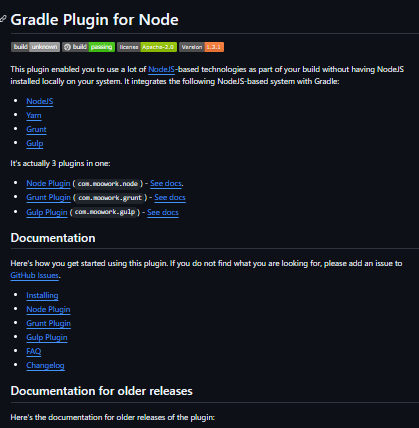
The gradle-node-plugin is a Gradle plugin that allows integration and execution of Node.js-based tools—such as Node.js itself, Yarn, Grunt, and Gulp—within your Gradle build, even if Node.js isn’t installed locally. It streamlines frontend build tasks by managing Node toolchain dependencies directly through Gradle. Installing the node-related plugins can be done in multiple ways. The easiest is to use the plugins-closure in your build.gradle file. If you want to install snapshot versions of this plugin, you can add the OJO repository to your build. Compatible with Gradle 6.6 and newer, Node.js 10+, and npm 7+.
Features
- Enables execution of Node.js, Yarn, Grunt, and Gulp within Gradle builds
- Eliminates need for local Node.js installation by downloading binaries
- Supports running npm, pnpm, and Yarn scripts via Gradle tasks
- Compatible with Gradle 6.6 and newer, Node.js 10+, and npm 7+
- Configurable Node version, download settings, and working directories
- Published via the Gradle Plugins Portal under com.github.node‑gradle.node
Project Samples
Categories
Software DevelopmentLicense
Apache License V2.0Follow Gradle Node Plugin
Other Useful Business Software
MongoDB Atlas runs apps anywhere
MongoDB Atlas gives you the freedom to build and run modern applications anywhere—across AWS, Azure, and Google Cloud. With global availability in over 115 regions, Atlas lets you deploy close to your users, meet compliance needs, and scale with confidence across any geography.
Rate This Project
Login To Rate This Project
User Reviews
Be the first to post a review of Gradle Node Plugin!