
 Download
* Installation
- Unpack the files in a folder called contextualscroll
- Run dev/build
* Usage
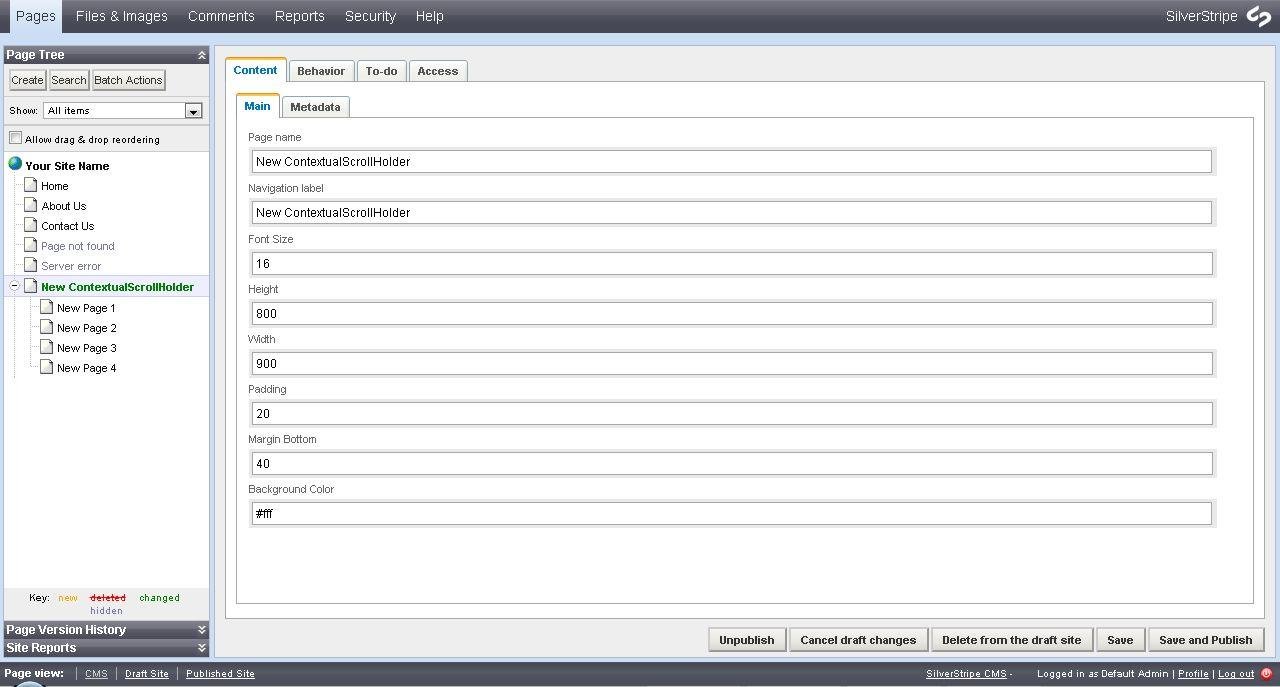
- At the CMS add a new page of "Contextual Scroll Holder" type
- At the main tab you can set font-size, height, width, padding, margin-bottom and background-color for the children pages
- Add pages below the the Contextual Scroll Holder
- All pages are displayed once with the vertical contextual scroll bar showing their names
Project Samples

Categories
Content Management Systems (CMS)License
MIT LicenseFollow Contextual Scrolling Silverstripe Module
Other Useful Business Software
Go From AI Idea to AI App Fast
Access Gemini 3 and 200+ models. Build chatbots, agents, or custom models with built-in monitoring and scaling.
Rate This Project
Login To Rate This Project
User Reviews
Be the first to post a review of Contextual Scrolling Silverstripe Module!

