WebHooks to NodeRed - HowTo?
Brought to you by:
wekan

Originally created by: yeurplc
Can't receive webhook Messages from Wekan.
POST / GET / PUT from console are working.
curl -X POST -d 'Nick' -H "Content-type: text/plain" http://192.168.1.20:1880/hello-raw
curl -X POST -d 'Nick' -H "Content-type: text/plain" http://192.168.1.20:1880/wekan
Server Setup Information:
Wekan version: v1.78.0
Operating System: Ubuntu 18.04.1 LTS
Deployment Method: Docker version 18.03.1-ce
ROOT_URL environment variable: http://192.168.1.20:3000/
Problem description:

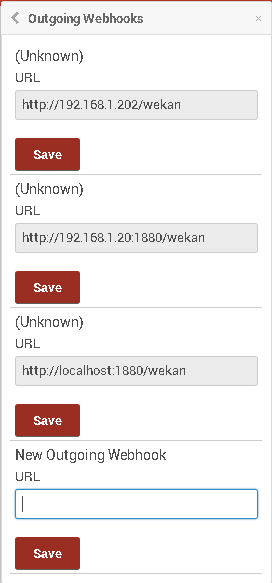


Originally posted by: xet7
Wekan only has Outgoing Webhooks going from Wekan to other software like Slack/Rocket.Chat/etc.
1) Is that Outgoing Webhook URL the address of NodeRed ?
2) Does NodeRed have incoming webhook that supports incoming Wekan data in this format ?
3) For getting data into Wekan, there is Wekan REST API. Does it work for you?
Originally posted by: andyprv
Yes , I tryed with & without Port declaration
It should be able to receive any kind of http POST / PUT Messages , I tested with
curl command from different PC , worked
Puting Data into Wekan ,is not needed yet , first we like to Track all Card movements
Originally posted by: xet7
@andyprv
I added incoming HTTP POST to NodeRed:
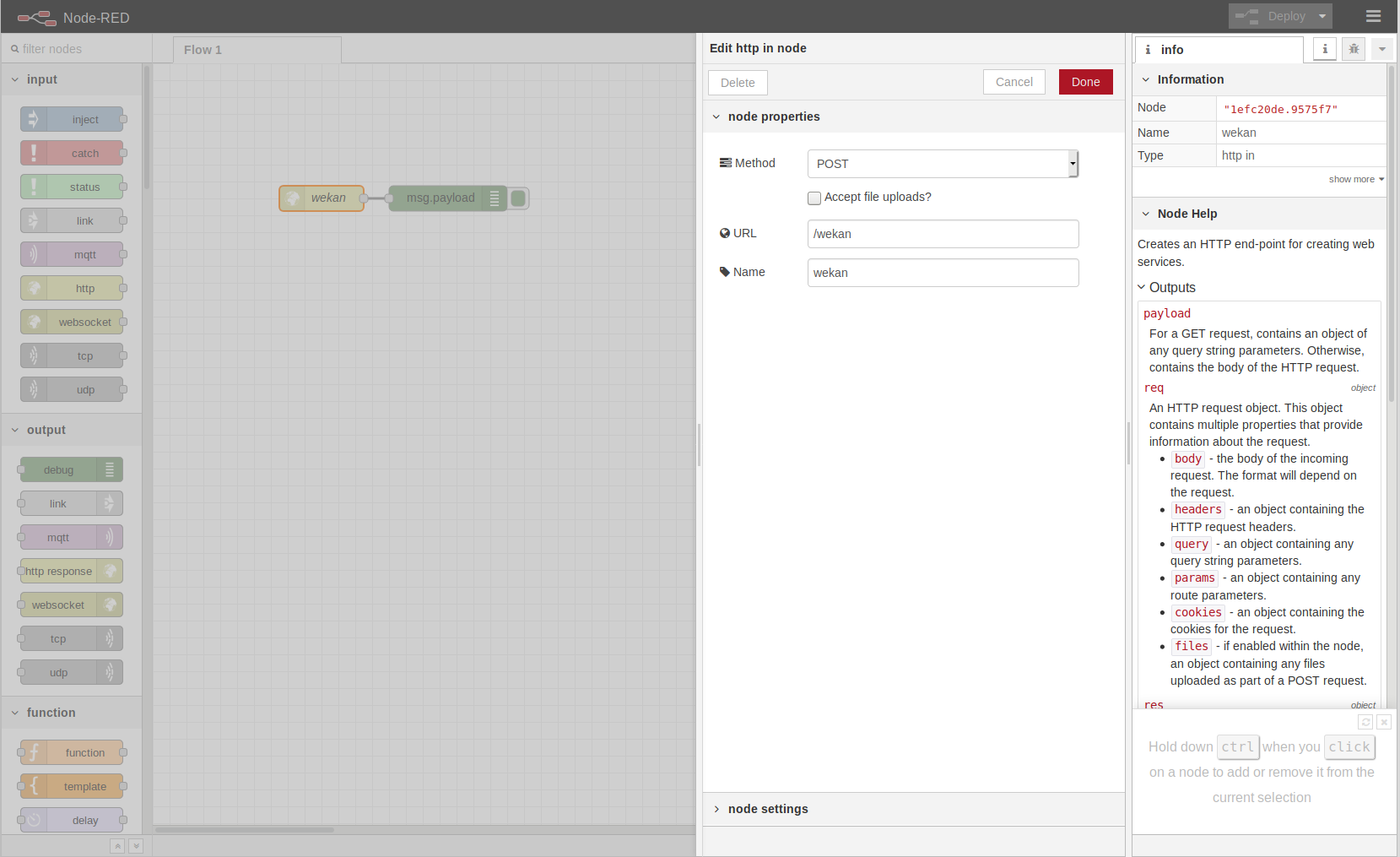
Then I added debug:

And Outgoing Wekan Webhook, that seems to send changes as seen above:
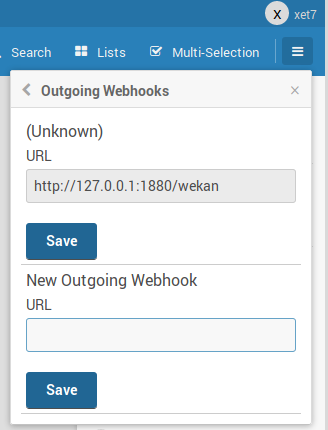
I installed NodeRed like described here, also installing chatbot:
https://flows.nodered.org/node/node-red-contrib-chatbot
Originally posted by: xet7
Also, in NodeRed you need to click
Deployto deploy new HTTP Post etc changes.Originally posted by: andyprv
Hello ,
my setup is not installed on the host, both are Containers, running on Docker.
I fool'd arround and got sometimes Messages in NodeRed , when I open/close other connections .
Originally posted by: andyprv
seems to work with v2.01
If I reload wekan , after setup webhook !
Just "SAVE" webhook settings or open/close the Board is not working ,
give you that strange behavior , as I discriped obove ...
Ticket changed by: xet7
Originally posted by: defijesus
@andyprv I'm also having troubles with webhooks when running with docker. Can you share your docker-compose.yml and how you are running it?
Ticket changed by: xet7
Originally posted by: xet7
Here is all steps I did:
1) Install Docker and docker-compose to Ubuntu 16.04 64bit
2) Deleted and cleaned up all docker data, so that Wekan starts correctly:
3) Cloned wekan repo and started wekan
4) Installed Node 8.15.0
5) Installed node-red according to https://flows.nodered.org/node/node-red-contrib-chatbot
6) Added node-red http-in /wekan and debug as above screenshot, added line between them, clicked deploy
7) At wekan http://localhost registered new account and logged in with same credentials
8) Created new board and added outgoing webhook to http://127.0.0.1:1880/wekan
9) Docker does not send any changes of creating cards and lists, or moving cards
10) Built from source and run
And with 1 install dependencies, and 2 build from source
11) Edit start-wekan.sh to have ROOT_URL=http://localhost and PORT=80
12) Allowed wekan on port 80
13) Install MongoDB 3.2.21 according to Ubuntu MongoDB docs
14) Start Wekan
15) Add new board and outgoing webhook to http://127.0.0.1:1880/wekan
16) And from source it works.
17) But docker does not work. Is it because some Docker network settings? Is there limited access in Docker to localhost ports? Or does nodered need to be in some docker container, defined to wekan network defined in docker-compose.yml ?
Originally posted by: xet7
Maybe this could help?
https://stackoverflow.com/questions/24319662/from-inside-of-a-docker-container-how-do-i-connect-to-the-localhost-of-the-mach
Originally posted by: xet7
To connect to localhost, instead of http://127.0.0.1:1880/wekan , please try:
Docker for Mac:
http://host.docker.internal:1880/wekan
or
http://docker.for.mac.host.internal:1880/wekan
or
http://docker.for.mac.localhost:1880/wekan
Docker for Windows:
http://host.docker.internal:1880/wekan
or
http://docker.for.win.localhost
Originally posted by: xet7
It seems that Wekan source/snap/docker on Linux outgoing webhooks to Rocket.Chat snap incoming webhook chat channel works with copying webhook url to Wekan board.
But, it seems that:
These still need more testing, because it feels like sometimes some of the above works, and sometime not.
Originally posted by: andyprv
I just pulled the Wekan 2.01 , and started with ....
Originally posted by: xet7
@andyprv
You docker command above does not specify MongoDB version.
quay.io/wekan/wekan:v2.01is compatible with MongoDB 3.2.21 andquay.io/wekan/wekan:meteor-1.8is with MongoDB 4.xOriginally posted by: andyprv
Ohh , do I have to specify the MongoDB Version as enviroment variable on wekan run command ?
Right now it's running ( accidentally ) on the Right Version
Originally posted by: xet7
@andyprv
All environment settings are documented in docker-compose.yml at https://github.com/wekan/wekan
Originally posted by: andyprv
Ok , webhooks seems to work now ,
where do I find the webhook entry's of the Boards in MonogoDB Structure ?
and any Tip , how to add my "global" webhook Address to all existing boards ?
Originally posted by: xet7
@andyprv
Global webhook feature is not done yet:
https://github.com/wekan/wekan/issues/2109
So currently, you would need to add webhook URL to all boards.
To edit Wekan MongoDB database, you can use for example:
https://nosqlbooster.com/downloads
When using Docker, if you have exposed at docker-compose.yml wekan-db MongoDB port to localhost 27017, you can connect to it using nosqlbooster ssh.
When using Snap, Wekan MongoDB is running at server at port 27019, so it's possible to connect to it with nosqlbooster ssh.
Originally posted by: andyprv
Yes , I know ...
I'am using "MongoDB Compass Community" to direct access the DB , but I don't find , where the
"webhook Addresses" entries are stored inside the DB ...
lot of collections ...
Thanx for the "nosqlbooster4mongo" Tip
Originally posted by: xet7
@andyprv
Outgoing webhook URLs are at
integrationscollection/table.Originally posted by: xet7
@andyprv
So I think it's enough you add new rows to integration table, with similar data, and it starts to work.
Originally posted by: xet7
@andyprv
Does this work for you in newest Wekan?