Menu
▾
▴
Re: [Ubertooth-general] Firmware update issue from r314 to 2017-03-R2
|
From: Dominic S. <dom...@gm...> - 2017-08-11 07:36:57
|
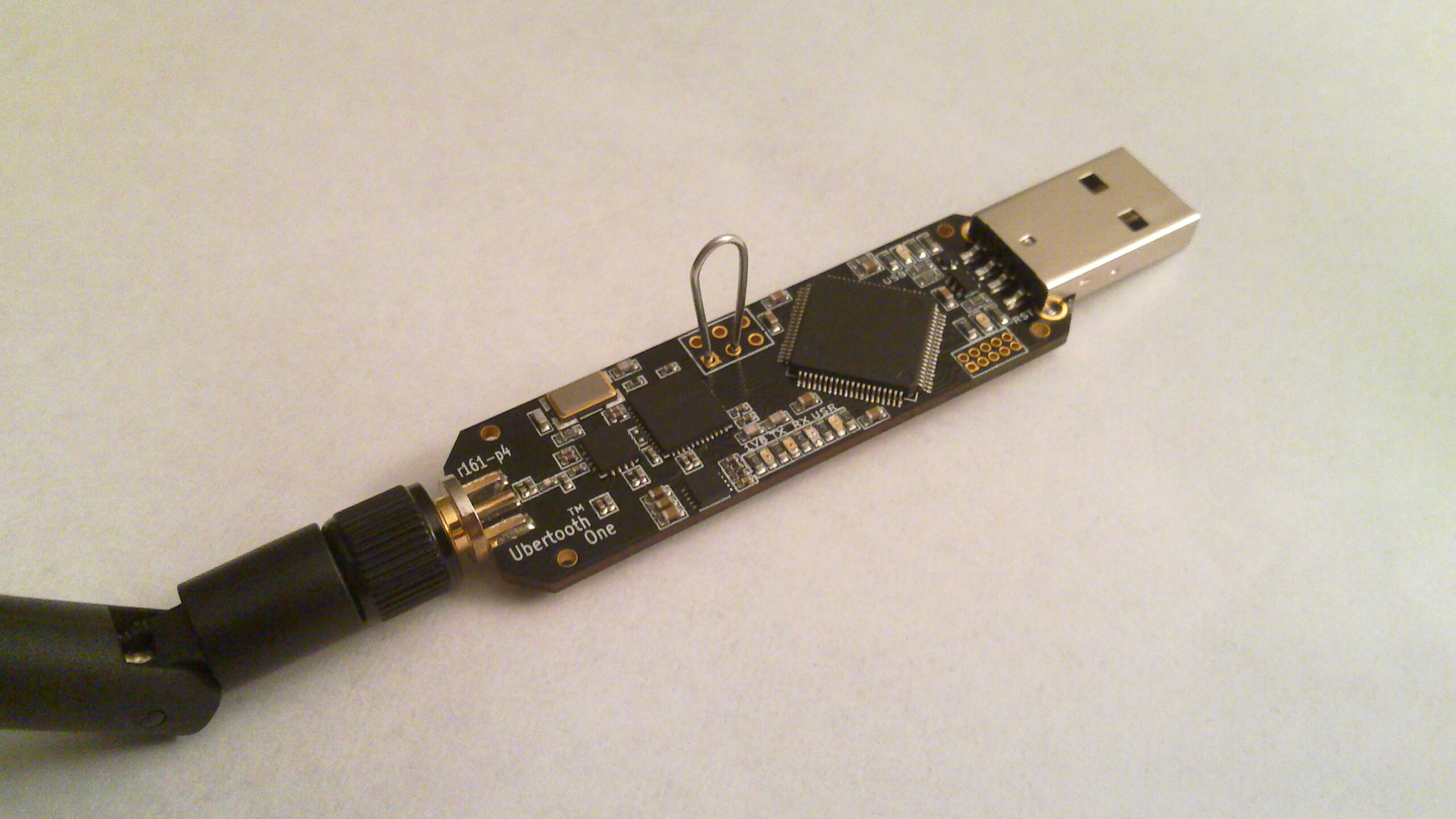
On 10 August 2017 at 17:50, Gurjashan Pannu <gur...@gm...> wrote: > > The current firmware version on the ubertooth is: > Firmware version: 314 (API:1.00) > > And when I try to update the firmware using: > ubertooth-dfu -d bluetooth_rxtx.dfu -r > The following error is shown and nothing happens. > Checking firmware signature > control message unsupported > control message unsupported > control message unsupported It looks like it's not going in to DFU mode, I'm not sure why, but the 314 firmware is old enough that something may have changed since then. You can manually put it in to DFU mode manually by connecting pins 1 and 3 on the expansion header as you plug it in. These are shown connected in this image: http://dominicspill.com/images/ubertooth_pins.jpg (thanks Mike Ryan for taking that photo!) Connect the pins, plug in the Ubertooth, and you should see the LEDs light up. You can now run the ubertooth-dfu command. Thanks, Dominic |