Compatibility issue with .tar created by Virtualmin
A free file archiver for extremely high compression
Brought to you by:
ipavlov

Hi, I hope you are well and I hope you can read my message here. Don't be immediately scared or annoied by the topic title.
We love tecnology that's why we are using a PC and software.
I manage a Virtual Private Server that since different time use the Virtualmin Control Panel that's is really an amazing tool, also avaiable for free (Open Source).
It's really powerful.
This panel create backups using the format .tar.gz, inside that are listed domains.
To reach the public_html folder need to open the file called domain.ext_dir.tar
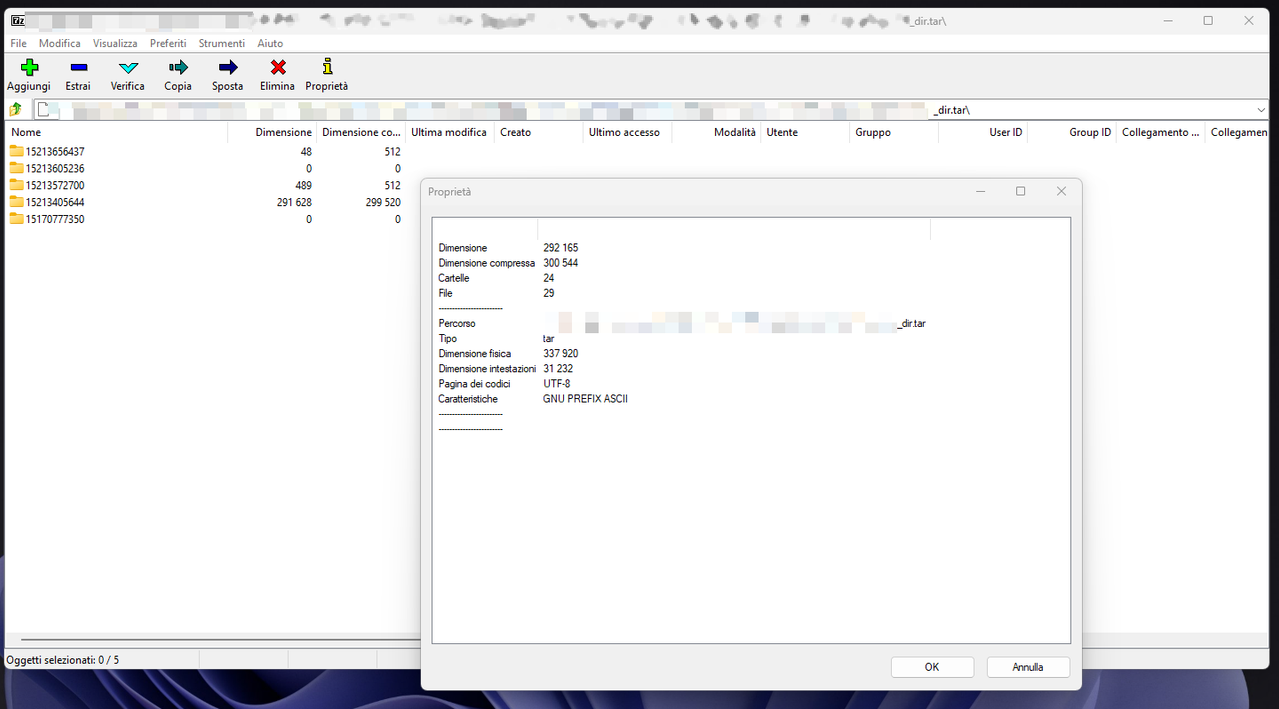
This file when opened with all archive manager I tried is showed with different folders all with a random name.
For example:
All content are splitted into this folders.
In this way is impossibile to recover my public_html folder and files.
You can open one of this randoom folder and find just a part of public_html content and you need looks also in all other folders to find other pieces.
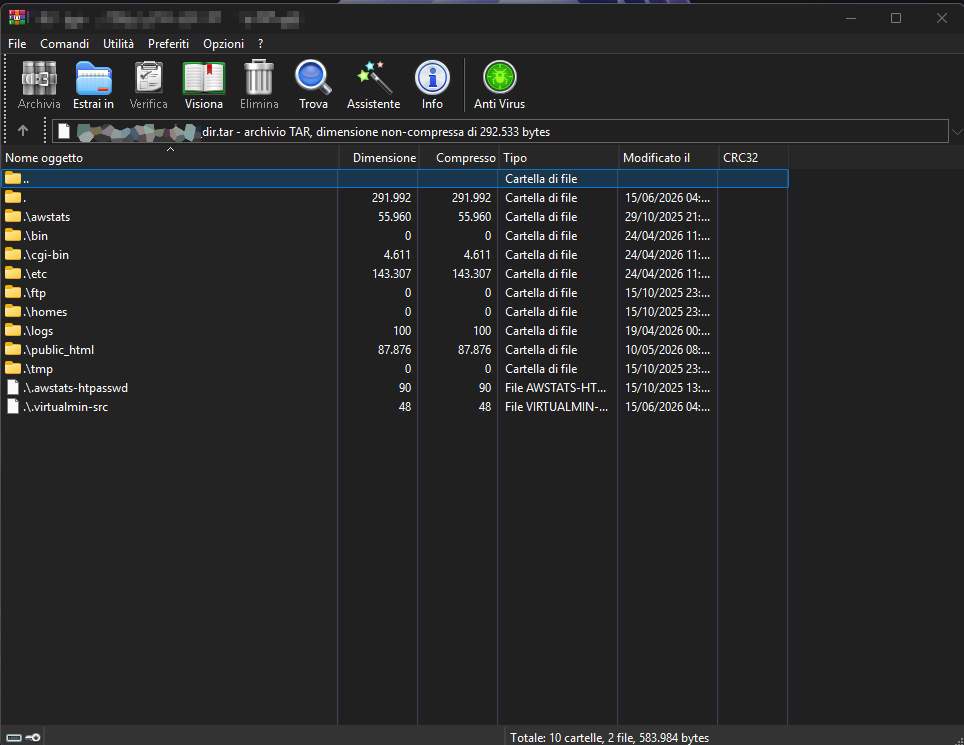
The only Windows program that are "showing correctly" but also extracting "correctly" the content is WinRAR that is not free and is not an open source software and also is just one software.
All other program I tried to open that .tar archive generated by Virtualmin fail by showing and extrating a lot of randoom numers folder. A lot. Files are the files are scattered and broken all over these folders.
7zip is not just 7zip but there are also fork of your project that would benefit from the implementation of the feature. For example right now I'm using NanaZip that use as core 7zip.
Generate an archive example is a bit complicated because right now I dont have an empty VPS where I can install a clean testing Virtualmin instance to safely share here a backup example. If this is indispensable I can try to see but will take time.
Would be nice see 7zip can manage also correctly .tar file generated by Virtualmin.

7Zip:
WinRAR:
See also: https://forum.virtualmin.com/t/help-on-understand-how-to-manage-backup-file-issue-with-public-html-and-archive-managers/137427