Robo QR for Android Wiki
Robo QR - The Android File Transfer Gadget!
Brought to you by:
paujones2005


Robo QR is an Android app for transferring content between Android devices and/or Windows/Mac/Linux based computers and/or other Android devices Transfer; pictures, music, movies, documents (or any other file) with a simple scan of a QR code over WiFi... (All devices must be on the same WiFi local area network).
The PC application can be downloaded at: https://sourceforge.net/projects/roboqr/
The Android app is available on google play at https://play.google.com/store/apps/details?id=web.oss.qrcopy
An instructional YouTube video for both the PC and Android version at https://www.youtube.com/watch?v=zaoqAaHFC9o
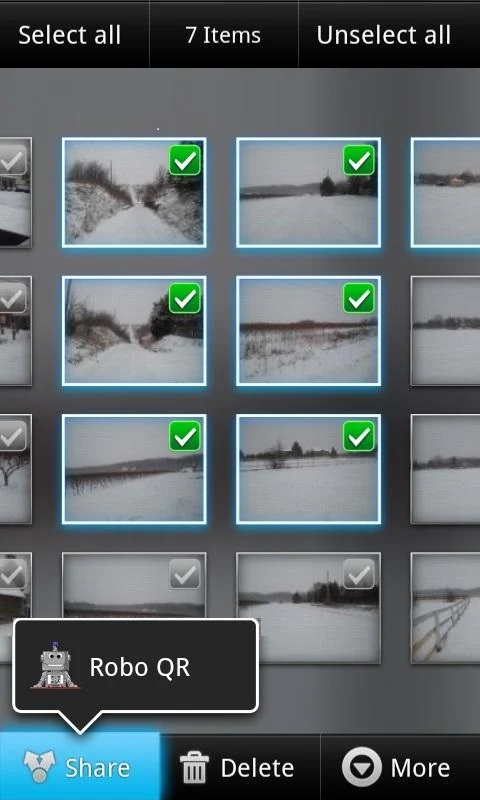
-Select a number of files to be transferred on the source device.
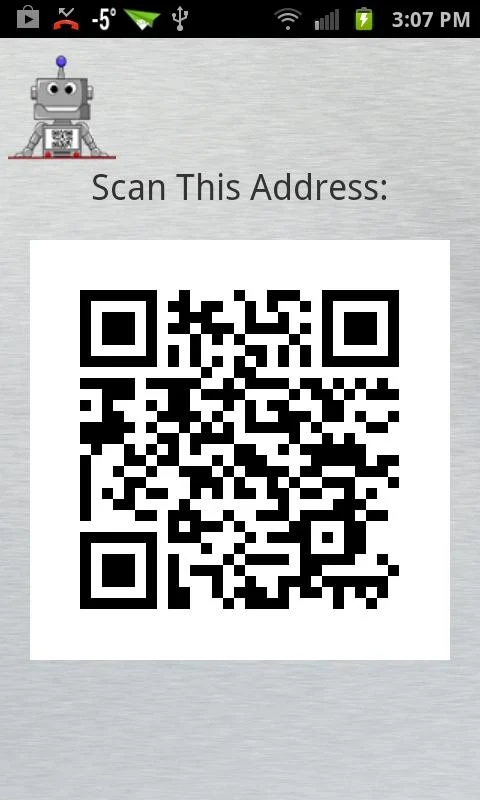
-Select Robo QR from the share options - A QR code will be displayed to the user
-On the traget device, open the Robo QR App and scan the source device
![Scan Screen]
(https://lh6.ggpht.com/lfe7MtoOsTDT13rN97rVsCcIomh3oefDnVInAoZjIPGd6xGe5oEokDoDoS_F9ZIfh6U=h900-rw)
Content will be transferred from the source device to the target device over WiFi.
Options for the Android app can be set by selecting the Android standard 'Menu' button from within the scan screen
![Opt Screen]
(https://lh6.ggpht.com/EhsdL6fQIBNTy90zHMZ798MEHOr2k7pnMtFMBDIgpPg-rmZPmoubkPIeT_B42rxPTUYK=h900-rw)