
Menu
▾
▴
#1139 Problems with Settings > Appearance
I had QMMP running with this design, a light version (not black) is desired. I tried ather definitions in Settings > Appearance and actually have this one; my problems:
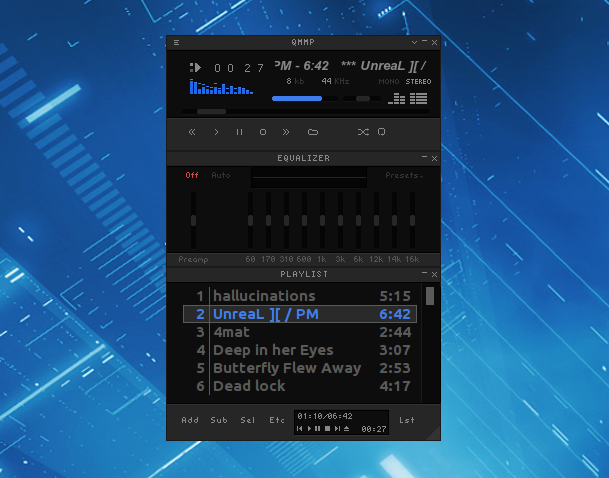
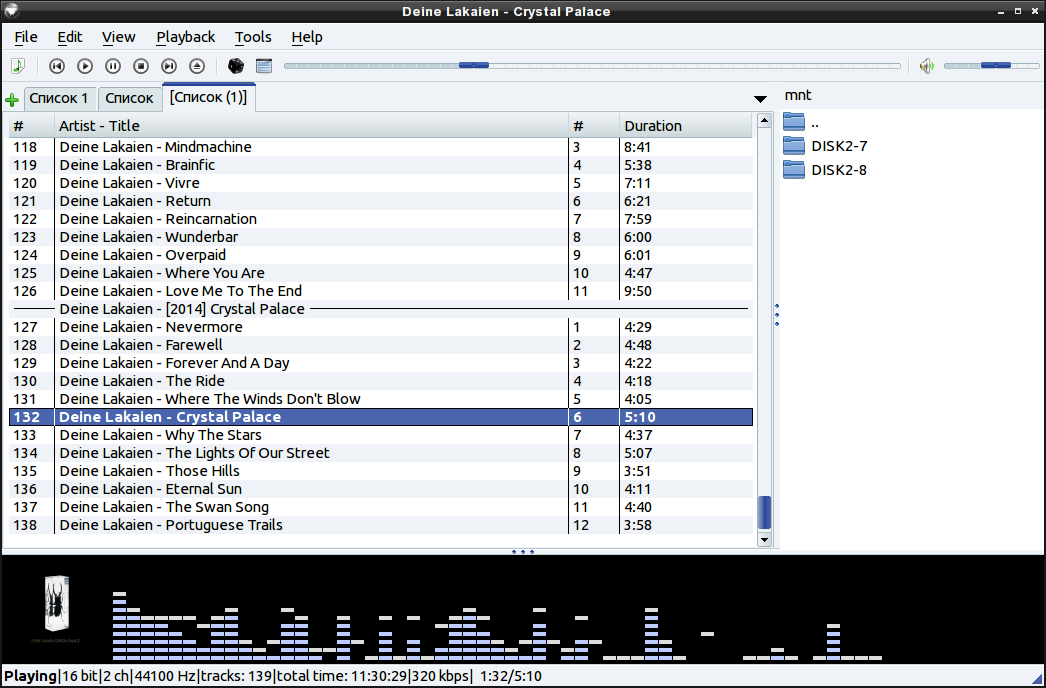
- I can't reduce the width to the one from the black version.
- The speaker symbol is crossed out, even after clicking it, while the sound turns off and on.
- I can't switch back to the black version, even after re-installing QMMP.
How can I solve this? **Thank you! **


Please, provide more information (OS, qmmp version, etc).
Thanks, here the desired information:
Go to settings -> Plugins -> User Interfaces. Select "Skinned User Interface". Restart player. Now you have old skinned user interface. Here https://qmmp.ylsoftware.com/files/skins/ you can download other skins.
Sorry, I dont understand ...
I start qmmp and klick settings (CTRL-P). After that I see this![]() , but no selection plugins ....
, but no selection plugins ....
I mean this option.
Thanks again! In Settings > User interface i changed to "simple interface (libqsui.so)" and restartet qmmp. Again I cant't find "Plugins", as you had mentioned here. Sorry, no idea how to proceed ...