
 Download
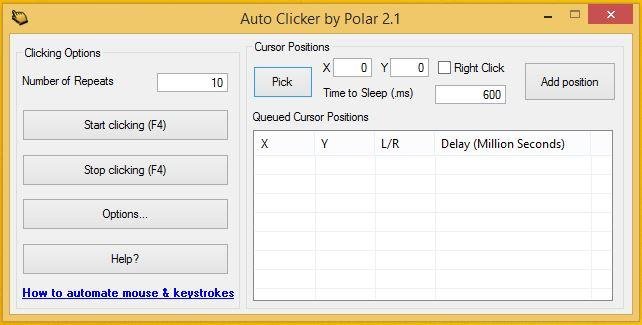
A full-fledged autoclicker with two modes of autoclicking, at your dynamic cursor location or at a prespecified location. The maximum amounts of clicked can also be set (or left as infinite).
Hotkeys work in the background for convenience.
If you need to automate multiple mouse clicks, try this multiple auto clicker: https://sourceforge.net/projects/orphamielautoclicker/files/AutoClickers.exe/download
Whats new in v1.0.0.2:
1. You can now change your hotkeys!
2. Changed the about page
3. Added a few minor options
v1.0.0.1 :
1. Your settings are now saved from your last session so you only need to enter them once. (Includes last fixed location)
2. Added double clicking and triple clicking
3. Added Right clicking and middle clicking
Features
- Choose whether to follow your cursor or click at a fixed spot
- Set the amount of times to click (or unlimited)
- Choose between which mouse button to click as
- Pick between single clicking, double clicking or triple clicking
- Change the hotkeys
- Convenient - Hotkeys work while application is in background
- Settings are saved (includes last fixed location)
- Free and Open Source
- Clean User Interface
- Low CPU usage
- Portable
- No advertisements or malware
- Virus Free (The amount of autoclickers with viruses out there are uncountable)
Project Samples

Categories
Auto ClickersLicense
Creative Commons Attribution Non-Commercial License V2.0Follow AutoClicker
User Reviews
-
Good but it carries on crashing
-
Works, but the UI is very low-res on systems with high DPIs
-
Best one I found so far
-
would be nice if u can give the logo a little shader or glow effect - if i pin this app in the taskbar (with dark design) the programicon isn't visible, because black on black 😵💫 nice software, works as expected and is not blocked by antivirus like other mouse-clicker software. 👍
-
i can't puedo download autoclicker in my window 7, i tried like 6 or 7 times downloading the op autoclicker in my window 7 but all of them says it's not compatible to 32-bit, is there a version that is compatible with con my glorious window 7?

